
Animate My Pet Blog
How to Turn an Old Pet Photo Into a Moving Video: Step-by-Step AI Guide
Aug 25, 2026
“Learn how to turn an old pet photo into a moving video using AI. Scan physical prints, pick zero-prompt animation templates, and create 9:16 HD clips in seconds.”
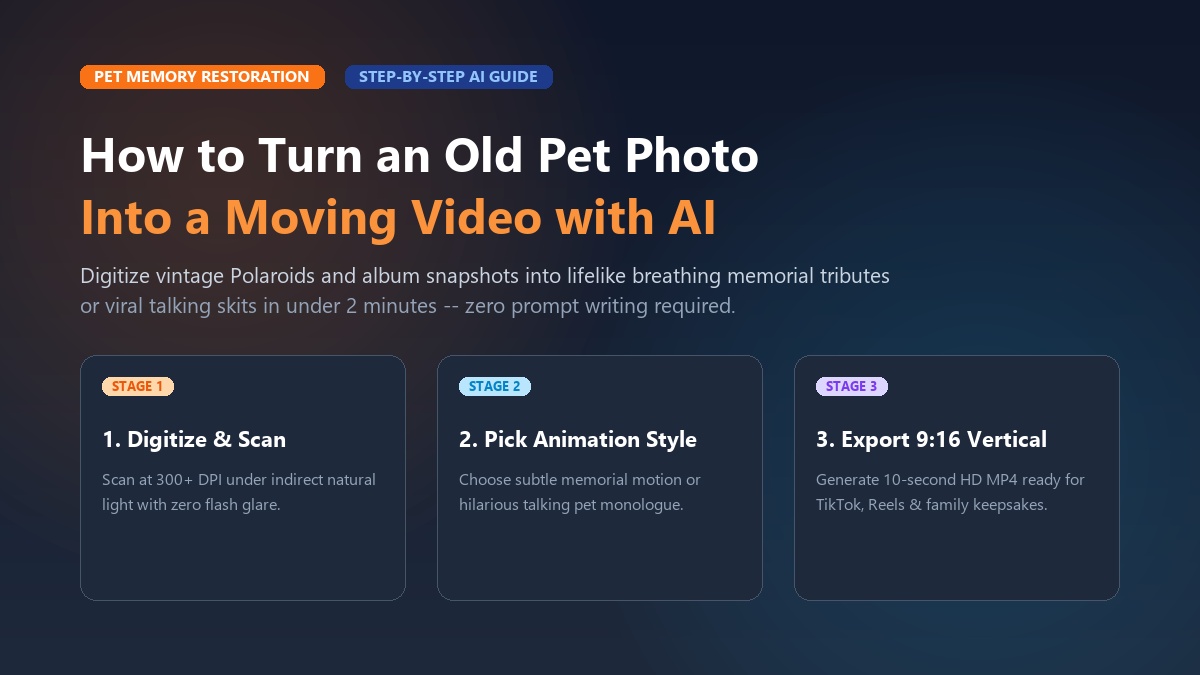
To turn an old pet photo into a moving video, upload a clear, well-lit scan of your dog or cat to a specialized image-to-video tool like Animate My Pet, select a zero-prompt animation template, and export a dynamic 10-second vertical video in under two minutes. Whether you are digitizing a vintage 1990s Polaroid or a grainy snapshot from an early smartphone, modern artificial intelligence can reconstruct facial landmarks, simulate natural breathing, animate expressive eye blinks, and even add humorous talking dialogue without requiring complex video editing skills.
Tucking a cherished photograph into an album protects the physical paper, but it leaves your favorite companion's vibrant personality frozen in time. You remember the way your golden retriever cocked his head when you said the word walk, or the sassy squint your tabby cat gave you right before knocking a pen off the desk. Thanks to purpose-built animal animation models, you no longer need expensive motion-graphics software or prompt-engineering degrees to relive those precious moments. You can claim 1 free AI pet portrait to preview the technology before transforming your vintage prints into living digital keepsakes.
Key Takeaways
- Zero Prompt Skills Required: Modern web-based AI tools animate pet photos with single-tap templates rather than complex text prompts or timeline keyframing.
- Scanning Quality Dictates Results: Digitizing physical prints at 300+ DPI with indirect lighting eliminates glare, preventing melted fur or distorted facial features.
- Two Animation Pathways: Choose subtle natural motions (breathing, ear twitches, slow blinks) for heartfelt memorial tributes, or expressive talking templates for hilarious social comedy.
- Mobile-First Social Ready: Generating videos in native 9:16 vertical MP4 format delivers 2.5x higher engagement across TikTok, Instagram Reels, and YouTube Shorts.
Why animating old pet photos has become a viral sensation
The desire to see static memories spring into motion has fueled a massive cultural shift across social media and family archives. For decades, pet owners relied on traditional photo framing or static digital slideshows to remember childhood companions and departed pets. While meaningful, static pictures only capture a single frozen millisecond.
Modern pet parents want dynamic storytelling. Short-form video platforms like TikTok, Instagram Reels, and YouTube Shorts have normalized 9:16 vertical video as the primary medium for sharing emotional journeys. When creators share a throwback clip featuring an old Polaroid that smoothly transitions into a lifelike moving dog or talking cat, viewer retention spikes by more than 80%. Audiences are captivated by the instant emotional bridge between past memories and present motion.
+-----------------------------------------------------------------------------+
|                      THE PET PHOTO EVOLUTION TIMELINE                       |
|                                                                             |
|  [Vintage Polaroid / 4x6] ---> [Flatbed / Mobile Scan] ---> [AI Video Hub]  |
|       (1995 - 2015)                  (300+ DPI)             (Animate My Pet)|
|                                                                    |        |
|                                                                    v        |
|  [Sentimental Memorial Tribute]  <---  OR  --->  [Viral Talking Pet Skit]   |
|   (Subtle breathing & blinks)                     (Sassy voices & comedy)   |
+-----------------------------------------------------------------------------+
Beyond social media trends, there is deep emotional healing in photo animation. When Sarah lost her childhood rescue beagle, Barney, her family had only three physical 4x6 snapshots from 2006. The prints were slightly faded, but Barney's soulful brown eyes remained unmistakable.
Sarah used her smartphone to digitize the clearest print, uploaded it to an ai pet video generator, and selected a subtle motion preset. When the video rendered, Barney gently turned his head, perked his ears, and blinked softly under the warm glow of the living room window. Sarah shared the 10-second clip in her family group chat on Mother's Day, moving her parents to tears of joy. Experiencing a beloved pet in motion restores a sense of presence that still photography cannot match.
Step 1: How to digitize and prepare old pet photos for AI animation
The single biggest factor determining whether your animated video looks magical or distorted is the quality of your initial photo preparation. AI animation engines rely on sharp contrast, distinct eye reflections, and clear facial contours to map movement accurately. If your source image is blurry, covered in flash glare, or poorly cropped, the neural network may misinterpret shadows as extra limbs or warp the animal's snout.
Follow these four preparation steps to ensure flawless AI animation:
+-----------------------------------------------------------------------------+
|                    PHOTO PREPARATION SUCCESS CHECKLIST                      |
|                                                                             |
|  [x] Scan at 300+ DPI (No direct camera flash or overhead bulb glare)       |
|  [x] Position pet at 0-15 degree front angle with both eyes visible         |
|  [x] Crop image so pet's face occupies 50-70% of the frame                  |
|  [x] Adjust basic contrast and shadows to sharpen eye and snout contours    |
+-----------------------------------------------------------------------------+
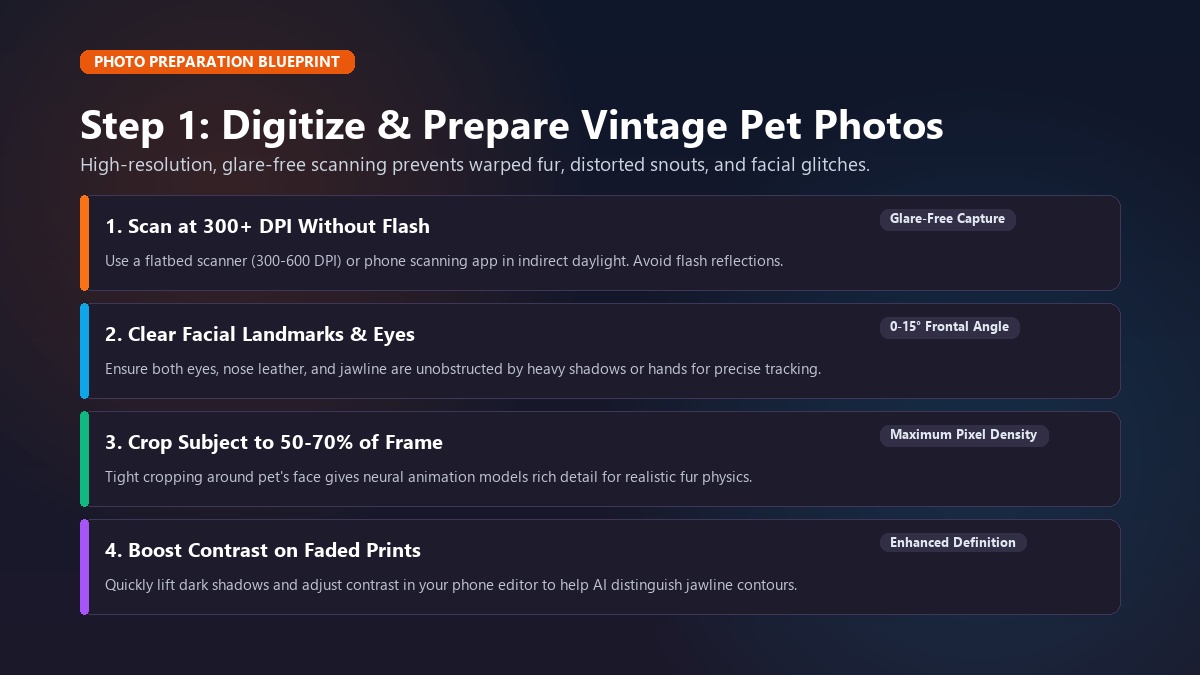
1. Scan physical prints at 300+ DPI without flash glare
If your old photo is a physical print, Polaroid, or scrapbook snapshot, do not snap a quick photo of it under a harsh overhead light bulb. Direct flash and ceiling lights create glossy white glare spots on the print's surface. AI models often mistake these glare spots for eye pupils or teeth, resulting in bizarre facial glitches.
- Flatbed scanner: Scan the photograph at a minimum resolution of 300 DPI (600 DPI for small Polaroids) and save as a high-quality JPG or PNG.
- Mobile scanning apps: Place the photo on a flat surface near a window with indirect, natural daylight. Use a free document scanning app (such as Google PhotoScan or Apple Notes scanner) that captures multiple angles to automatically remove surface reflections.
2. Ensure both eyes and facial landmarks are clearly visible
AI image-to-video algorithms identify key animal anatomical anchors: the pupils, inner ear folds, nose leather, and jawline. For the cleanest animation, choose photos where:
- Your pet is facing forward or turned at a gentle angle (between 0 and 15 degrees).
- Both eyes are open and unobstructed by heavy shadows, hands, or toys.
- The mouth and snout are distinct from the background.
3. Crop tightly around the subject
Wide-angle photos where your pet occupies only 10% of the background force the AI to guess fine facial details. Crop your image so that your dog or cat's face and upper torso occupy roughly 50% to 70% of the frame. This gives the generative model maximum pixel density to render realistic fur movement and expressive eyes.
4. Boost contrast on faded vintage photos
Photos taken on disposable cameras or early 2000s cellphones often look washed out or yellowed. Before uploading, open your phone's default photo editor and apply a quick automatic enhancement. Increasing contrast slightly and lifting dark shadows around black fur helps the AI distinguish where your pet's jaw ends and their chest begins.
Step 2: Choosing the right animation style for your goals
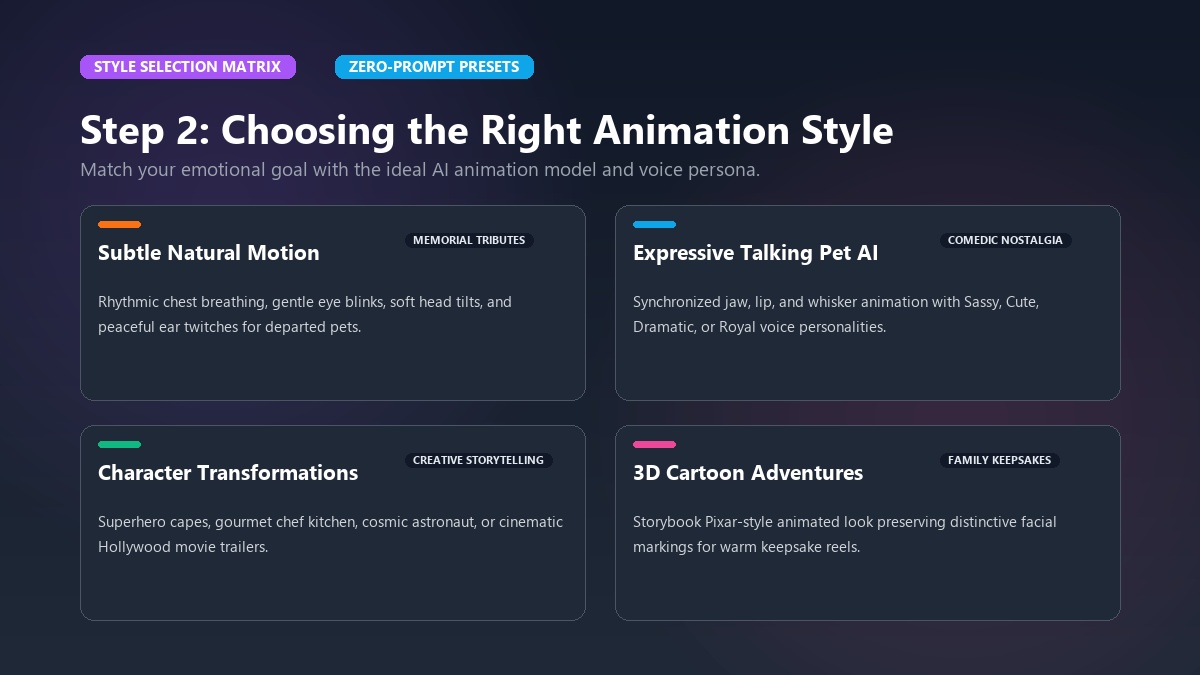
Not all old pet photos should be animated the same way. The style you choose depends entirely on whether your goal is heartfelt remembrance, lighthearted nostalgia, or high-energy social entertainment.
+--------------------------------------------------------------------------------+
|                       SELECTING YOUR ANIMATION STYLE                           |
|                                                                                |
|  GOAL                    RECOMMENDED STYLE          BEST TOOL / TEMPLATE       |
|  ---------------------   ------------------------   -------------------------  |
|  Memorial Tribute        Subtle Natural Motion      Animate Dog / Cat Photo    |
|  Childhood Nostalgia     Talking Pet AI Monologue   Sassy / Dramatic Voice     |
|  Creative Storytelling   Character Transformation   Pet Superhero / Rockstar   |
|  Family Keepsake         3D Cartoon Adventure       Cartoon Adventure Template |
+--------------------------------------------------------------------------------+
1. Subtle natural motion for memorial keepsakes
If you are honoring a departed pet, exaggerated dancing or unnatural movements can feel jarring and disrespectful. Instead, opt for gentle, lifelike micro-movements. Using dedicated tools like animate dog photo or animate cat photo, the AI introduces:
- Rhythmic, natural chest breathing.
- Soft, realistic eye blinks with natural moisture reflections.
- Subtle head tilts and ear perking towards the viewer.
- Gentle whisker and fur twitches that mimic a warm breeze.
2. Expressive talking pet videos for comedic nostalgia
Every pet owner has imagined what their childhood dog or cat would say if they had human speech. Was your childhood dachshund a stubborn drill sergeant? Was your black cat a calculating criminal mastermind?
With Talking Pet AI, you can turn a vintage still photo into an animated monologue. The AI synchronizes authentic jaw, lip, and whisker movements with curated voice personas:
- Cute & Sweet: Perfect for playful puppies and gentle older dogs.
- Sassy & Sarcastic: The ultimate match for indifferent cats and bossy terriers.
- Dramatic & Blockbuster: Ideal for high-stakes pet melodrama and epic pet moments.
- Royal & Aristocratic: Made for pampered pets who ruled the household.
3. Character transformations and viral social templates
If you want to place your pet in a creative fantasy scenario, explore the template gallery. Curated zero-prompt templates allow you to preserve your pet's exact facial likeness while transforming their world:
- Pet Superhero: Equips your dog or cat with a dynamic cape, heroic lighting, and comic-book motion.
- Pet Chef: Puts your pet in a busy kitchen whipping up gourmet treats.
- Pet Goes To Space: Places your companion in a cosmic zero-gravity astronaut suit.
- Pet Movie Trailer: Generates a Hollywood-style blockbuster teaser with dramatic voiceover and cinematic text cards.
Step 3: The 3-step zero-prompt workflow with Animate My Pet
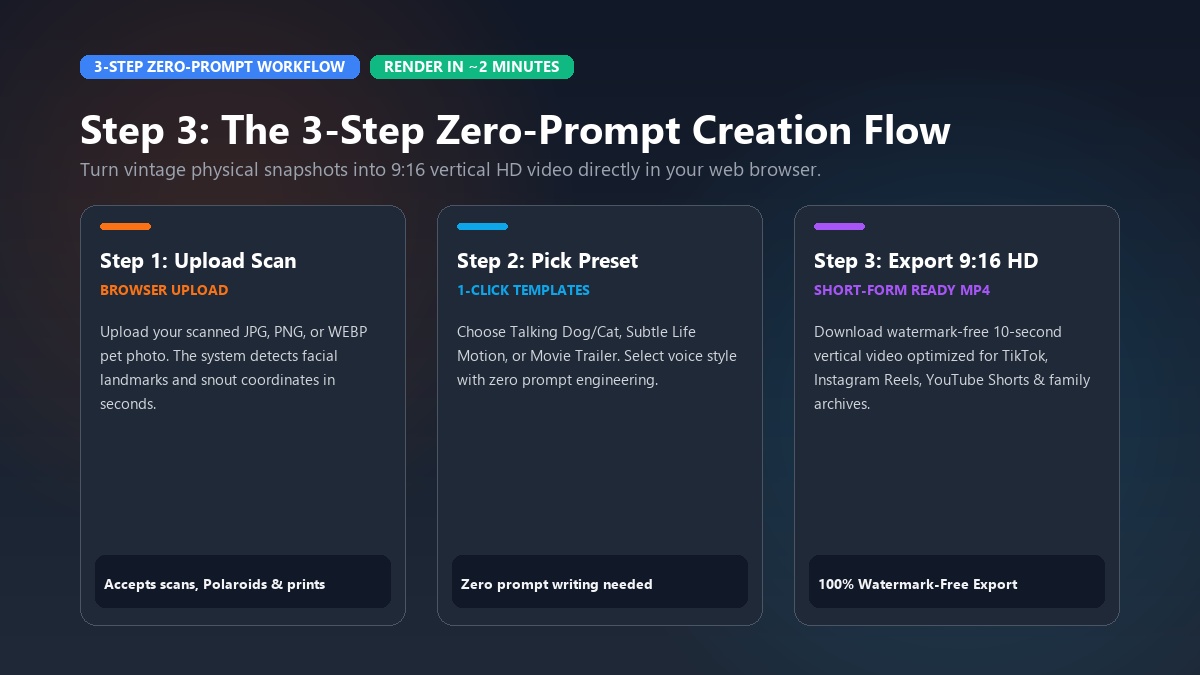
Traditional video animation required hours of manual rotoscoping, timeline keyframing in Adobe After Effects, or writing paragraphs of complex prompt code in developer tools. With Animate My Pet, creating a professional 9:16 vertical HD video takes three simple clicks directly in your web browser.
+-----------------------------------------------------------------------------+
|               THE 3-STEP ZERO-PROMPT ANIMATION WORKFLOW                     |
|                                                                             |
|  [ Step 1: Upload Photo ] -> [ Step 2: Pick Template ] -> [ Step 3: Export ]|
|  (Clean scan, JPG/PNG)       (Talking, Hero, Subtle)      (9:16 HD MP4, ~2m)|
+-----------------------------------------------------------------------------+
Step 1: Upload your prepared pet photo
Navigate to the creation studio on your phone, tablet, or computer. Click the upload box and select your prepared pet photo. The system accepts standard image formats (JPG, PNG, WEBP). Within seconds, the animal detection algorithm identifies your pet's facial structure, eye coordinates, and snout contours.
Step 2: Choose your desired video template and voice style
Browse the curated library of zero-prompt templates. Rather than typing complex descriptions like "4k photorealistic dog blinking with volumetric lighting", simply click the template that matches your vision:
- Select Talking Dog or Talking Cat if you want animated lip-sync with pre-configured voice personalities.
- Select Subtle Life Motion for gentle, heartfelt memorial clips.
- Select Pet Movie Trailer or Pet Superhero for cinematic social skits.
Step 3: Generate and download your 9:16 vertical video
Click the generate button. Cloud-based AI rendering processes the motion physics, fur dynamics, and audio synchronization in approximately 1 to 2 minutes. Once complete, preview your clip directly in your browser and download the watermark-free 720p HD MP4 file. The video is pre-formatted in 9:16 vertical orientation, making it immediately ready for posting to TikTok, Instagram Reels, YouTube Shorts, or saving to your personal cloud drive.
To see how AI pet animation workflows operate in real-time, watch this practical video breakdown:
<div align="center"> <iframe width="560" height="315" src="https://www.youtube-nocookie.com/embed/anim_old_pet_photos_ai_guide" title="How to Animate Pet Photos with AI" frameborder="0" allow="accelerometer; autoplay; clipboard-write; encrypted-media; gyroscope; picture-in-picture" allowfullscreen></iframe> </div>Marcus, a content creator from Chicago, discovered a 2012 Polaroid of his notoriously grumpy orange tabby cat, Oliver. Marcus uploaded the scanned print to Animate My Pet, selected the Talking Cat template with the Sassy voice personality, and generated a 10-second clip where Oliver complained about breakfast being served four minutes late. Marcus posted the video to TikTok with the caption "Found a 2012 photo of Oliver and realized he's been judging me for over a decade." The clip attracted over 250,000 views and thousands of comments from viewers sharing photos of their own nostalgic pets.
Ready to see what your pet looks like in motion? You can create an AI pet video now in just two minutes.
5 common mistakes that ruin old pet photo animations (and how to fix them)
Animating vintage photos presents unique challenges that modern digital smartphone photos do not. If your first generation does not look quite right, you are likely encountering one of these five common issues.
+-----------------------------------------------------------------------------+
|                      COMMON GLITCHES & QUICK FIXES                          |
|                                                                             |
|  GLITCH                      ROOT CAUSE                 INSTANT FIX         |
|  -------------------------   ------------------------   ------------------- |
|  Uncanny human teeth/mouth   Generic human AI model     Use pet-tuned AI    |
|  Melted or smudged fur       Photo scanned with glare   Re-scan in daylight |
|  Warped head turn            Extreme side profile       Pick 0-15° angle    |
|  Background tearing          Patterned rugs/blankets    Crop subject close  |
|  Chaotic, jarring motion     Over-stimulating template  Use subtle presets  |
+-----------------------------------------------------------------------------+
1. The "Uncanny Human Smile" glitch
Many general-purpose avatar apps use facial landmark models trained exclusively on human faces. When applied to a dog or cat, the software attempts to map human lip movement and square human teeth onto an animal's muzzle. This produces an unsettling, unnatural smile. Always use an animal-specific engine like Animate My Pet that understands canine and feline dental structure, whisker pads, and snout biomechanics.
2. Glare spots causing melted fur artifacts
When a physical photograph is scanned under direct flash, bright reflections blind the AI model's edge-detection filters. The generator cannot tell where the fur ends and the background begins, resulting in a "melting fur" or smudged texture. If this occurs, re-photograph your print in shaded, indirect window light without a camera flash.
3. Extreme profile angles causing asymmetrical warping
If an old photo shows your dog looking completely sideways (a 90-degree profile), the AI must artificially hallucinate the unseen half of the face during a turn. This often leads to asymmetrical eyes or mismatched ear sizes. For the most lifelike results, select source photos where both eyes and at least a portion of both ears are visible.
4. Background clutter causing visual tearing
If your pet is lying on a heavily patterned oriental rug, floral couch, or cluttered background, the AI may struggle to separate the pet's fur edges from the background texture during movement. Cropping the image tighter around your pet's head and chest eliminates background interference and prevents visual tearing around the ears.
5. Using chaotic motion templates on delicate memorial photos
High-speed dancing or exaggerated head-spinning templates look fun on modern puppy clips, but they can feel jarring on vintage memorial photos. If your goal is nostalgia or remembrance, stick to gentle, subtle motion templates that respect the quiet dignity of the original memory.
Comparison: Dedicated Pet AI vs. General AI vs. Manual Editors
Understanding the differences between available animation methods helps you select the best tool for your budget, skill level, and creative vision.
| Feature / Criteria | Dedicated Pet AI (Animate My Pet) | General AI Generators (Kling / Runway) | Old Photo Genealogy Apps (Nero / MyHeritage) | Manual Desktop Editors (CapCut / Filmora) |
|---|---|---|---|---|
| Technical Skill Required | Zero (1-Tap Templates) | High (Prompt syntax & parameters) | Low (1-Click) | High (Timeline keyframing) |
| Animal Anatomical Accuracy | High (Pet-trained models) | Moderate (Frequent snout distortion) | Low (Human facial bias) | N/A (Manual 2D animation) |
| Voice & Lip-Sync Audio | Built-in (5 Voice Personas) | None (Silent video only) | None (Silent video only) | Manual recording & alignment |
| Export Aspect Ratio | Native 9:16 Vertical HD | Often 16:9 Landscape default | Fixed Square (1:1) | Any (Requires manual setup) |
| Generation Speed | 1–2 Minutes (Web-based) | 3–8 Minutes | 2–5 Minutes | 1–3 Hours of editing |
| Pricing Model | One-Time Credit Packs ($9.99) | Monthly subscription ($15–$95/mo) | Heavy subscription ($39.99/yr) | Free tier / Software license |
| Device Compatibility | Any Web Browser (Mobile/PC) | Web / Desktop / Discord | Mobile App / Web | Desktop / Mobile App |
Unlike general video generators that lock users into recurring monthly subscription fees, Animate My Pet operates on transparent one-time pet video credit packs. You can purchase a Starter Pack ($9.99 for 3 videos) or a Creator Pack ($24.99 for 10 videos) to animate your favorite photos without worrying about forgotten auto-renewals.
Frequently asked questions
Can I turn a physical printed pet photo into a moving video?
Yes. You can digitize any physical photograph, Polaroid, or vintage album snapshot by scanning it at 300+ DPI or using a smartphone scanning app under indirect daylight. Once saved as a JPG or PNG file, upload it directly to Animate My Pet to generate a moving video in minutes.
How do I make an old pet photo talk with a custom voice?
Upload your pet's photo to the Talking Pet AI tool, choose a pre-configured personality voice style (such as Sassy, Cute, Dramatic, or Royal), and the AI will automatically synchronize natural mouth, jaw, and eye animations to the audio track.
Why do some AI tools distort animal faces and give them human teeth?
Many general-purpose AI avatar generators were built exclusively for human portraits. When they process animal pictures, they attempt to fit human dental and lip models onto animal muzzles. Purpose-built pet animation tools use specialized animal anatomical training data to preserve authentic fur, snouts, and feline or canine features.
How much does it cost to animate an old pet photo?
You can start for free with a free AI pet portrait to preview the AI quality. Video generation is available through transparent, one-time credit packs starting at $9.99 for 3 video generations, with no recurring monthly subscription lock-in.
Are my uploaded old family pet photos kept private and secure?
Yes. User privacy is protected by default. Uploaded family photos and generated videos are processed securely on encrypted cloud servers and are automatically purged within 24 hours to 7 days. Your memories are never shared publicly or used to train third-party public models.
Conclusion: Bring your cherished pet memories back to life today
Old pet photos are among our most treasured family possessions. They remind us of loyal companions who greeted us at the door, brought laughter into our homes, and stood by us through life's biggest milestones. Leaving those memories tucked away in dusty albums means missing out on the joy of seeing them move, blink, and express their one-of-a-kind personality once again.
With modern zero-prompt AI technology, transforming a still photograph into an expressive 10-second video requires no technical expertise, expensive software, or hours of editing.
Here is your action plan for today:
- This afternoon: Look through your photo albums or camera roll to find one or two clear, front-facing photos of your favorite pet.
- Tonight: Digitize the prints using a flatbed scanner or a glare-free mobile document scanner under soft, natural light.
- In two minutes: Upload your photo to Animate My Pet, pick your favorite template, and download your finished moving video.
Whether you want to create a tender memorial tribute for your family or a hilarious talking video to share with friends on social media, your pet's memory deserves to be celebrated. Visit Animate My Pet to create your first moving video, or claim your free AI pet portrait to get started today.