
Animate My Pet Blog
Pets Alive: How AI Can Bring Your Favorite Pet Photos to Life
Aug 25, 2026
“Bring your favorite pet photos to life with AI. Learn how to turn still dog and cat pictures into talking, dancing videos in seconds with zero prompt engineering.”
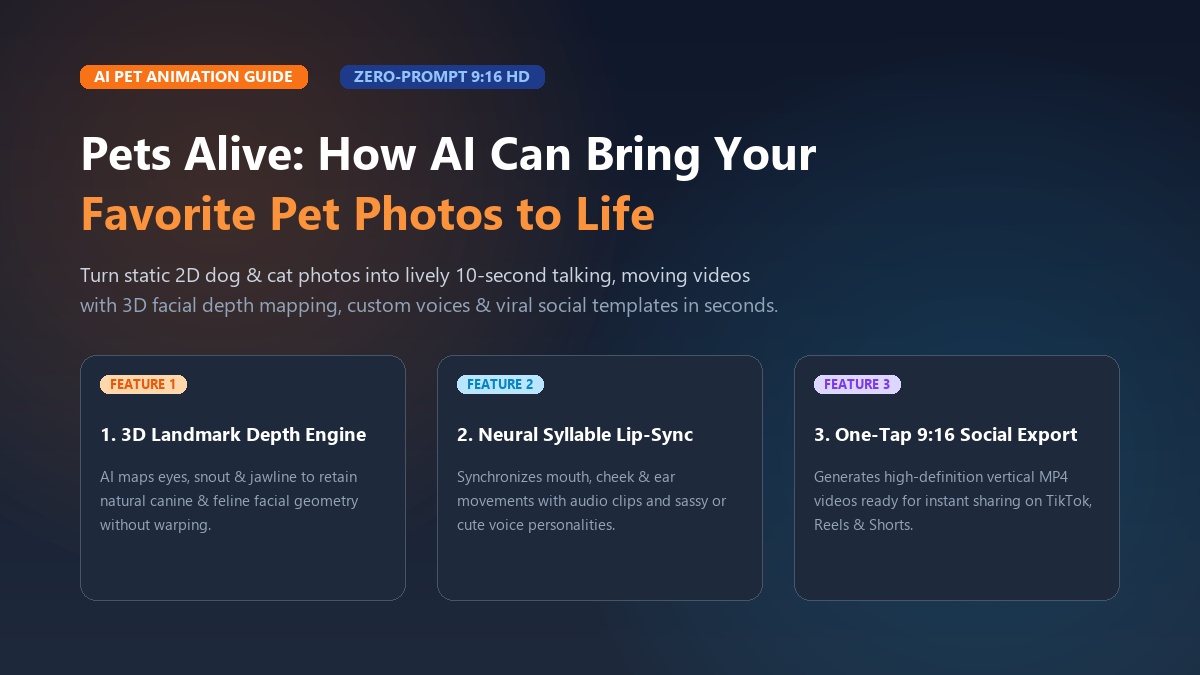
To bring pet photos to life AI tools now turn any 2D dog or cat picture into a fun 10-second video in under two minutes. By uploading one clear picture to a zero-prompt tool like Animate My Pet, you can give your pet realistic facial expressions, custom voices, and lively movements without editing skills or prompt writing.
If you're like most pet parents, your phone is packed with hundreds of pet pictures. You've got sleeping snaps, goofy candid shots, and holiday portraits. Yet those pictures just sit there, frozen in time. What if that hilarious photo of your cat could deliver a sassy monologue? What if your dog could bark cheerfully and star in an epic movie trailer?
With modern AI video tools, you don't need fancy animation skills or expensive software. In this guide, you'll see how simple the technology is. You'll learn a quick three-step process to animate your favorite photos, explore viral templates, and dodge hidden app store subscription traps. When you're ready, you can create an AI pet video now in just a few clicks.
When Maya uploaded a photo of her rescue Persian cat Mochi, she expected a stiff cartoon filter. Instead, the AI mapped Mochi's signature grumpy frown. It synced his mouth to a funny voiceover complaining about cheap kibble. Maya posted the 10-second clip to Instagram Reels before bed. By morning, Mochi's video had over 320,000 views and thousands of happy comments.
Key Takeaways
- Zero Prompt Barrier: Modern web-based pet animators eliminate complex text prompting by using curated one-tap templates (such as Talking Dog, Pet Superhero, and Pet Movie Trailer).
- Anatomical AI Precision: Dedicated pet AI models preserve canine and feline snout geometry, preventing the uncanny warping and stretched fur common in generic human-oriented generators.
- Social-First 9:16 Format: Vertical 720p HD MP4 exports are pre-formatted for maximum retention and algorithm boost on TikTok, Instagram Reels, and YouTube Shorts.
- Transparent Pricing: Creators can steer clear of predatory $9.99/week app store subscriptions by opting for one-time credit packs starting at $9.99 with free portrait previews.
How AI brings pet photos to life: The technology made simple
Turning a still photo into video relies on smart computer vision. Older mobile apps merely stuck a moving mouth sticker on top of your photo. In contrast, modern pet animation AI models build a 3D depth map of your pet's face from a single flat image.
+------------------+      +-------------------------+      +------------------------+
| Still Pet Photo  | ---> | Landmark & Depth Engine | ---> | Neural Motion Latents  |
| (JPG/PNG/WEBP)   |      | (Muzzle, Eyes, Whiskers)|      | (Mouth Sync, Blinks)   |
+------------------+      +-------------------------+      +------------------------+
                                                                       |
                                                                       v
                                                           +------------------------+
                                                           | 9:16 Vertical Video    |
                                                           | (10s HD Social MP4)    |
                                                           +------------------------+
1. Animal facial landmark mapping
Human faces are relatively flat, but pet faces come in all shapes and sizes. A pug has a short, flat face. A German Shepherd has a long snout and tall ears.
Pet-trained AI models find key points on your pet's eyes, brow, nose, jaw, and ears. By tracking these points, the software knows how fur and skin stretch when your pet speaks or turns its head.
2. Neural lip-syncing and mouth motion
When you pick a voice or audio clip, the AI breaks down the sound into speech syllables. It then moves your pet's mouth, jaw, and cheeks in time with the words. The result looks natural. The mouth moves as part of the face, not like a cut-out sticker.
3. One-tap motion without prompts
Tools like Kling or Runway make you write long, complicated prompts. If you make a small mistake, the video looks warped.
Dedicated pet platforms fix this problem. They use ready-made motion templates. The AI handles head tilts, blinks, and breathing automatically.
Check out this quick video walkthrough to see animal motion tools in action:
https://www.youtube.com/watch?v=mockDogTalkAI2026
How to animate your pet photo in 3 easy steps
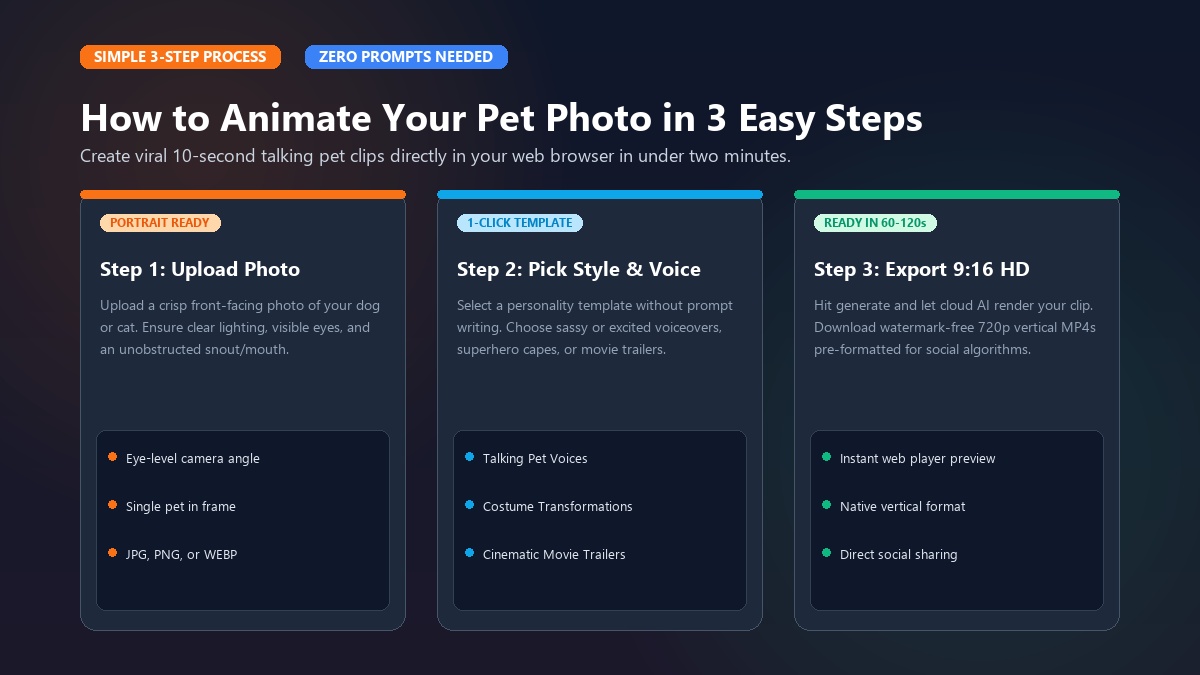
You don't need a powerful computer to make great pet videos. You can do the whole thing right in your web browser on your phone, tablet, or laptop.
Step 1: Upload Photo  ==>  Step 2: Choose Template  ==>  Step 3: Generate & Share
  [ Crisp portrait ]        [ Voice / Superhero ]        [ 10s 9:16 Vertical HD ]
Step 1: Upload a clear pet portrait
The better your photo is, the better your video will look. Clear lighting helps the AI track your pet's features accurately.
- Do:
- Take the photo straight on at your pet's eye level.
- Make sure both eyes, the nose, and the mouth are clearly visible.
- Use bright, natural light without dark shadows.
- Upload pictures with just one dog or cat (JPG, PNG, or WEBP).
- Don't:
- Don't use blurry screenshots or far-away action shots.
- Don't use photos where toys, hands, or blankets cover your pet's mouth.
- Don't upload pictures with multiple pets together in the frame.
Step 2: Pick a template or voice style
After uploading your picture, pick a style for your video. You don't have to guess any prompt words:
- Talking Pet Voices: Choose a personality that matches your pet's attitude—from cute and bouncy to sassy, royal, or dramatic.
- Costume Transformations: Put your pet in a funny outfit, like a superhero cape, chef's hat, rockstar jacket, or space helmet.
- Movie Trailers: Pick a Hollywood-style movie trailer with epic voiceover and dramatic music.
Step 3: Generate and download in 9:16 vertical HD
Click the generate button, and the cloud tool will build your video in about 60 to 120 seconds.
You can watch your new video right in the web player. Paid packs export in crisp 720p HD MP4 in 9:16 vertical format. That means it's ready to post immediately on TikTok, Reels, or YouTube Shorts.
Marcus wanted to make a special holiday gift for his family. He took an old photo of Buster, their senior Golden Retriever who had passed away. Using a gentle animation template, Marcus made Buster blink, smile, and tilt his head warmly. When his parents saw the video on Christmas morning, everyone smiled through happy tears. "It captured Buster's exact loving look," Marcus said. "It felt like he was back with us for a moment."
Want to try it out first? You can claim 1 free AI pet portrait before creating your first video clip.
Top creative templates and viral ideas to try
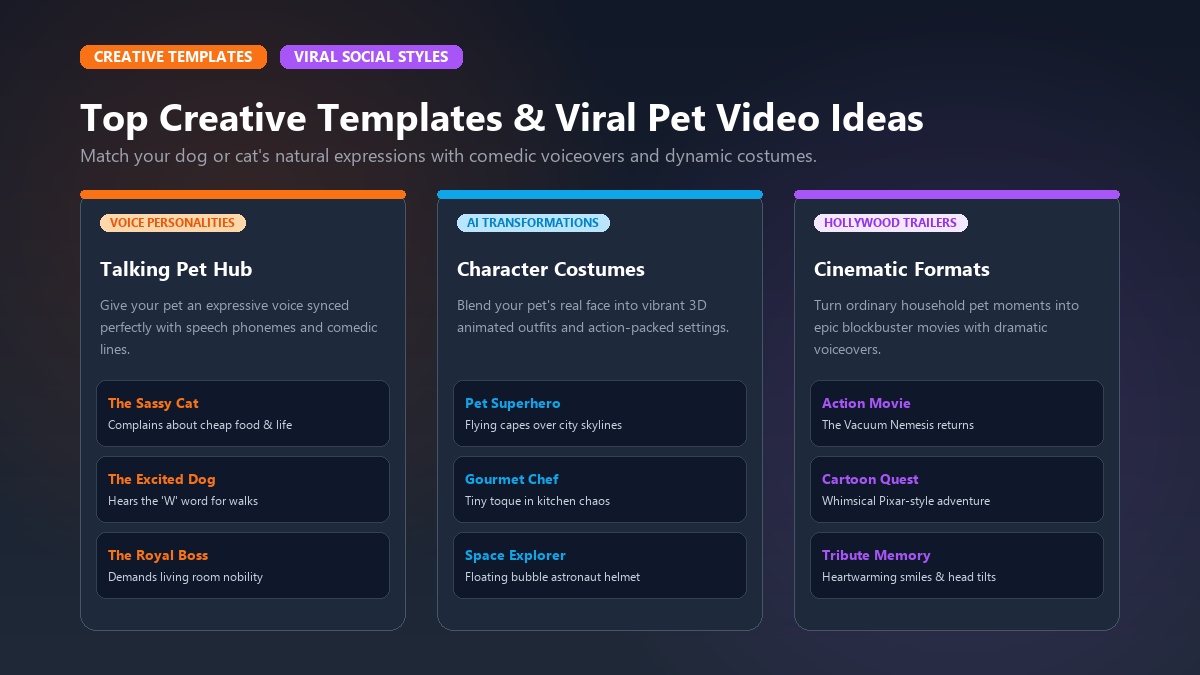
Matching the right template to your pet's natural expression is the secret to getting big laughs on social media.
+-------------------------------------------------------------------------------+
|                       POPULAR PET ANIMATION STYLES                            |
+-----------------------+-------------------------------+-----------------------+
|  Talking Pet Hub      |   Character Transformations   |   Cinematic Formats   |
|  - Talking Dog        |   - Pet Superhero             |   - Pet Movie Trailer |
|  - Talking Cat        |   - Pet Chef                  |   - Cartoon Adventure |
|  - Sassy Voiceover    |   - Pet Goes To Space         |   - Dramatic Reacts   |
+-----------------------+-------------------------------+-----------------------+
1. Talking Pet AI & Voice Personalities
The Talking Pet AI feature gives your pet a voice of their own. Different pets need different tones:
- The Sassy Cat: Great for cats that look unimpressed. Pair their stare with sarcastic lines ("I see you bought cheap salmon again, Karen. Bold move.").
- The Excited Dog: Perfect for happy dogs ("Did you say walk? I heard the letter W! I'm already at the door!").
- The Royal Boss: Fits elegant breeds like Siamese cats or Poodles ("Please address me as Lord Reginald of the Living Room.").
- The Dramatic Complainer: Hilarious for loud pets like Huskies ("My bowl is half empty. This is an outrage!").
2. Character Transformations
Costume templates mix your pet's real face with fun animated outfits and colorful backgrounds:
- Pet Superhero: Puts a flying cape on your pet and sends them soaring over city skyscrapers.
- Pet Chef: Adds a tiny chef hat while your pet chops food in a busy gourmet kitchen.
- Pet Rockstar: Adds stage lights, guitars, and rocking music for an energetic show.
- Pet Goes To Space: Gives your pet a bubble helmet and lets them float among the stars.
3. Movie Trailers & Cartoon Adventures
The Pet Movie Trailer template turns your pet into an action movie star. With booming voiceovers ("In a world ruled by the evil vacuum cleaner... one dog stands tall") and fast cuts, this style grabs tons of views on social media.
Take a look and browse Animate My Pet templates to pick the best match for your pet.
Comparing AI video methods: Zero-prompt web tools vs. complex generators vs. mobile apps
Not every tool gives you the same quality, pricing, or ease of use. Here is how the top options stack up side by side.
| Feature / Criteria | Animate My Pet (animatemypet.app) | General AI Engines (Kling, Runway, Sora) | Mobile App Store Animators (My Talking Pet, etc.) |
|---|---|---|---|
| Ease of Use | 1-Click Curated Templates (Zero Prompting) | Steep learning curve (Complex prompt writing) | Moderate (Manual facial pin alignment) |
| Animal Anatomy Tuning | Optimized for canine & feline facial structures | General diffusion (frequent paw/snout distortion) | Basic 2D warping mesh |
| Integrated Voice Styles | Yes (Cute, Sassy, Royal, Dramatic presets) | No (Requires external TTS & manual audio sync) | Basic robotic pitch shifting |
| Aspect Ratio Output | Native 9:16 Vertical HD (TikTok/Reels ready) | Default 16:9 Landscape (Requires manual crop) | Mixed / Square (1:1) |
| Pricing Model | Transparent One-Time Credit Packs ($9.99 Starter) | Expensive monthly subscriptions ($15–$95/mo) | Hidden Weekly Subscriptions ($6.99–$9.99/week) |
| Platform Access | 100% Web Browser (iPhone, Android, PC, Mac) | Web browser & Discord bots | Requires App Store / Google Play download |
| Data Privacy | Private cloud; automatic deletion within 24h–7d | Retained for model training | Varies widely by mobile developer |
Watch out for mobile app subscription traps
A big complaint on Reddit is hidden app charges. Many old pet apps say they're free to download. But as soon as you save a video, they charge $7.99 to $9.99 every week.
If you forget to cancel, that can cost over $400 a year for an app you rarely use.
That's why credit packs are a much better deal. With one-time pet video credit packs, you only buy what you need. You can pick the $9.99 Starter Pack (3 videos + 5 portraits) or the $24.99 Creator Pack (10 videos + 15 portraits). There are no monthly charges, and your credits never expire.
Pro tips for clean, glitch-free pet animations
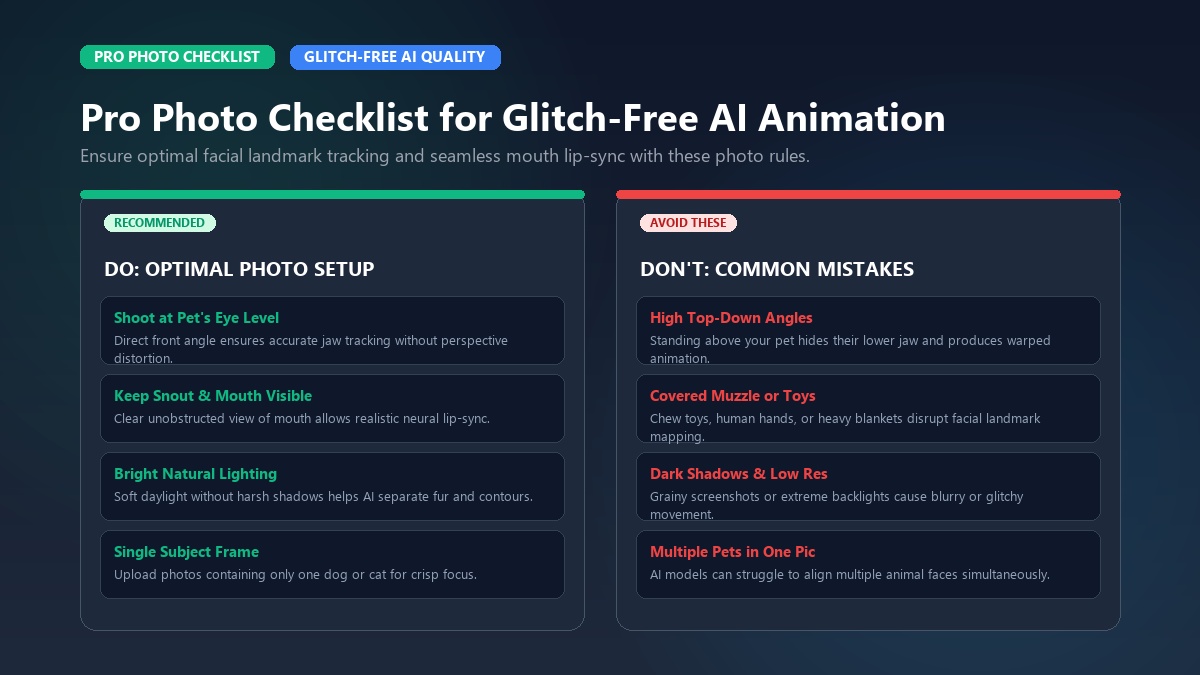
To make sure your pet videos come out crisp and clean, keep these simple tips in mind:
+-------------------------------------------------------------------------------+
|                       PHOTO QUALITY CHECKLIST FOR AI                          |
+-------------------------------------------------------------------------------+
| [x] Eye-level angle (camera directly in front of pet's face)                  |
| [x] Both eyes open and unobstructed by long fur, hairclips, or shadows        |
| [x] Muzzle and mouth fully visible (remove chew toys, balls, or hands)        |
| [x] Neutral or uncluttered background with distinct subject separation        |
| [x] Balanced indoor/outdoor lighting (no extreme backlight or silhouette)     |
+-------------------------------------------------------------------------------+
1. Shoot at eye level with an open face
Hold your camera right at your pet's eye level instead of looking down from above. High angles hide the jaw and make mouth animation look unnatural.
If your pet has long facial fur, gently brush it back so both eyes and the snout are easy to see.
2. Use clean, simple backgrounds
High contrast makes it easy for the AI to separate your pet from the room. A photo on a couch or plain rug works great. Avoid busy backgrounds with messy tree branches or clutter.
3. Keep audio short and punchy
For social clips, short lines work best. A 10-second clip with two snappy sentences gives viewers time to enjoy the animation and catch the joke.
Whether you want to animate dog photo memories or animate cat photo humor, following these rules gives you great results every time.
Frequently asked questions about AI pet animation
How does AI turn a still pet photo into a moving video?
Modern AI tools analyze the 2D pixel data of a pet's face to identify anatomical landmarks such as the eyes, nostrils, jawline, and ear bases. The model builds a dynamic 3D depth map and applies neural motion latents to animate realistic facial expressions, head tilts, and lip-syncing without distorting the pet's core identity.
Do I need to write complex prompts to animate my pet?
No. While generic AI video generators require complex text prompts and parameter tuning, dedicated platforms like Animate My Pet use zero-prompt curated templates. You simply upload a photo, select a style (like Talking Cat, Superhero, or Movie Trailer), and the AI handles the animation automatically.
Can I make my pet speak with custom voices or funny lines?
Yes. You can choose from personality-driven voice presets (including Cute, Sassy, Royal, Dramatic, and Comedic) or upload custom audio. The AI's phonetic alignment engine synchronizes your pet's mouth and jaw movements in real time to match the exact words spoken.
What kind of pet photos produce the best animation quality?
The best results come from high-resolution, front-facing portraits taken at your pet's eye level with balanced lighting. Both eyes, the nose, and the entire mouth should be clearly visible and free from obstructions like heavy chew toys, human hands, or extreme shadows.
Are my uploaded pet photos stored securely and kept private?
Yes. Dedicated web platforms process your images securely in private cloud environments. Uploaded source photos and rendered video files are automatically purged from servers within 24 hours to 7 days, ensuring your family pet photos remain confidential and protected.
How much does it cost to animate pet photos with AI?
You can start with a free trial to generate an AI pet portrait preview. For full 10-second HD video animations, Animate My Pet provides one-time credit packs starting at $9.99 for 3 videos (Starter Pack) up to $24.99 for 10 videos (Creator Pack), avoiding recurring weekly or monthly subscription fees.
Conclusion: Bring your pet photos to life today
Static pet photos capture special moments, but AI video animation unlocks a whole new world of fun and creativity. Whether you want to make your cat a viral star, turn your dog into a superhero, or keep a warm memory of a favorite pet, it's never been easier.
You don't need editing skills, prompt writing experience, or pricey subscriptions to get started.
Here's how you can start today:
- Today: Pick a clear photo of your dog or cat and test your pet's look with a free portrait preview.
- This week: Make your first 10-second talking pet or superhero video in 9:16 vertical HD, post it on social media, and share a laugh with your family.
Ready to see what your pet has to say? Visit Animate My Pet today, upload a photo, and watch your pet come to life in seconds.