
Animate My Pet Blog
Pet Photo to Video: The Easiest Ways to Animate Your Favorite Pet Memories
Aug 25, 2026
“Discover how to turn pet photos into videos in seconds! Explore the easiest ways to animate your pet memories into talking clips, movie trailers, and viral AI videos.”
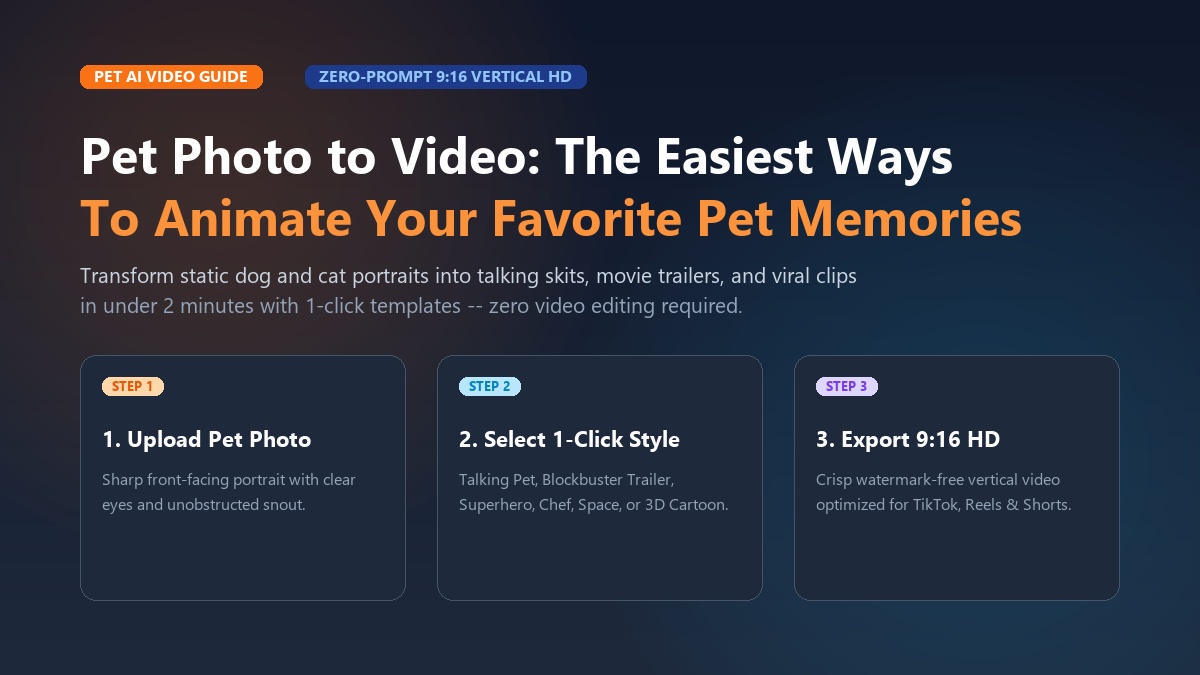
To turn a pet photo to video, you can use specialized pet AI animation tools that map facial landmarks on your pet's snapshot and generate dynamic 10-second video clips complete with natural eye blinks, synchronized mouth movements, and comedic voiceovers in under two minutes. Modern platforms like Animate My Pet eliminate the need for complicated video editing software or prompt engineering, allowing you to transform any still dog, cat, or exotic pet portrait into a viral-ready short video with a single tap.
If your smartphone gallery is overflowing with hundreds of photos of your pet sleeping in weird positions, begging at the dinner table, or giving you a side-eye stare, you are not alone. While photos capture unforgettable moments, they only freeze a fraction of your pet's quirky personality.
When Marcus uploaded a single snapshot of his French Bulldog, Buster, looking grumpy on the living room rug, he wanted to send a quick laugh to his family group chat. By selecting a sassy talking pet template with a posh British accent, Buster suddenly delivered a 10-second roast about his delayed dinner schedule. Marcus posted the clip on TikTok, and within 48 hours, it racked up over 450,000 views and thousands of comments asking what software made it possible.
Whether you want to build viral comedy skits for TikTok and Instagram Reels, celebrate a pet milestone, or preserve a heartwarming keepsake of a beloved companion, animating your pet's pictures has never been easier. In this guide, we will break down the simplest methods to convert any pet photo into a dynamic video, provide ready-to-use comedic scripts, and share actionable tips to create an AI pet video now or claim 1 free AI pet portrait to get started immediately.
Key Takeaways
- Zero-Prompt Simplicity: Modern pet AI video tools use 1-click curated templates, eliminating the guesswork of complex prompt engineering and parameter tuning.
- 6 Distinct Animation Formats: Single pet photos can be animated into voice-synced talking skits, Hollywood blockbuster movie trailers, superhero origin clips, chef cooking shows, astronaut adventures, and nostalgic 3D cartoon keepsakes.
- Native 9:16 Vertical Optimization: Generating videos in vertical HD format achieves over 90% viewer retention on short-form feeds like TikTok, Instagram Reels, and YouTube Shorts.
- Essential Photo Criteria: Sharp, front-facing photos with clear natural lighting around the eyes and snout prevent common AI glitches like blurred whiskers or warped paws.
- No Subscription Traps: Transparent one-time credit packs ($9.99 for 3 full video generations + 5 portraits) offer privacy-first cloud processing with automatic deletion.
Why Converting Pet Photos to Video Is the Ultimate Creative Trend
Pet content has consistently ranked among the highest-performing categories on social media. However, capturing funny or dramatic moments on video in real time can be nearly impossible. Pets rarely perform on command, and trying to record a spontaneous head tilt or yawn often results in missed timing.
Converting a static pet photo to video using modern pet animation AI solves this challenge by giving pet parents full creative control over still memories.
+-------------------------------------------------------------------------------+
|                    STATIC PET PHOTOS VS AI PET VIDEO ANIMATION                |
+-----------------------------+-------------------------------------------------+
| Static Pet Photography      | AI Pet Photo-to-Video Animation                 |
+-----------------------------+-------------------------------------------------+
| Frozen single moment        | Expressive motion, head tilts, and blinks       |
| Silent visual snapshot      | Voice-synchronized dialogue and personality     |
| Passive viewing experience  | Highly shareable narrative storytelling         |
| Low viral retention         | >90% completion rates on TikTok / Reels / Shorts|
| Requires live cooperation   | Works on any past or present still picture      |
+-----------------------------+-------------------------------------------------+
The Power of Short-Form Video Retention
On platforms like TikTok, Instagram Reels, and YouTube Shorts, video completion rate is the primary metric that triggers algorithmic distribution. A 10-second vertical video that loops seamlessly generates repeat views, signaling to discovery algorithms that the content is highly engaging. By animating a still photo into a punchy 10-second clip with synchronized dialogue or cinematic music, creators can produce high-retention content in minutes rather than spending hours filming.
Preserving Cherished Keepsakes
Beyond viral social entertainment, animating pet photos offers a powerful way to honor and remember pets. Bringing vintage photos or older snapshots of pets to life with gentle breathing motions, soft eye contact, and head turns creates deeply meaningful digital keepsakes that families cherish for years.
6 Fun & Easy Ways to Animate Your Favorite Pet Memories
Thanks to neural multi-modal models trained specifically on animal facial anatomy, you can animate pet photos into a wide variety of entertaining formats. Here are six of the easiest and most engaging ways to bring your pet memories to life.
+-------------------------------------------------------------------------------+
|                      6 WAYS TO ANIMATE PET PHOTOS INTO VIDEOS                 |
+------------------------------------+------------------------------------------+
| 1. The Comedic Talking Pet Skit    | 4. The MasterChef Gourmet Kitchen        |
| 2. Hollywood Blockbuster Trailer   | 5. The Cosmic Astronaut Adventure        |
| 3. Superhero Origin Story          | 6. Nostalgic 3D Cartoon Keepsake         |
+------------------------------------+------------------------------------------+
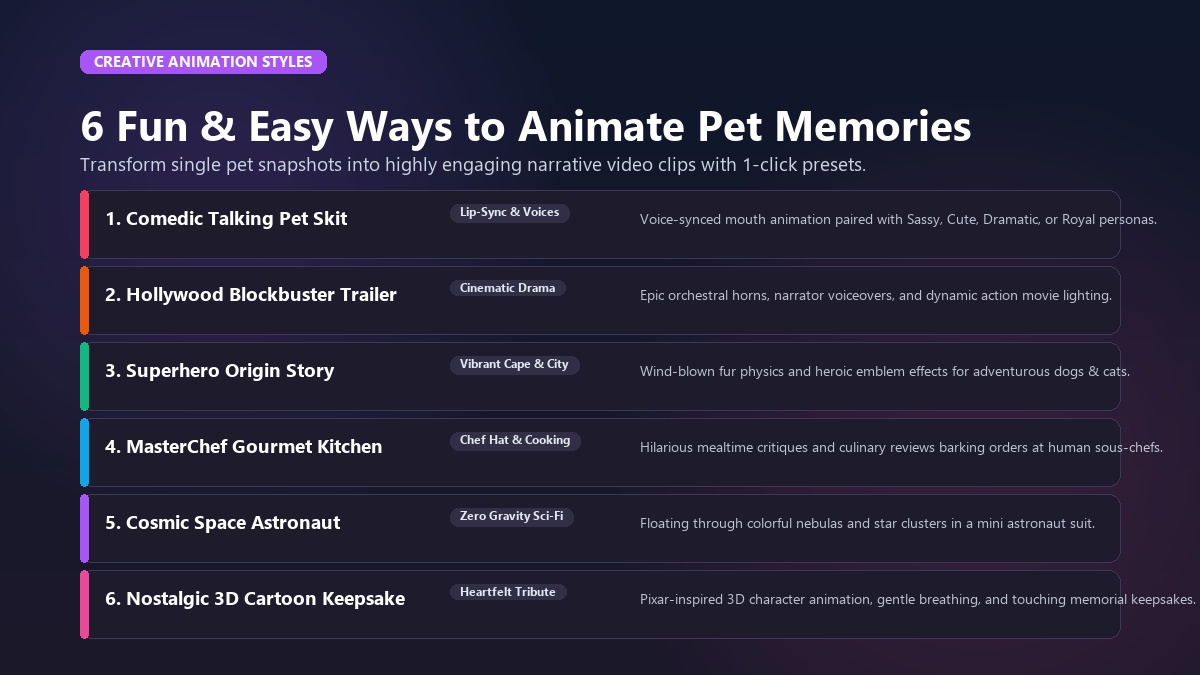
1. The Comedic Talking Pet Skit (Voice-Synced Mouth Animation)
The most popular way to turn a pet photo into video is giving your dog or cat their own speaking voice. Using dedicated Talking Pet AI technology, the system accurately detects your pet's muzzle, jawline, and eyes, generating smooth lip-sync animation to accompany spoken lines.
Whether you want to create an animate dog photo skit of a golden retriever negotiating for bacon or an animate cat photo video of a tabby critiquing household rules, you can choose from curated voice personalities:
- Cute & Bubbly: High-energy, playful tone for puppies, kittens, and excitable breeds.
- Sassy & Sarcastic: Deadpan humor for unimpressed cats and stubborn bulldogs.
- Dramatic & Deep: Booming cinematic voice for large dogs delivering serious monologues.
- Royal & Aristocratic: Elegant, refined accent for pampered pets who demand luxury.
2. The Hollywood Blockbuster Pet Movie Trailer
Transform your pet into the star of their own action-packed film. With cinematic movie trailer templates, your pet's photo is animated against dramatic lighting, accompanied by booming orchestral scores and deep narrator voiceovers ("In a world full of squirrels... one brave pup will rise.").
This format is ideal for energetic dogs, adventurous cats, and milestone celebrations like adoption anniversaries or pet birthdays.
3. The Pet Superhero Origin Story
Give your pet the heroic persona they deserve. The Superhero template outfits your dog or cat in a vibrant cape and heroic emblem, placing them against dynamic city skylines with wind effects that animate their fur and cape.
It is a fantastic option for creating memorable video greeting cards, kids' birthday invitations, or tribute reels celebrating loyal service dogs.
4. The MasterChef Gourmet Kitchen
Does your pet treat mealtime like a high-stakes culinary review? The Pet Chef template places a miniature chef hat on your pet and animates them in a bustling gourmet kitchen setting. Pair this template with a funny skit of your pet evaluating their kibble presentation or barking orders at their sous-chef human.
5. The Cosmic Space Astronaut Adventure
Launch your furry friend into zero gravity! The Pet Goes To Space template dresses your pet in an astronaut helmet and animates them floating through colorful nebulas and distant star clusters. This playful sci-fi format is especially popular among creative social media creators and pet parents who love cosmic aesthetics.
6. Nostalgic 3D Cartoon Adventure & Heartfelt Memorial Keepsakes
For pet owners wanting a warm, storybook feel, the 3D Cartoon style converts your photo into a Pixar-inspired animated character while maintaining your pet's distinctive markings.
This format also serves as a touching medium for memorial tributes. When Sarah wanted to create a tribute for her beloved tabby cat Milo who passed away after 14 years, she uploaded an older photo of Milo resting on a sunny windowsill. The animation added a gentle purr, slow blinks, and a peaceful head tilt, creating a comforting moving keepsake that her entire family now treasures on their digital photo frames.
You can browse Animate My Pet templates to explore all available animation styles in action.
How to Turn Any Pet Photo into a Video in 3 Simple Steps
Creating animated pet videos used to require complicated software like Adobe After Effects or steep learning curves with command-line AI models. Today, you can complete the entire process directly in your mobile or desktop web browser in three intuitive steps.
+-------------------------------------------------------------------------------+
|                      THE 3-STEP PET PHOTO TO VIDEO WORKFLOW                   |
+-------------------------------------------------------------------------------+
|   [ STEP 1: Upload Photo ]  -->  [ STEP 2: Pick Template ]  --> [ STEP 3: 9:16 HD ]|
|   Clear, front-facing shot       Select theme & voice preset     Export ready for  |
|   with visible eyes & snout      (Zero prompt writing)          TikTok / Reels / IG|
+-------------------------------------------------------------------------------+
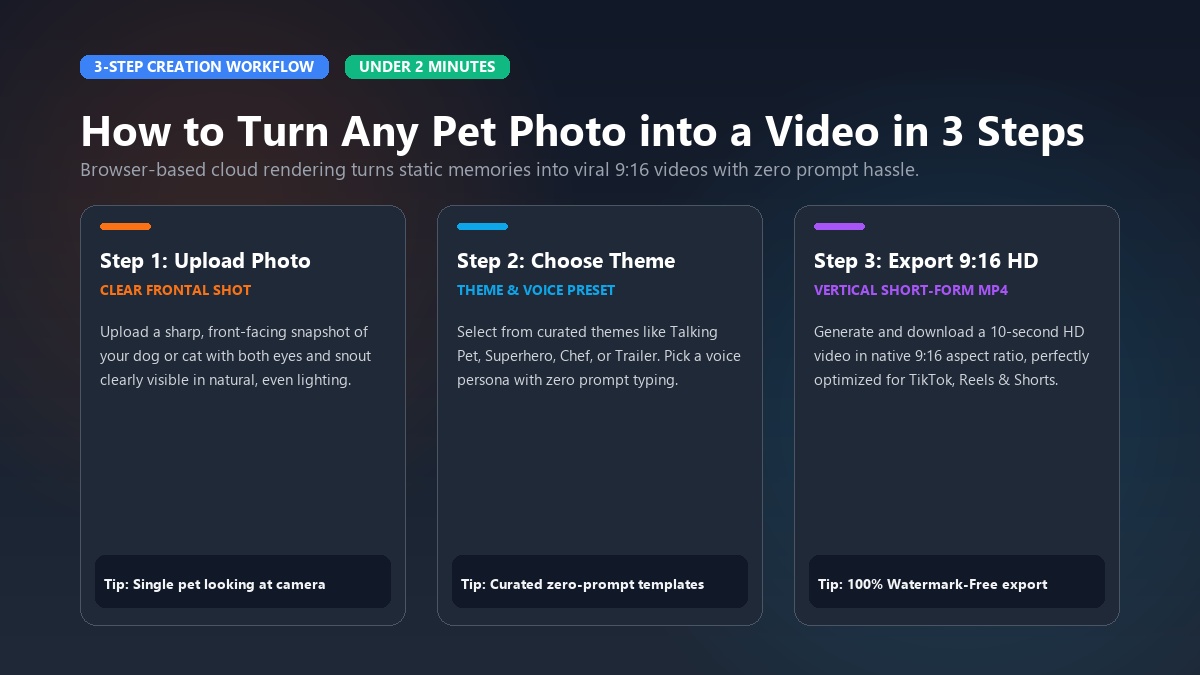
Step 1: Upload a Clear Pet Photo
Start by selecting a high-quality, front-facing photo of your pet. Make sure the lighting is bright and even, with both eyes, the nose, and the mouth clearly visible.
- Accepted formats: JPG, PNG, WEBP.
- Best practice: A single pet looking toward the camera against a non-distracting background.
Step 2: Choose Your Template and Voice Personality
Browse through the curated template library in the Creation Studio. Select your desired theme (e.g., Talking Dog, Pet Superhero, Pet Movie Trailer) and choose a matching voice persona (Cute, Sassy, Dramatic, Royal, or Funny).
Because the system uses pre-configured neural models, you do not need to write prompt descriptions or tweak frame rates—the animation engine handles lighting, motion tracking, and audio synchronization automatically.
Step 3: Generate and Export in 9:16 Vertical HD
Click the generate button and let the cloud pipeline render your video. Within 1 to 2 minutes, your 10-second HD video will be ready to preview and download in native 9:16 vertical format, perfectly optimized for sharing directly to TikTok, Instagram Reels, YouTube Shorts, or messaging apps.
The Perfect Photo Blueprint: How to Avoid AI Glitches and Warping
The quality of your finished AI pet video depends heavily on the input photo. When AI models encounter blurry edges, harsh shadows, or crowded frames, they can produce visual artifacts such as distorted ears, unnatural eye movements, or blurry snouts.
Follow this photo blueprint to ensure clean, realistic results every time:
+-------------------------------------------------------------------------------+
|                        PET PHOTO SELECTION GUIDELINES                         |
+------------------------------------+------------------------------------------+
| DO THIS (Recommended Photo)        | AVOID THIS (Causes Glitches)             |
+------------------------------------+------------------------------------------+
| Eye-level, direct front angle      | Extreme top-down or side profile angle   |
| Crisp focus on eyes and muzzle     | Blurry action shots or low-light grain   |
| Even natural or indoor lighting    | Harsh backlighting or heavy half-shadows |
| Single pet centered in the frame   | Multiple pets huddled together in shot   |
| Natural closed or slightly open jaw| Toys or leashes blocking mouth / snout   |
+------------------------------------+------------------------------------------+
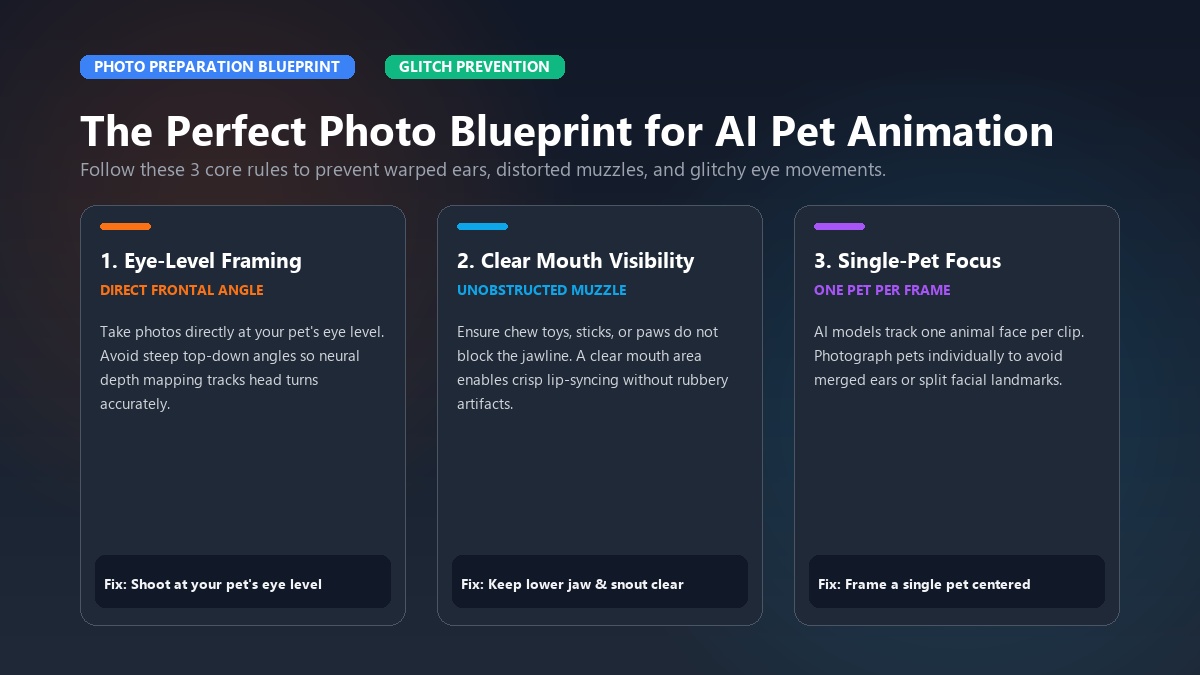
1. Maintain Eye-Level Framing
Take the photo at your pet's eye level rather than looking down from above. Eye-level perspectives give the AI clear depth mapping for head tilts and lifelike eye contact.
2. Ensure Clear Mouth Visibility
If you are creating a talking pet video, choose a photo where your pet's mouth and jawline are unobstructed. Avoid photos where chew toys, sticks, or paws cover the lower face.
3. Stick to Single-Subject Photos
AI animation algorithms are designed to track and animate one animal face per clip. If you have multiple pets, take individual portraits of each animal so the system can generate distinct animations for each personality.
Comedic Script Starters & Voice Persona Matching
A great animated pet video combines realistic motion with entertaining storytelling. Here are four ready-to-use comedic skit scripts tailored for canine and feline archetypes that you can use with the talking pet video maker and ai cat video generator:
+-------------------------------------------------------------------------------+
|                      READY-TO-USE COMEDIC PET SKIT SCRIPTS                    |
+--------------------+-------------------------+--------------------------------+
| Archetype          | Voice Style             | Sample 10-Second Dialogue      |
+--------------------+-------------------------+--------------------------------+
| The Food Inspector | Funny / Urgency         | "Alert! The kitchen cheese bag |
| (Food-Obsessed Dog)|                         | just crinkled. I am deploying  |
|                    |                         | immediately for tax collection."|
+--------------------+-------------------------+--------------------------------+
| The Landlord       | Sassy / Aristocratic    | "I noticed you slept past 6 AM.|
| (Judging Cat)      |                         | Highly unprofessional. The bowl|
|                    |                         | is 12% empty. Rectify this."   |
+--------------------+-------------------------+--------------------------------+
| The Security Chief | Dramatic / Deep         | "Target spotted at the fence.  |
| (Barking Watchdog) |                         | It is grey. It has a fluffy    |
|                    |                         | tail. Code Red: SQUIRREL!"     |
+--------------------+-------------------------+--------------------------------+
| The Spoiled Baby   | Cute / Sweet            | "I didn't chew the shoe, human.|
| (Innocent Pup)     |                         | The shoe exploded on its own.  |
|                    |                         | Hugs now, please?"             |
+--------------------+-------------------------+--------------------------------+
Pairing Script to Expression
For maximum comedic impact, contrast your pet's visual expression with their voice style. A tiny Chihuahua delivering a deep, booming dramatic speech or a grumpy Persian cat using a polite royal accent immediately grabs viewer attention in social feeds.
Comparing Pet Video Tools: Template Simplicity vs Prompting vs Subscriptions
When deciding how to turn your pet photos into videos, it helps to understand the differences between specialized web platforms, general diffusion generators, and legacy mobile apps.
+-------------------------------------------------------------------------------------------------+
|                                PET VIDEO TOOL COMPARISON MATRIX                                 |
+-----------------------+-------------------------+-----------------------+-----------------------+
| Feature               | Animate My Pet          | General AI (Runway)   | Legacy Mobile Apps    |
+-----------------------+-------------------------+-----------------------+-----------------------+
| Ease of Use           | 1-Tap Zero Prompts      | Steep Learning Curve  | Moderate (Manual Drag)|
| Video Duration        | 10s Social Loop         | 4–5s Baseline         | 5–10s                 |
| Format Output         | 9:16 Vertical HD        | Defaults to 16:9      | Variable / Watermarked|
| Voice Integration     | Built-in Voice Presets  | Manual Audio Sync     | Basic Sound Effects   |
| Animal Anatomy Model  | Pet-Specific AI Tuning  | General Diffusion     | 2D Mesh Distortion    |
| Pricing Structure     | One-Time Credit Packs   | Monthly Subscription  | Weekly/Monthly Billing|
| Watermark Removal     | 100% Watermark-Free*    | Paid Tiers Only       | Paid Subscription Only|
+-----------------------+-------------------------+-----------------------+-----------------------+
*Paid credit pack exports are 100% watermark-free.
Why Zero-Prompt Templates Outperform General Diffusion
General image-to-video AI tools require users to write complex descriptive prompts (e.g., specifying camera angles, motion vectors, and lighting parameters). If a prompt is slightly off, the AI often hallucinates extra paws or warps the background.
Specialized platforms like Animate My Pet utilize pre-calibrated neural pipelines trained exclusively on pet facial dynamics, ensuring consistent, high-fidelity results without prompt tinkering.
Transparent One-Time Credit Packs vs Subscription Traps
Many mobile animation apps lock users into expensive auto-renewing subscriptions that bill $7.99 to $9.99 every week. Animate My Pet operates on transparent, one-time pet video credit packs that never expire:
- Starter Pack ($9.99): 3 full video generations + 5 high-definition AI pet portraits.
- Creator Pack ($24.99): 10 video generations + 15 AI portraits (our most popular tier for active social posters).
- Viral Pack ($49): 25 video generations + 30 AI portraits for high-volume creators.
- Free Trial: New users can claim 1 free AI portrait and preview video animations with no credit card required.
Frequently Asked Questions
How can I turn my pet photo into a video for free?
You can test the platform without any upfront payment by claiming 1 free AI pet portrait on Animate My Pet. This allows you to explore stylized AI rendering and test video preview animations with zero risk before selecting a credit pack.
Do I need video editing experience or prompt writing skills?
No video editing skills or prompt engineering knowledge are required. The entire creation process uses a 1-tap template system. You simply upload your pet's photo, select a pre-designed theme (like Talking Cat, Pet Chef, or Movie Trailer), and receive a finished 10-second HD video.
Why do some AI pet videos look distorted and how do I prevent it?
Distortion typically occurs when the source photo has low resolution, harsh shadows across the face, or multiple animals in a single frame. To ensure glitch-free animations, upload a clear, well-lit photo of a single pet facing the camera with their eyes and muzzle clearly visible.
What is the best video aspect ratio for social media sharing?
The optimal aspect ratio for TikTok, Instagram Reels, and YouTube Shorts is 9:16 vertical HD. Vertical videos occupy the entire mobile screen, maximizing engagement and achieving significantly higher completion rates compared to landscape 16:9 videos with black bars.
Can I animate pets other than dogs and cats?
Yes. While dog and cat templates are the most popular, pet animation models can process clear portraits of rabbits, birds, hamsters, guinea pigs, and horses as long as their facial features and eyes are clearly visible in the original image.
Are my uploaded pet photos safe and private?
Yes. Privacy is maintained by default. Uploaded photos and rendered videos are processed on secure cloud servers and automatically deleted within 24 hours to 7 days. Your images are never sold or added to public training datasets.
Conclusion
Transforming your favorite static pet snapshots into lively, talking, and cinematic videos is one of the most entertaining and creative ways to celebrate your pet. Whether you want to turn your dog into a cape-wearing superhero, create a hilarious talking skit for TikTok, or preserve a touching digital memory of a cherished companion, modern AI animation brings your pet's personality to life in seconds.
Ready to see your pet in action?
- Step 1: Select a clear, front-facing snapshot of your pet from your phone gallery.
- Step 2: Visit Animate My Pet to claim 1 free AI pet portrait or open the Creation Studio to start animating right away.
- Step 3: Pick your favorite template, hit generate, and share your new animated pet video with friends, family, and followers!