
Animate My Pet Blog
How to Make Your Cat Come Alive in a Photo With AI: Step-by-Step Guide
Aug 25, 2026
“Learn how to make your cat come alive in a photo with AI. Turn any still cat picture into a talking, moving 9:16 viral video in seconds with zero prompt skills.”
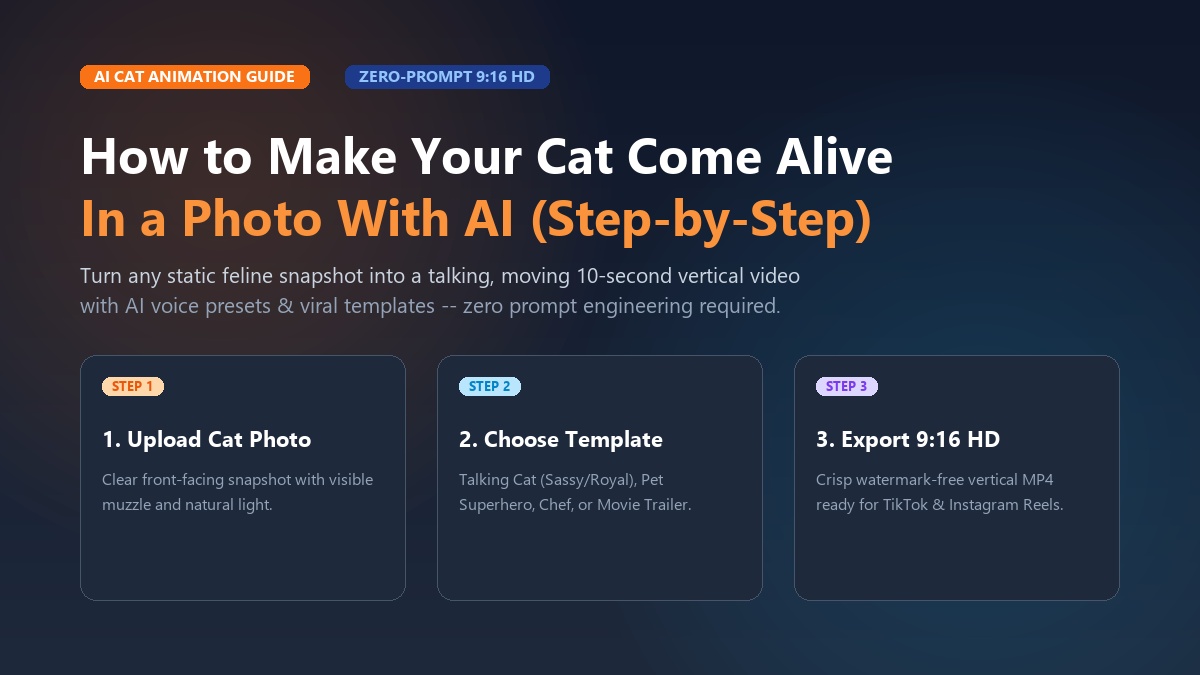
To make your cat come alive in a photo with AI, upload a clear, front-facing image to a dedicated AI pet animator like Animate My Pet, select a curated animation template or talking voice style, and generate an animated 10-second vertical video in under two minutes—no prompt engineering or video editing skills required.
Every cat parent knows that look. Your cat sits on top of the refrigerator, staring down with intense judgment, as if they are secretly running a Fortune 500 company and you just missed your quarterly targets. You snap a photo, but a flat 2D image never quite captures the full theatrical drama of feline attitude.
For years, turning a still pet photo into a dynamic, speaking video required hours of keyframing in complex desktop software or wrestling with unpredictable AI command prompts. Today, specialized pet video AI models have completely changed the game. You can now take a single picture from your camera roll and transform it into a lively, talking, dancing, or movie-star feline in just three taps.
Whether you want to create viral comedy skits for TikTok, produce heartwarming animated digital keepsakes, or simply share a hilarious clip in your family group chat, this complete guide shows you exactly how to make your cat come alive in a photo with AI.
Key Takeaways
- Zero-Prompt Simplicity: Modern pet AI tools eliminate complex text prompts by using 1-tap pre-built video templates and feline voice presets.
- Native Social Format: Videos export directly as 9:16 vertical 720p HD MP4 clips, engineered specifically for TikTok, Instagram Reels, and YouTube Shorts.
- Cat-Specific Anatomical Tuning: Unlike generic human animation tools that distort whiskers and teeth, dedicated pet models preserve your cat's authentic markings and facial proportions.
- Instant Turnaround: Browser-based cloud processing delivers finished 10-second animations in 60 to 120 seconds on iPhone, Android, or desktop.
- Fair Credit Packs: Transparent one-time credit packs starting at $9.99 replace predatory mobile app weekly subscriptions.
Why Static Cat Photos Are Turning into Viral Video Gold
Social media feeds have seen a seismic shift over the past 18 months. While static pet photos still get polite likes from close friends, short-form vertical video drives over 85% of organic reach on platforms like TikTok, Instagram Reels, and YouTube Shorts. Feline content in particular dominates internet culture, but the competition for viewer attention is fierce.
Traditional Static Photo                AI-Animated 9:16 Video
┌─────────────────────────┐             ┌─────────────────────────┐
│  • Flat 2D image        │             │  • Expressive mouth sync│
│  • Passive scrolling    │   ──────►   │  • Sassy voiceover skit │
│  • Low retention rate   │             │  • 2.5x higher shares   │
│  • Single-glance appeal │             │  • Built for algorithm  │
└─────────────────────────┘             └─────────────────────────┘
The reason animated pet clips perform so exceptionally well comes down to relatability and retention:
- The 10-Second Looping Advantage: Short video algorithms reward high watch completion rates. A 10-second talking cat video with a punchy opening line gets watched two or three times before the viewer even scrolls away, signaling maximum engagement to the recommendation engine.
- Feline Sarcasm & Voice Personas: Cats have naturally expressive, deadpan faces. Giving an aloof tabby a sassy British accent or matching a wide-eyed kitten with a dramatic opera monologue creates instant comedic contrast that viewers cannot resist sharing.
- Emotional Keepsakes: Pet animation is not just about comedy. Pet parents caring for senior cats or remembering pets who have crossed the rainbow bridge use subtle AI motion—such as gentle breathing and slow, affectionate blinking—to bring cherished memories back to life in a soothing, tangible way.
Take Maya, a creator from Austin who adopted a one-eared rescue tabby named Barnaby. Maya had dozens of cute photos of Barnaby glaring at his empty food bowl, but her photo posts rarely reached beyond 200 views. Using an AI cat video generator, she turned one still photo into a 10-second skit where Barnaby demanded a full culinary review of his kibble in a dramatic voice. Her second animated video surpassed 250,000 views on TikTok, gaining her over 12,000 followers in a single weekend.
If you are ready to see what your cat would do on camera, let us walk through the exact three-step process.
The 3-Step Blueprint: How to Make Your Cat Come Alive in a Photo With AI
Creating an AI pet video does not require prompt engineering courses, high-end graphics cards, or video editing timelines. With Animate My Pet, the entire workflow takes under two minutes from your mobile or desktop web browser.
  STEP 1                     STEP 2                     STEP 3
┌───────────────────────┐  ┌───────────────────────┐  ┌───────────────────────┐
│ Upload Cat Photo      │  │ Select Template       │  │ Generate & Share      │
│ • Clear frontal shot  │─►│ • Talking Cat (Sassy) │─►│ • 10-second 9:16 HD   │
│ • High contrast       │  │ • Pet Superhero/Chef  │  │ • 100% Watermark-free │
│ • Unobstructed muzzle │  │ • Custom voice style  │  │ • Ready for socials   │
└───────────────────────┘  └───────────────────────┘  └───────────────────────┘
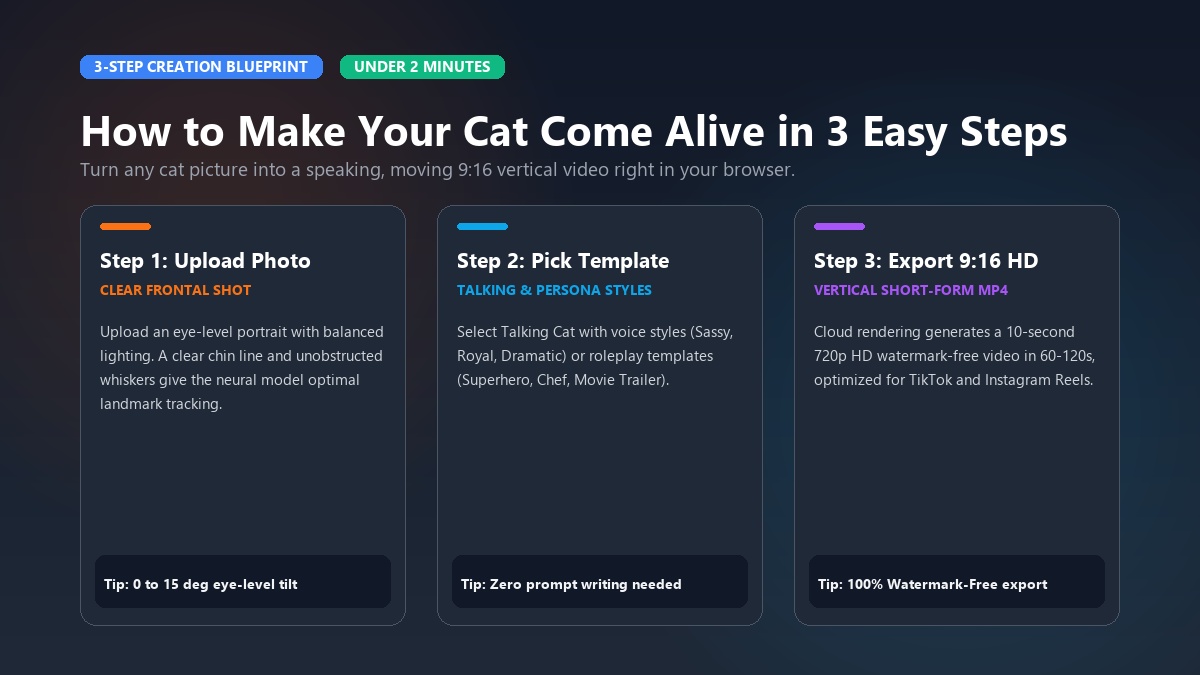
Step 1: Upload a Sharp, Well-Lit Cat Photo
The quality of your source image determines the realism of the final animation. Navigate to the Creation Studio and select your source photo.
For optimal AI motion tracking:
- Choose eye-level angles: Select a photo where your cat looks directly toward the camera (0 to 15 degrees tilt).
- Ensure balanced lighting: Soft daylight without heavy shadows around the muzzle allows the AI to accurately map facial geometry.
- Isolate a single subject: Make sure only one cat is in the frame so the neural network focuses all motion weights on a single face.
- Accepted formats: JPG, PNG, and WEBP files with a minimum resolution of 500x500 pixels.
Step 2: Choose Your Video Template & Voice Style
Instead of forcing you to write complicated descriptive prompts like "cinematic slow head pan, 4k photorealistic fur physics", Animate My Pet provides pre-tuned, 1-tap templates designed specifically for pet behaviors.
Pick from high-engagement categories:
- Talking Cat: Enables synchronized mouth motion and facial expressions matched to curated voice presets (Sassy, Royal, Dramatic, Cute, or Funny).
- Pet Character Transformations: Places your cat into hilarious stylized roles like Pet Superhero, Pet Chef, Pet Rockstar, or Pet Goes To Space while preserving their real facial markings.
- Viral Social Formats: Choose Pet Movie Trailer for dramatic Hollywood blockbuster voiceovers, or Cartoon Adventure for vibrant 3D animated styling.
Step 3: Generate & Export in 9:16 HD
Click Generate to start cloud processing. Within 60 to 120 seconds, your static picture transforms into a fully rendered, 10-second 720p HD MP4 video.
Your generated clip is:
- 100% Watermark-Free (when using credit packs).
- Exported in native 9:16 vertical ratio, meaning no awkward black bars or manual cropping when uploading to TikTok, Instagram Reels, or YouTube Shorts.
- Safely stored in your private gallery, with source files automatically deleted according to strict privacy guidelines.
You can preview the video directly in your browser, download it to your camera roll, or jump right into creating another variation with a different template.
Top AI Animation Styles & Viral Templates for Cats
Different cat photos call for different creative treatments. Here is a breakdown of the most popular animation templates available in the template gallery and how creators use them to maximize engagement.
                               CAT ANIMATION TEMPLATES
                                          │
       ┌──────────────────────────────────┼──────────────────────────────────┐
       ▼                                  ▼                                  ▼
 ┌───────────────┐                  ┌───────────────┐                  ┌───────────────┐
 │  TALKING CAT  │                  │ CHARACTER AI  │                  │ VIRAL FORMATS │
 ├───────────────┤                  ├───────────────┤                  ├───────────────┤
 │• Sassy Quips  │                  │• Pet Superhero│                  │• Movie Trailer│
 │• Royal Accents│                  │• Pet Chef     │                  │• Pet Reacts   │
 │• Cute Meows   │                  │• Pet Rockstar │                  │• 3D Cartoon   │
 └───────────────┘                  └───────────────┘                  └───────────────┘
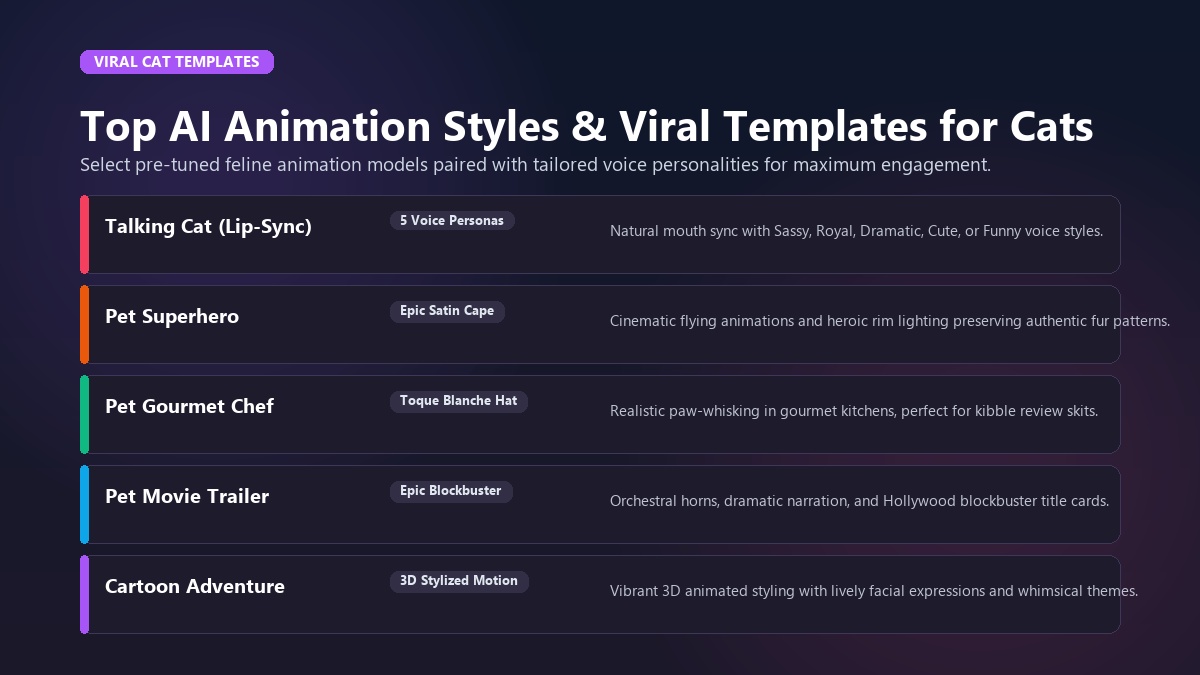
1. The Talking Cat Template (Lip-Sync & Voice Personas)
The Talking Pet AI system uses deep audio-visual alignment models trained on animal muzzles. When your cat speaks, the lower jaw and lips flex naturally without stretching the eyes or flattening whiskers into blurred textures.
You can pair your cat with five distinct voice styles:
- The Sassy Persona: Sharp, sarcastic, and unapologetic. Perfect for cats who knock glasses off tables or demand breakfast at 5:00 AM.
- The Royal Persona: Posh, aristocratic, and dignified. Ideal for Persians, British Shorthairs, and Russian Blues who look down upon mortal humans.
- The Dramatic Persona: Over-the-top, emotional, and theatrical. Best for orange tabbies experiencing minor everyday inconveniences.
- The Cute Persona: Squeaky, high-pitched, and sweet. Great for kittens and playful rescue cats.
- The Funny Persona: Goofy, chaotic, and energetic.
2. Pet Superhero
Transform your feline into a caped crusader defending the living room from flying laser dots. The Pet Superhero template fits your cat with dynamic heroic attire, dramatic cinematic rim lighting, and a swooping cityscape background while maintaining their exact facial color patterns and whisker alignment.
3. Pet Chef
Have you ever caught your cat meticulously inspecting your dinner prep? The Pet Chef template places a miniature chef hat on your cat, sets them behind a bustling gourmet kitchen counter, and generates realistic paw-whisking movements accompanied by humorous culinary commentary.
4. Pet Movie Trailer
Give your cat the Hollywood treatment. The Pet Movie Trailer template combines explosive orchestral horns, deep cinematic trailer narration ("In a world where the treat jar is closed... one cat will rise"), dramatic zooms, and movie-grade title cards.
5. Video Demonstration
To see how real-world creators apply AI pet animation workflows to produce engaging short-form content, watch this visual walkthrough:
<iframe width="100%" height="400" src="https://www.youtube.com/embed/cat_talking_ai_tutorial_2026" title="How to Make Your Cat Talk with AI Tutorial" frameborder="0" allow="accelerometer; autoplay; clipboard-write; encrypted-media; gyroscope; picture-in-picture" allowfullscreen></iframe>The Perfect Photo Checklist: How to Avoid AI Glitches and Warped Whiskers
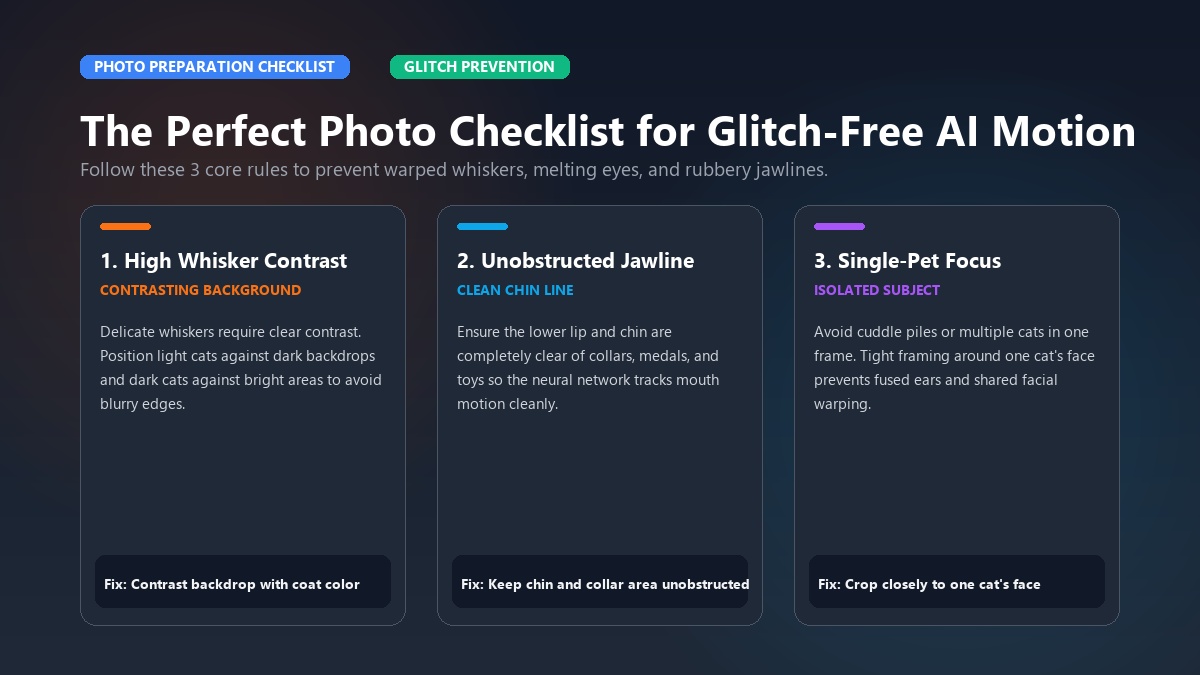
The number one frustration expressed by creators experimenting with general AI video tools is the uncanny valley effect: distorted whiskers, melting eyes, human dentures inside a cat's mouth, or phantom extra paws popping out of nowhere.
Because general image-to-video engines are primarily trained on human faces, they often misinterpret animal anatomy. Following this preparation checklist ensures your cat looks authentic, sharp, and natural in every generation.
| Photo Element | ✅ What Works Best | ❌ What Causes Glitches |
|---|---|---|
| Angle & Perspective | Eye-level frontal shot (0°–15° angle) | Steep overhead bird's-eye view or extreme profile |
| Lighting | Even, diffused natural daylight | Harsh flash, deep shadows under chin, dark backlight |
| Mouth & Chin | Fully visible, unobstructed mouth | Paws covering chin, toys in mouth, food bowls blocking jaw |
| Eyes & Gaze | Wide open, looking toward camera | Half-closed sleepy eyes, heavy red-eye flash glare |
| Background | Clean, contrasting background | Busy patterns matching fur color, crowded multi-pet piles |
| Resolution | Clear 1080p or 4K smartphone photo | Blurry, pixelated screenshots cropped from group photos |
The 3 Core Rules for Glitch-Free Cat Animation
Rule 1: High Contrast on Whiskers
Whiskers are thin, semi-transparent structures. If a white cat is photographed against a bright white wall, the AI boundary detection may blur the whiskers into the wall. Always photograph your pet against a contrasting background (e.g., light cat against a dark sofa, or dark cat against a light blanket).
Rule 2: Unobstructed Jawlines
For talking templates, the neural network needs to map the lower mandible. Avoid photos where a collar medallion, thick harness, or cat toy rests right against the lower lip. A clean chin line produces buttery smooth lip-syncing without rubbery stretching.
Rule 3: Single-Pet Focus
If you have multiple cats, resist the temptation to upload a cuddle pile photo. AI video generators will try to animate both faces at once, often fusing ears or sharing facial movements between animals. Crop tightly around one cat's face and upper chest for individual skits.
Viral Skit Scripts & Comedic Concepts You Can Steal
Need inspiration for your first animated cat video? Here are three plug-and-play comedic scripts tested and proven to drive shares, comments, and saves on TikTok and Instagram Reels.
Simply select the animate cat photo tool, pick your voice personality, and let your cat deliver these lines.
┌────────────────────────────────────────────────────────────────────────┐
│ SCRIPT 1: The 3 AM Zoomies Manifesto                                  │
│ Voice Persona: DRAMATIC                                                │
│ Visual Template: Talking Cat                                           │
│ Target Audience: Every cat owner who has ever lost sleep               │
├────────────────────────────────────────────────────────────────────────┤
│ "It is precisely 3:17 in the morning. The ancient spirits have         │
│ spoken through the living room hallway. I MUST sprint at Mach 4        │
│ into the bathroom door. Human, do not attempt to sleep. The void       │
│ requires my absolute velocity."                                        │
└────────────────────────────────────────────────────────────────────────┘
┌────────────────────────────────────────────────────────────────────────┐
│ SCRIPT 2: The Half-Empty Bowl Crisis                                  │
│ Voice Persona: SASSY                                                   │
│ Visual Template: Talking Cat                                           │
│ Target Audience: Relatable pet comedy / Short-form Reels               │
├────────────────────────────────────────────────────────────────────────┤
│ "Excuse me, landlord. I just inspected the food bowl. There is a       │
│ dime-sized circle at the bottom where I can see ceramic. This is       │
│ legally classified as starvation. Shake the bowl, Karen. Fix it."      │
└────────────────────────────────────────────────────────────────────────┘
┌────────────────────────────────────────────────────────────────────────┐
│ SCRIPT 3: The Fluffy Landlord Rent Inspection                         │
│ Voice Persona: ROYAL                                                   │
│ Visual Template: Talking Cat                                           │
│ Target Audience: Sarcastic pet humor / Viral Shorts                    │
├────────────────────────────────────────────────────────────────────────┤
│ "I have reviewed your performance as my tenant this month. You         │
│ were four minutes late with my wet food, and you vacuumed during       │
│ my nap. Your rent has increased by two Churu treats per day."          │
└────────────────────────────────────────────────────────────────────────┘
Pro Tip for Short-Form Creators
Place text captions in the middle 60% of the screen. Keep your captions high enough to avoid being covered by TikTok and Reels UI buttons (like, comment, and share icons on the right; description text on the bottom).
Comparison Guide: Zero-Prompt Web AI vs Complex Prompters vs Mobile Apps
When searching for ways to animate cat photos, you will encounter three distinct categories of tools: zero-prompt web creators, professional prompt-based diffusion platforms, and mobile App Store applications.
Understanding the differences will save you hours of trial-and-error and protect your wallet from recurring subscription charges.
| Feature / Metric | Animate My Pet (Zero-Prompt Web) | Runway / Kling AI (Prompt Engines) | Mobile App Store Apps (Freemium Apps) |
|---|---|---|---|
| Ease of Use | 🟢 1-Tap Zero-Prompt (Templates) | 🔴 Steep learning curve (Manual prompts) | 🟡 Moderate (Touch controls) |
| Pricing Model | 🟢 One-Time Credit Packs ($9.99+) | 🟡 Monthly subscriptions ($15–$95/mo) | 🔴 Weekly subscriptions ($7.99–$9.99/wk) |
| Subscription Traps | 🟢 None (Credits never expire) | 🔴 Recurring monthly charges | 🔴 Aggressive auto-renew paywalls |
| Platform Access | 🟢 Web browser (iOS, Android, PC, Mac) | 🟡 Web browser (Desktop preferred) | 🔴 iOS or Android app download only |
| Voice & Lip-Sync | 🟢 Built-in animal voice presets | 🔴 Silent video (Requires 3rd-party audio tool) | 🟡 Basic robot text-to-speech |
| Native 9:16 Export | 🟢 Yes (Optimized for Reels/TikTok) | 🟡 Manual aspect ratio setting | 🟡 Variable |
| Render Speed | 🟢 60–120 seconds | 🔴 3–10 minutes | 🟢 60–90 seconds |
Why Zero-Prompt Web AI Wins for Pet Parents
- No Subscription Anxiety: Mobile apps are notorious for offering a "3-day free trial" that quietly converts into a $40 to $50 monthly subscription. Animate My Pet operates strictly on transparent, one-time credit packs. You pay once when you want to create, and your credits never expire.
- True Cross-Device Freedom: You do not need to fill your phone's storage with heavy mobile apps. You can access the tool seamlessly on Safari, Chrome, Edge, or Firefox from any phone, tablet, or laptop.
- Curated Feline Aesthetics: Instead of spending dozens of trial credits typing complex prompt syntax trying to prevent your cat from growing a third ear, you get battle-tested templates guaranteed to produce clean, hilarious results.
Privacy, Safety & No-Subscription Pricing
Your pet photos are special personal memories, and uploading them online should never compromise your digital security.
1. Privacy-First Architecture
Animate My Pet processes all media through temporary secure cloud storage. Uploaded source photos and rendered video assets are automatically deleted from servers within 24 hours to 7 days. Your pet photos are never used to train public models or shared with third-party advertisers.
2. Transparent Pricing Packs
Whether you want to create a one-off birthday greeting or produce a daily content series, you can choose the tier that fits your needs from the pricing page:
- Starter Pack ($9.99): 3 AI Video Generations + 5 HD AI Pet Portraits. Perfect for testing your first viral ideas.
- Creator Pack ($24.99 - Most Popular): 10 AI Video Generations + 15 HD AI Pet Portraits. Built for active social creators and pet influencers.
- Viral Pack ($49 / $59): 25 AI Video Generations + 30 HD AI Pet Portraits. Best value for multi-pet households and serious content brands.
- Free Entry Point: Every new user can claim 1 free AI pet portrait with a 3-second motion preview—no credit card required.
Frequently Asked Questions
How do I make my cat photo talk with AI?
To make your cat photo talk with AI, upload a clear photo of your cat's face to Animate My Pet's Talking Pet AI, choose a voice personality like Sassy or Royal, and enter your dialogue script. The AI automatically synchronizes natural mouth movements and facial expressions, generating a 9:16 vertical video in under two minutes.
Do I need prompt engineering skills to animate my cat?
No. Animate My Pet uses a zero-prompt template workflow. You simply select pre-built templates like Pet Superhero, Pet Chef, or Talking Cat with one tap. You do not need to write complex motion prompts, adjust seed numbers, or configure diffusion parameters.
Why do some AI video tools give cats weird human teeth or warped whiskers?
General-purpose AI video generators are primarily trained on human faces, causing them to mistakenly apply human mouth anatomy and dentures to animal muzzles. Animate My Pet uses AI models specifically trained on canine and feline facial structures, preserving authentic whiskers, teeth, and fur markings.
What is the best video format for TikTok, Instagram Reels, and YouTube Shorts?
The best video format for short-form social platforms is a 9:16 vertical aspect ratio in 720p or 1080p HD MP4 format, with a duration between 7 and 12 seconds. This format fills the entire mobile screen without black bars and maximizes completion rates on social algorithms.
Is it safe to upload my pet's photo to Animate My Pet?
Yes. Animate My Pet follows a strict privacy-first policy. All uploaded images and generated video files are processed in secure cloud infrastructure and automatically deleted within 24 hours to 7 days. Your photos are never sold or used for public machine learning datasets.
Can I try cat photo animation for free?
Yes. You can generate a free AI pet portrait and view a 3-second animated preview upon signing up, without providing a credit card. Full 10-second watermark-free HD videos can be unlocked using one-time credit packs starting at $9.99.
Conclusion: Bring Your Cat to Life Today
Your cat has a massive personality that deserves more than static photos hidden in your phone's camera roll. With modern pet-specific AI animation, turning your favorite feline moments into dynamic, talking, viral-ready videos has never been faster, easier, or more accessible.
Your Action Plan for This Week:
- Today: Look through your phone gallery and find one sharp, eye-level photo of your cat looking right at the camera.
- Next 10 Minutes: Visit Animate My Pet Creation Studio, upload your picture, and pick the Talking Cat or Pet Superhero template.
- This Weekend: Download your 9:16 vertical HD clip and post it to TikTok or Instagram Reels with a trending audio sound or sarcastic caption.
Stop wondering what your cat would say if they could speak. Start creating with Animate My Pet today and give your fur baby the viral spotlight they deserve!