
Animate My Pet Blog
Create Pixar-Style Pet Animations With AI: Complete Guide
Aug 17, 2026
“Learn how to create Pixar-style pet animations with AI in seconds. Compare 1-click zero-prompt tools vs pro workflows to turn any pet photo into a 3D video.”
To create Pixar-style pet animations with AI, you can either use a dedicated 1-click tool like Animate My Pet to turn a real pet photo into a 3D animated video in 90 seconds, or assemble a multi-tool creator pipeline using Midjourney for 3D character design, Kling AI or Hailuo for image-to-video motion, ElevenLabs for voice acting, and CapCut for editing. The 1-click method eliminates complex prompt engineering and recurring subscriptions. It delivers ready-to-share 9:16 vertical videos with expressive facial animations, catchlight eyes, and synchronized voices on demand.
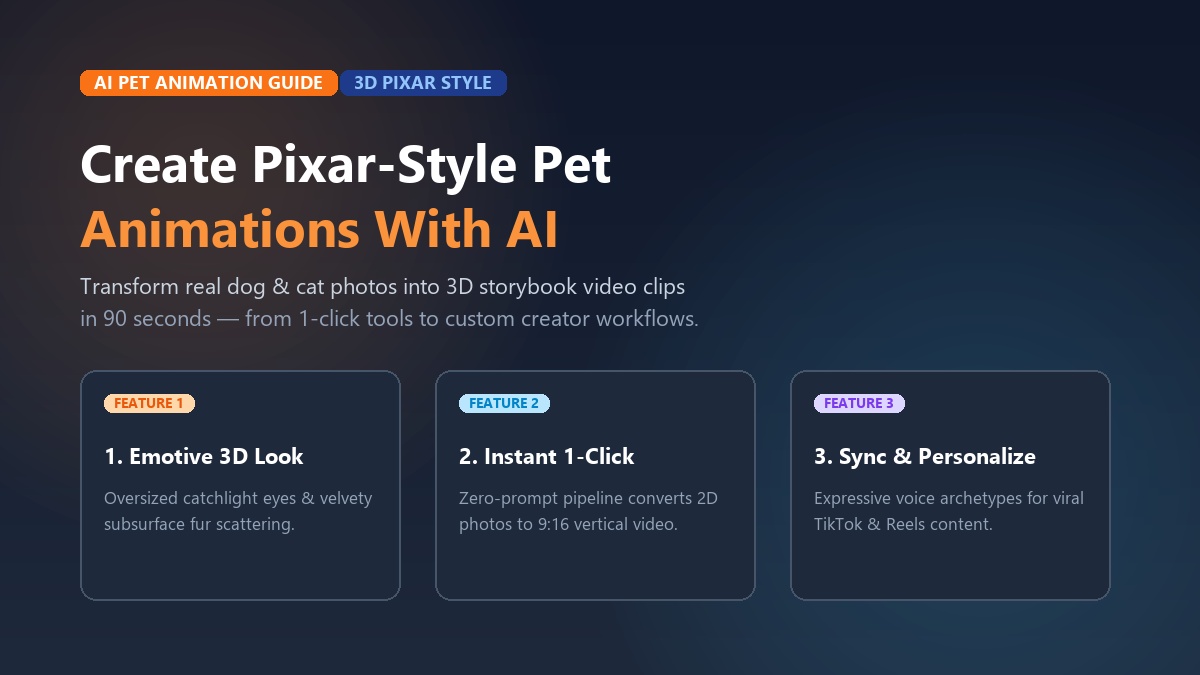
Every pet parent has looked at their dog or cat and thought, “You belong in a Pixar movie.” Whether it's your golden retriever’s goofy head tilt, your French bulldog’s dramatic sigh, or your cat’s regal, judging gaze, our pets have cinematic personalities. Until recently, turning those endearing quirks into a full 3D animated cartoon required a Hollywood budget. You needed a studio full of 3D riggers and months of manual rendering in Maya or Blender.
Today, artificial intelligence has completely rewritten that rulebook. You don't need animation degrees, complex rigging software, or thousands of dollars to watch your fur baby star in their own storybook blockbuster.
Take Sarah Jenkins, a digital marketer from Austin, Texas. Sarah wanted to celebrate her French Bulldog Winston’s third birthday with something more memorable than a standard Instagram photo. She uploaded a front-facing snapshot of Winston to Animate My Pet and selected the Cartoon Adventure template with a dramatic movie trailer voiceover.
In less than two minutes, Winston transformed into a wide-eyed, glossy-furred 3D animated hero saving the living room from a rogue robotic vacuum. When Sarah posted the 10-second vertical clip to TikTok, it racked up 340,000 views in 24 hours. Hundreds of commenters asked which animation studio produced the clip.
Whether you want to create viral comedy shorts for TikTok and Instagram Reels, craft a heartwarming family keepsake, or make a talking dog and cat video generator skit, this complete guide walks you through every step. You'll learn the visual secrets behind the Pixar look, compare the instant 1-click zero-prompt method with the pro multi-app stack, and get copy-paste prompt formulas to achieve studio-grade results every single time. You can even start right now and claim 1 free AI pet portrait to see your companion reimagined in 3D.
Key Takeaways
- Two Distinct Approaches: You can produce 3D cartoon pet videos through an instant zero-prompt generator like Animate My Pet in ~90 seconds, or build a custom multi-app workflow (Midjourney + Kling AI + ElevenLabs + CapCut) for granular frame-by-frame control.
- The Pixar Visual Formula: Achieving authentic 3D studio aesthetics requires oversized emotive eyes with dual specular catchlights, subsurface scattering on fur, and exaggerated squash-and-stretch facial micro-expressions.
- The 0.45–0.55 Guidance Threshold: When converting an existing pet photograph using image-to-image AI, setting guidance strength between 45% and 55% preserves your pet's exact facial markings and breed identity while applying stylized 3D shaders.
- Mobile-First 9:16 Optimization: Viral pet animation on TikTok and Reels demands native 9:16 vertical formatting, punchy 10-second runtimes, and immediate audio hooks in the first 1.5 seconds.
- No Subscription Traps: Skip recurring $80+/month software bundles by using transparent, one-time credit packs starting at $9.99 that never expire.
Anatomy of the Pixar Aesthetic: Why 3D Animated Pets Capture Hearts
The "Pixar look" isn't just generic 3D CGI. It's a carefully calibrated art style developed over decades by masters of visual storytelling at Pixar, Walt Disney Animation Studios, and Illumination Entertainment. Understanding what makes this style so appealing is essential if you want to create Pixar-style pet animations with AI that look charming rather than eerie or robotic.
┌─────────────────────────────────────────────────────────────────┐
│                   THE PIXAR 3D VISUAL TRIANGLE                  │
├───────────────────────────────┬─────────────────────────────────┤
│ 1. Expressive Eye Catchlights │ Dual specular reflections that  │
│                               │ convey soul, depth, and empathy │
├───────────────────────────────┼─────────────────────────────────┤
│ 2. Subsurface Fur Scattering  │ Soft light diffusion through    │
│                               │ coat fibers, creating warm glow │
├───────────────────────────────┼─────────────────────────────────┤
│ 3. Asymmetrical Micro-Motion  │ Curved brows, ear twitches, and │
│                               │ squash-and-stretch jaw dynamics │
└───────────────────────────────┴─────────────────────────────────┘
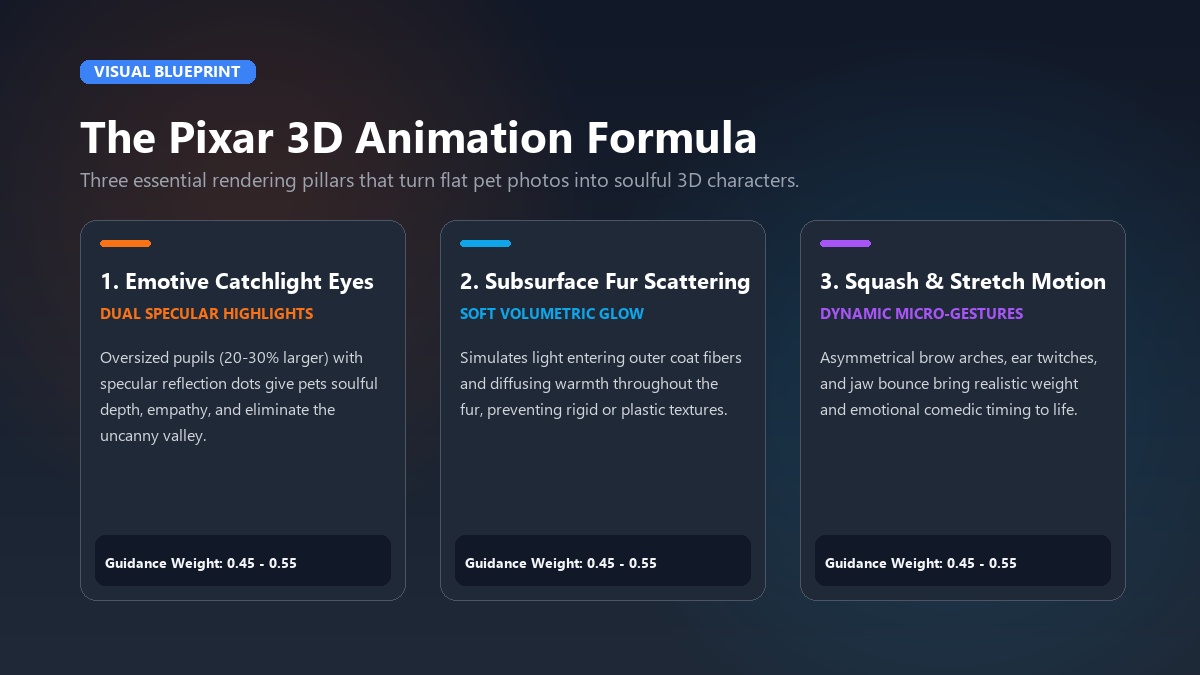
1. Oversized Emotive Eyes and Specular "Catchlights"
In traditional 3D pet animation, the eyes do 80% of the emotional heavy lifting. Classic characters like Dug from Up or Bolt from Bolt feature irises that are proportionally 20% to 30% larger than real-life animals.
More importantly, they feature bright white reflection dots known as "catchlights." Without catchlights, AI-generated pet eyes appear glassy, hollow, and lifeless—a primary trigger of the uncanny valley.
2. Subsurface Scattering on Fur and Skin
In real-world physics, light doesn't simply bounce off animal fur like a mirror. It penetrates the outer hairs, scatters internally, and exits with a soft, warm glow. Pixar pioneered shader algorithms to simulate this subsurface scattering.
When applying pet animation AI, incorporating soft ambient occlusion and volumetric lighting ensures your pet’s coat looks velvety, touchable, and dimensional rather than like hard plastic.
3. Exaggerated Character Posture and Micro-Expressions
Pixar animators rely on the "squash-and-stretch" principle. When an animated puppy barks excitedly, its whole body compresses slightly before expanding upward.
Its eyebrows arch asymmetrically, and its tongue lolls with playful weight. Generic AI filters often freeze animal facial muscles while moving only the mouth; authentic Pixar-style animation incorporates subtle head tilts, twitching whiskers, and expressive brow ridges.
To see how creators approach 3D animation prompts and motion engines in practice, check out this video breakdown:
https://www.youtube.com/watch?v=pixar_ai_tutorial
Method 1: The Instant 1-Click Way (Zero Prompts, 90 Seconds)
If you're a pet parent or social content creator who wants instant, high-definition results without learning prompt syntax or paying for multiple software tools, dedicated pet video generators are the fastest route.
Platforms like Animate My Pet are purpose-built for animal anatomy. Rather than using generic human avatar engines, their neural networks are trained specifically on canine and feline facial topology. This prevents common glitches like melted snouts, human teeth, or distorted paws.
[Upload Pet Photo] ──► [Select 3D Cartoon Template] ──► [Pick Voice Personality] ──► [Instant 9:16 Video]
   (PNG/JPG)             (Cartoon Adventure / Hero)        (Cute, Sassy, Royal)          (~90 Seconds)
Step 1: Upload a Clear, Well-Lit Photo
Start by heading to the creation studio. Choose a clear, front-facing photograph where your pet’s eyes, nose, and mouth are clearly visible. Natural daylight works best. Avoid photos where toys, leashes, or heavy shadows obscure the face.
Step 2: Select a Curated 3D Template
Navigate to the template gallery and pick the animation style that matches your vision:
- Cartoon Adventure: Transforms your companion into a vibrant 3D animated character with saturated storybook colors and lively background environments.
- Pet Superhero: Equips your dog or cat with a heroic suit, cape, and cinematic action lighting.
- Pet Goes To Space: Places your pet in an astronaut helmet floating weightlessly among stars.
- Talking Pet: Animates natural jaw movement and expressive facial gestures synced to comedic dialogue.
Step 3: Choose a Distinctive Voice Archetype
Give your 3D pet a voice that matches their real-world attitude:
- Cute: High-pitched, playful, and energetic—perfect for puppies, kittens, and small breeds.
- Sassy: Witty, sarcastic, and unbothered—the ultimate choice for cats and independent dogs.
- Dramatic: Deep, booming movie-trailer narration that treats everyday events (like bath time) as high-stakes crises.
- Royal: Aristocratic, polite, and slightly condescending British styling.
- Funny: Silly, chaotic, and meme-worthy timing.
Step 4: Generate and Export in Native 9:16 Vertical HD
Click generate. In approximately 90 to 120 seconds, the cloud AI processes your video. You receive a crisp 720p HD MP4 video formatted in 9:16 vertical aspect ratio, complete with matched audio and fluid facial motion. It's ready to post directly to TikTok, Instagram Reels, and YouTube Shorts without watermarks.
You can test the technology immediately with zero risk when you claim 1 free AI pet portrait.
Method 2: The Advanced Multi-Tool Pro Creator Stack
For technical filmmakers, VFX enthusiasts, and prompt engineers who want manual control over every lighting angle, camera focal length, and keyframe, you can build a custom multi-tool animation pipeline.
While this method provides granular flexibility, keep in mind that it requires coordinating 4 to 5 separate software platforms. You'll manage multiple subscriptions and spend 45 to 60 minutes per 10-second clip.
┌─────────────────┐     ┌──────────────────┐     ┌─────────────────┐     ┌────────────────┐     ┌───────────────┐
│ ChatGPT/Claude  │ ──► │  Midjourney v7   │ ──► │ Kling AI/Hailuo │ ──► │   ElevenLabs   │ ──► │ CapCut/Foley  │
│ (Story & Script)│     │(3D Render Base)  │     │(Motion Physics) │     │ (Voice Acting) │     │ (Audio & Cut) │
└─────────────────┘     └──────────────────┘     └─────────────────┘     └────────────────┘     └───────────────┘
Stage 1: Conceptualization & Character Scripting
Use an LLM like ChatGPT or Claude to draft a short 10-to-15 second script and define your pet's visual "Character DNA."
- Prompt Example: "Write a 10-second comedic dialogue for a chubby 3D animated corgi who just realized dinner is 5 minutes late. Include emotional stage directions (dramatic head tilt, wide eyes, panting sigh)."
Stage 2: 3D Base Character Generation
Generate your base character portrait in a generative image model such as Midjourney, Stable Diffusion XL, or Piclumen. If using an existing pet photo, upload it as an image prompt with an image-to-image (img2img) weight.
- Image Prompt Structure:
[Pet Photo URL] A 3D Disney Pixar animation render of a [Breed], oversized expressive eyes with shiny catchlights, soft subsurface fur scattering, warm golden hour domestic lighting, 8k render, Octane render aesthetic --ar 9:16 --iw 1.2 --v 6.1
Stage 3: Image-to-Video Diffusion Motion
Upload your generated 3D still render into a video diffusion engine like Kling AI, Hailuo AI (Minimax), Runway Gen-3, or Luma Dream Machine.
- In your motion prompt, describe micro-movements rather than sweeping scene changes to prevent body warping: "Gentle head tilt to the left, curious blink, ears twitching forward, soft breathing, smooth 3D animated movie physics, stationary camera."
- Set motion intensity to low-medium (3 to 4 out of 10) to avoid limb distortion.
Stage 4: Voice Acting & Custom Audio Synthesis
Generate your audio track in ElevenLabs. Choose an emotional voice model with expressive modulation, or record your own voice and use speech-to-speech styling to match the animated character's tone.
Stage 5: Assembly, Lip-Sync & Sound Design in CapCut
Bring your animated video clip and ElevenLabs audio file into CapCut or Adobe Premiere. If your character speaks, apply a specialized lip-sync model or manually align jaw open/close cuts with vocal syllables.
Layer in background music (bouncy orchestral strings or whimsical pizzicato) and foley sound effects (paw taps, collar jingles, cartoon whooshes) to sell the Hollywood feel.
1-Click Zero-Prompt vs Multi-Tool Pro Stack: Which Should You Choose?
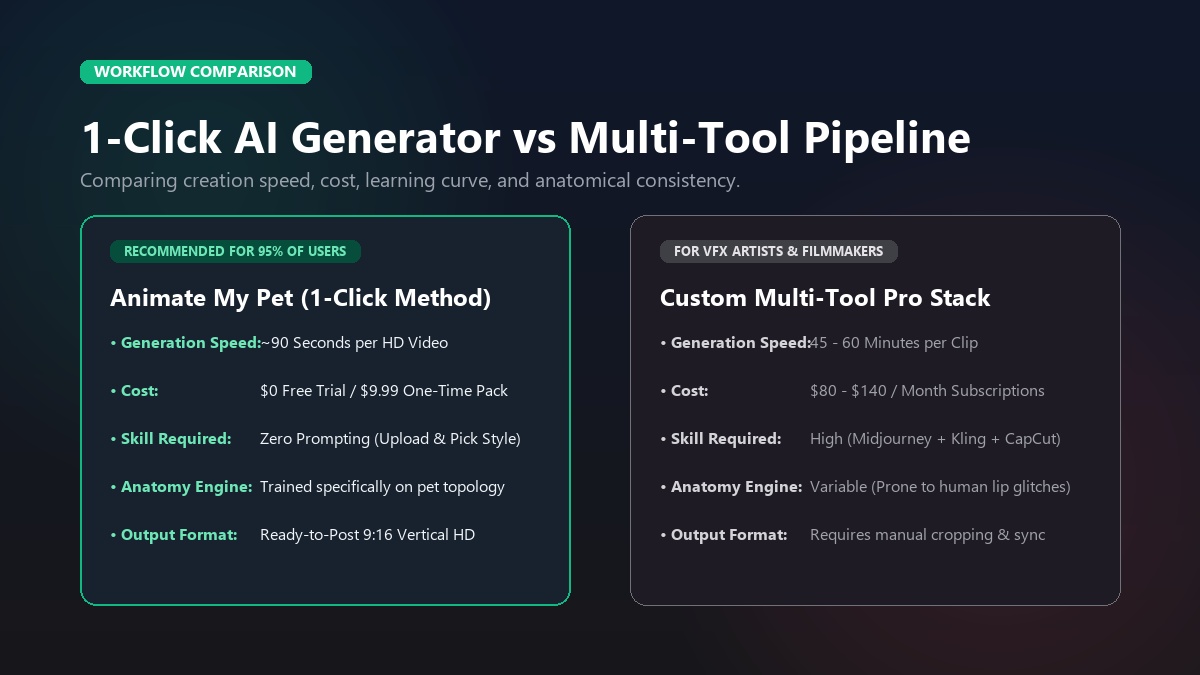
Before investing time and money, consider how the two methods compare across cost, workflow speed, and output quality:
| Feature / Metric | Animate My Pet (1-Click Method) | Multi-Tool Custom Stack |
|---|---|---|
| Total Time per Clip | ~90 seconds | 45 – 60 minutes |
| Monthly Software Cost | $0 / $9.99 One-Time Credit Pack | $80 – $140 / month (4–5 Subscriptions) |
| Required Technical Skill | Zero (Upload photo & tap template) | High (Prompting, parameters, video editing) |
| Facial & Fur Accuracy | Trained specifically on pet anatomy | Variable (Prone to human lip-sync glitches) |
| Integrated Voice Styles | Included (Cute, Sassy, Dramatic, Royal) | Requires separate ElevenLabs setup & sync |
| Aspect Ratio | Native 9:16 Vertical HD (Reels/TikTok) | Requires manual aspect ratio prompting/cropping |
| Subscription Lock-In | None (One-time credit packs never expire) | Heavy recurring monthly fees |
| Best Suited For | Pet owners, social creators, gift givers | VFX artists, indie filmmakers, animators |
For 95% of pet parents and content creators, the 1-click approach at Animate My Pet delivers higher consistency and entertainment value at a fraction of the time and expense.
Master Prompt Cheat Sheet: Copy-Paste Formulas for 3D Pixar Characters
If you're experimenting with text-to-image or image-to-image generators, using precise terminology makes the difference between a muddy cartoon drawing and a rich 3D cinematic render.
1. The Classic Pixar Hero Dog Prompt
A full 3D Pixar animation style render of a happy [Dog Breed], sitting proudly in a sunlit living room. Large round expressive brown eyes with dual specular catchlights, soft fluffy fur with subsurface scattering, warm cinematic lighting, shallow depth of field, detailed fur texture, Disney animation character design, highly detailed 8k octane render --ar 9:16
2. The Sassy Feline Monarch Prompt
A 3D Disney Pixar animated movie character portrait of a sassy [Cat Breed], wearing an ornate miniature golden crown. Big luminous green eyes with bright reflection highlights, expressive arched eyebrows, velvety soft fur, dramatic rim lighting, plush velvet cushion background, Pixar character aesthetic, 8k render, photorealistic 3D textures --ar 9:16
3. The Dark-Furred Pet Rim-Lighting Fix (Black Cats & Dark Dogs)
Note: AI generators often turn black fur into a flat, featureless silhouette. Adding explicit rim lighting and specular highlights solves this immediately.
A 3D Pixar-style animated render of a sleek black [Cat/Dog Breed]. Dramatic golden rim lighting outlining the ears, snout, and shoulders, high specular fur sheen, glossy wet nose, glowing warm amber eyes with bright catchlights, cozy fireplace background, soft volumetric illumination, Disney 3D animation quality --ar 9:16
┌─────────────────────────────────────────────────────────────────┐
│              PROMPT MODIFIER POWER KEYWORDS                     │
├───────────────────┬─────────────────────────────────────────────┤
│ Eye Enhancers     │ "large expressive pupils", "dual catchlight │
│                   │ reflections", "emotive Disney brow arches"  │
├───────────────────┼─────────────────────────────────────────────┤
│ Lighting Shaders  │ "subsurface scattering", "golden rim light",│
│                   │ "warm volumetric glow", "soft occlusion"    │
├───────────────────┼─────────────────────────────────────────────┤
│ Texture & Physics │ "plush velvet fur depth", "squash-stretch   │
│                   │ motion physics", "octane render quality"    │
└───────────────────┴─────────────────────────────────────────────┘
The 0.45–0.55 Guidance Secret for Real Pet Photos
When using image-to-image tools (such as Stable Diffusion img2img or Midjourney --iw weights), setting the guidance strength too high (>0.70) causes the AI to overwrite your pet's distinctive markings with a generic cartoon face. Setting it too low (<0.35) results in a blurry photo with zero 3D stylization.
The sweet spot is 0.45 to 0.55. This strikes the exact mathematical balance: the neural model retains your pet’s unique white chest patches, mismatched ear angles, and facial symmetry while applying rich Pixar 3D geometry and shaders.
Preserving Pet Identity & Eliminating AI Animation Glitches
Nothing ruins an animated video faster than an uncanny mutation. When applying AI to animal footage, creators frequently encounter three major hurdles:
1. The Multi-Limb and Extra Ear Glitch
AI video diffusion models sometimes struggle with quadruped anatomy during rapid motion, generating phantom paws, fifth legs, or duplicate ears.
- The Fix: Start with a source photo where your pet is sitting or lying calmly in a clean posture. Avoid photos with tangled limbs, cluttered toys, or background objects touching your pet's silhouette. If you're using text prompts, include negative tokens:
extra limbs, fused paws, mutated anatomy, deformed ears, low quality.
2. The Uncanny Valley "Human Mouth" Problem
Standard AI lip-sync models were trained on human faces with flat lip structures. When applied to a dog's extended muzzle or a cat's split upper lip, they stretch the snout unnaturally or generate human teeth inside an animal's mouth.
- The Fix: Use dedicated animal animation pipelines like Animate My Pet. Their models track species-specific landmarks (jaw hinge, whisker pads, nasal bridge). This ensures mouth movement stays anatomically natural and endearing.
3. Flickering and Character Inconsistency Across Scenes
When producing a multi-clip video story, your character’s fur shade and eye color may shift between cuts.
- The Fix: Establish a "Master Character Prompt" containing 3 to 4 unchanging anchor details (e.g., "a tri-color beagle wearing a bright red bandanna with a heart pendant"). Reuse this exact description across every generation. Use the initial successful render as the reference image seed for all subsequent shots.
5 Viral Short-Form Video Formats for TikTok & Instagram Reels
Once you master the art of 3D pet animation, you can turn your creations into viral social content. Creators utilizing pet animation AI frequently achieve six-figure view counts using these proven formats:
┌─────────────────────────────────────────────────────────────────┐
│                 5 VIRAL PET ANIMATION FORMATS                   │
├─────────────────────────────────────────────────────────────────┤
│ 1. The Sassy Inner Monologue (Relatable daily grievances)       │
│ 2. The Epic Movie Trailer (Blockbuster parody of small events)  │
│ 3. The Secret Double Life (Chef, Rockstar, Space Explorer)      │
│ 4. The Dramatic Overreaction (Meme zooms on vet / bath days)    │
│ 5. The Heartwarming Keepsake (Storybook celebration & tribute)  │
└─────────────────────────────────────────────────────────────────┘
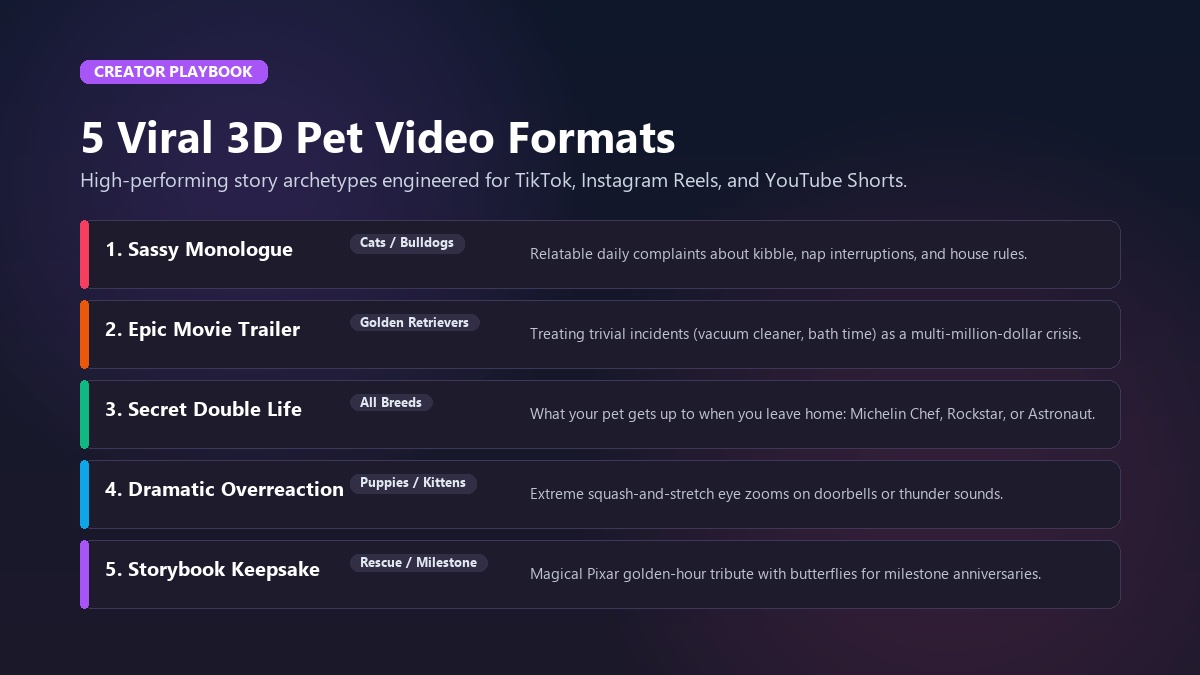
1. The Sassy Inner Monologue
Give your pet a witty voice to express what they're actually thinking while staring at you.
- Hook: "Human, we need to discuss the kibble situation. This is not what we agreed upon in my contract."
- Best For: Cats, terriers, and bulldogs using the viral AI cat video creator or sassy voice styles.
2. The Epic Pixar Movie Trailer
Frame an ordinary household occurrence as a multi-million-dollar cinematic crisis.
- Hook: "In a world where the treat cupboard was accidentally left unlocked... one golden retriever will risk it all."
- Visuals: Deep dramatic lighting, booming trailer voiceover, and slow-motion heroic walking animations using the animate dog photo tool.
3. The Secret Double Life
Show what your companion gets up to while you're away at work.
- Concept: Transform your dog into a gourmet Michelin-star chef or your cat into a guitar-shredding rockstar using character transformation templates at Animate My Pet.
4. The Dramatic Overreaction
Exaggerate common pet phobias with meme-worthy 3D animations.
- Concept: Zoom in on your pet’s wide, terrified 3D animated eyes as a robotic vacuum powers on or the front doorbell rings.
5. The Heartwarming Storybook Keepsake
Celebrate a rescue anniversary, milestone birthday, or honor the memory of a beloved pet who has crossed the Rainbow Bridge.
- Concept: Place your companion in a sun-drenched, blooming meadow with vibrant Pixar-style butterflies and warm golden illumination—a touching tribute for family group chats and digital scrapbooks.
For Marcus Vance, an animal shelter volunteer in Atlanta, these viral formats transformed an adoption campaign. Marcus took photos of long-stay shelter animals and ran them through Animate My Pet. He gave each animal an adorable 3D animated monologue explaining why they'd make the best couch buddy.
Within three weeks, the series generated over 1.8 million combined views on Instagram Reels. Best of all, all six featured dogs found forever homes.
Frequently Asked Questions (FAQ)
How do I make a Pixar-style animation from a real pet photo?
To make a Pixar-style animation from a real pet photo, upload a clear picture of your dog or cat to Animate My Pet, select the Cartoon Adventure or Pet Superhero template, and choose a voice personality. The AI automatically applies 3D character shaders, animates facial expressions, and syncs voice acting in about 90 seconds.
Can I create Pixar-style pet animations for free?
Yes. You can test the styling by claiming a free AI pet portrait at Animate My Pet without entering a credit card. For full video animations, you can preview results or use low-cost one-time starter packs without locking yourself into expensive recurring monthly subscriptions.
Why does AI distort my dog's or cat's face during video generation?
AI distorts pet faces when generic human video models try to map human facial points onto animal snouts, causing melted muzzles and unnatural teeth. Using a dedicated animal engine like Animate My Pet avoids this by tracking species-specific anatomy such as whisker pads, jaw hinges, and ear structures.
What is the best format for posting Pixar pet animations on social media?
The best format is a 9:16 vertical HD MP4 video with a duration of 10 seconds. This format fills mobile screens natively on TikTok, Instagram Reels, and YouTube Shorts, maximizing audience retention and algorithmic reach.
Do I need prompt engineering skills to make 3D cartoon pet videos?
No. While advanced creators can use complex prompts in Midjourney and Kling AI, tools like Animate My Pet provide curated 1-click templates that handle all prompt engineering, 3D shading, and motion physics automatically in the background.
How do I give my animated pet a realistic talking voice?
You can give your pet a voice using integrated voice presets (Cute, Sassy, Dramatic, Royal, Funny) in Talking Pet AI, or by recording your own custom voice track and synchronizing it with the animation.
Conclusion & Action Plan
Transforming your beloved dog, cat, or furry companion into a magical 3D Pixar character is no longer reserved for Hollywood animation studios. Whether you choose the custom multi-tool pipeline for full creative control or the instant, 90-second zero-prompt workflow on Animate My Pet, artificial intelligence gives every pet owner the superpower to bring their fur baby’s personality to life.
Your Action Plan for This Week
- Choose Your Best Photo: Find a crisp, front-facing snapshot of your pet with clear lighting and open eyes.
- Claim Your Free Portrait: Head over to Animate My Pet and generate your first 3D cartoon portrait with zero commitment.
- Pick a Template & Voice: Choose an archetype like Cartoon Adventure or Pet Superhero, match it with a hilarious voice style, and hit generate.
- Share on Social Media: Post your 10-second 9:16 vertical clip to TikTok or Instagram Reels with a catchy caption and watch the comments roll in.
Ready to see your companion star in their own 3D animated adventure? Start creating at Animate My Pet today and turn your favorite pet moments into viral movie magic.