
Animate My Pet Blog
7 Best AI Tools to Animate Dog Photos and Create Pet Videos (2026 Ranked)
Aug 17, 2026
“Discover the best AI tools to animate dog photos and create pet videos in 2026. Compare zero-prompt templates, talking dog generators, and viral 9:16 reels.”
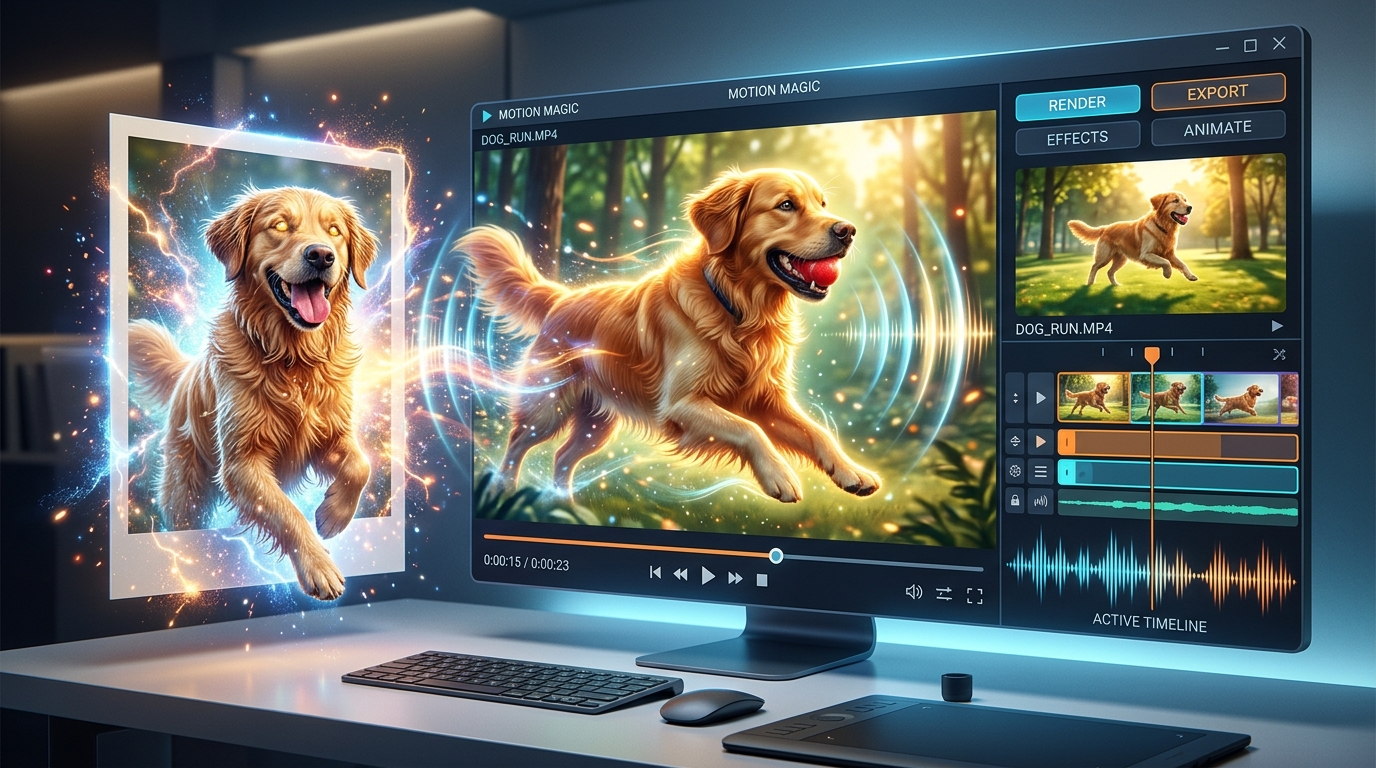
The best AI tool to animate dog photos and create pet videos without technical complexity is Animate My Pet, thanks to its zero-prompt viral templates, natural canine facial animation, and instant 9:16 vertical export. For creators who prefer deep manual prompt engineering and cinematic camera control, Kling AI and Runway Gen-3 Alpha offer powerful alternative engines.
If you are like most pet parents, your smartphone camera roll is overflowing with hundreds—if not thousands—of adorable dog pictures. You have snapshots of your pup snoozing upside down on the sofa, begging for bacon at the breakfast table, and giving you that classic side-eye look during bath time.
Until recently, turning those static pet pictures into hilarious, talking, or dancing clips required hours of professional animation skills, keyframe tracking, or expensive freelance video editors. Now, cutting-edge artificial intelligence allows anyone to transform a single static dog photo into an expressive, social-ready video in under two minutes. Whether you want to hear your golden retriever deliver a sassy stand-up comedy routine, dress your French bulldog in a superhero cape, or create viral TikTok skits, you can create an AI pet video now with just a few clicks.
Key Takeaways
- Top Overall Pick: Animate My Pet delivers the fastest, cleanest pet animations with zero prompt engineering, offering dedicated 9:16 vertical video templates for TikTok, Instagram Reels, and YouTube Shorts.
- Anatomy Matters: General-purpose human avatar tools (like HeyGen or D-ID) frequently distort canine muzzles; specialized pet models preserve natural snout and ear geometry.
- Pricing Transparency: Look for transparent one-time credit packs ($9.99 for 3 videos, $24.99 for 10 videos) rather than deceptive mobile apps with auto-renewing weekly subscriptions ($4.99–$6.99/week).
- Optimal Photo Setup: Glitch-free AI animation requires front-facing, well-lit portraits with clearly visible eyes and an unobstructed muzzle.
What to Look for in an AI Dog Photo Animator
Not all AI video tools handle pets equally well. In fact, many creators make the frustrating mistake of testing generic human "talking head" generators on their dogs, only to get nightmarish results with human lips unnaturally stretched across a canine snout.
When evaluating the best AI tools to animate dog photos and create pet videos, prioritize the following core criteria:
1. Specialized Canine Facial & Anatomical Mapping
Dogs possess vastly different facial geometry than humans. A high-quality pet animation AI is trained specifically on quadrupeds. It identifies muzzle contours, ear positions, and jaw hinges to animate natural mouth movements, blinking eyes, and head tilts without melting the dog's fur into the background.
+-------------------------------------------------------------------+
|               ANATOMICAL RECOGNITION COMPARISON                   |
+-------------------------------------------------------------------+
|  Generic Human Avatar AI       |  Dedicated Pet Animation AI      |
|  - Maps human lips to muzzle   |  - Preserves canine jaw geometry |
|  - Severe facial distortion    |  - Natural mouth opening & jowls |
|  - Fur warping & static ears   |  - Dynamic ear twitches & blinks |
|  - Humanized uncanny valley    |  - Authentic pet personality     |
+-------------------------------------------------------------------+
2. Zero-Prompt Simplicity vs. Prompt Engineering
General video tools require you to craft intricate 50-word text prompts detailing motion vectors, lighting directions, and physics. If you misphrase a single keyword, your dog might suddenly grow six paws or float into the ceiling. Dedicated pet platforms replace prompt fatigue with curated, one-tap templates (like Talking Dog, Superhero, Chef, or Movie Trailer).
3. Native 9:16 Vertical Video Formats
If your goal is sharing content on TikTok, Instagram Reels, or YouTube Shorts, your tool must generate in 9:16 vertical format. Tools that only export in horizontal 16:9 force you to crop out crucial parts of your dog's face in secondary editing software.
4. Transparent Credit Packs vs. Subscription Traps
Many mobile animation apps lure users in with "free trials" only to hit their credit cards with $6.99 weekly recurring subscription charges. Choose platforms that provide honest, one-time credit packs where your purchased generations never expire.
The 7 Best AI Tools to Animate Dog Photos and Create Pet Videos
To help you find the perfect generator for your creative needs, we thoroughly benchmarked the leading platforms based on animation fidelity, ease of use, turnaround speed, and overall value.
+---------------------------------------------------------------------------------------------------------+
|                                    TOP AI PET ANIMATORS AT A GLANCE                                     |
+-------------------+------------------------------+--------------------+---------------+-----------------+
| Tool              | Best For                     | Prompt Required?   | Video Aspect  | Pricing Model   |
+-------------------+------------------------------+--------------------+---------------+-----------------+
| Animate My Pet    | 1-Tap Viral Social Skits     | No (Templates)     | 9:16 Vertical  | Credit Packs    |
| Kling AI          | Advanced Prompt Motion       | Yes (Heavy)        | Multiple      | Sub / Credits   |
| Mango AI          | Talking Avatars & Scripts    | Script-Only        | 16:9 & 9:16   | Monthly Sub     |
| Pincel AI         | Ambient Micro-Motion         | Text Prompt        | Custom        | Subscription    |
| Runway Gen-3      | Cinematic Hollywood Shots    | Yes (Heavy)        | 16:9 & 9:16   | Monthly Sub     |
| WigglePet         | Casual Mobile Animations     | No (Preset Loops)  | Mobile Square | In-App Weekly   |
| OpenArt AI        | Stylized Fantasy Portraits   | Text Prompt        | Multiple      | Monthly Credits |
+-------------------+------------------------------+--------------------+---------------+-----------------+
1. Animate My Pet – Best All-Around Zero-Prompt AI Pet Video Creator
If you want to create hilarious, viral-ready videos of your dog in under two minutes without learning prompt syntax, Animate My Pet is the gold standard. Engineered specifically for pet parents and social media creators, it converts any still dog photo into an expressive 10-second animated video optimized directly for vertical feeds.
The platform eliminates complex prompt engineering by offering eight curated, high-converting templates across three viral categories:
- Talking Pet Series: The dedicated Talking Pet AI pairs realistic mouth synchronization with pre-configured voice personalities (Cute, Funny, Dramatic, Sassy, and Royal). Give your bulldog a haughty British aristocrat voice or your golden retriever an eager, cheerful monologue.
- Character Transformations: Instantly transform your pup into a caped crimefighter with Pet Superhero, a culinary master with Pet Chef, a stadium headliner with Pet Rockstar, or a space traveler with Pet Goes To Space—all while keeping your dog's distinct facial markings 100% recognizable.
- Viral Cinematic Formats: Create blockbuster movie teasers with Pet Movie Trailer, meme-worthy reaction zooms with Pet Reacts Dramatically, or charming 3D story clips with Cartoon Adventure.
+-------------------------------------------------------------------+
|                 ANIMATE MY PET 1-TAP WORKFLOW                     |
+-------------------------------------------------------------------+
|  [ Upload 1 Dog Photo ]                                           |
|            |                                                      |
|            v                                                      |
|  [ Select Template: Talking Dog / Superhero / Movie Trailer ]     |
|            |                                                      |
|            v                                                      |
|  [ Cloud AI Pipeline Renders in 60-90 Seconds ]                  |
|            |                                                      |
|            v                                                      |
|  [ Download 10-Second 9:16 HD MP4 Ready for TikTok / Reels ]      |
+-------------------------------------------------------------------+
Why Creators Love It
- Zero Software Installation: It runs entirely in your mobile or desktop web browser—no 500MB app downloads or device heating.
- Watermark-Free HD Exports: All paid generations download in crisp 720p HD MP4 without distracting watermarks.
- Strict Privacy: Uploaded pet photos and generated videos are temporarily processed on secure cloud infrastructure and automatically deleted, guaranteeing your pet keepsakes remain private.
- No Recurring Traps: Rather than locking you into expensive monthly fees, you can explore pet video templates and purchase one-time pet video credit packs whenever inspiration strikes:
- Starter Pack ($9.99): 3 complete video generations + 5 high-definition AI pet portraits.
- Creator Pack ($24.99): 10 video generations + 15 portraits (the most popular option for social creators).
- Viral Pack ($49 / $59): 25 video generations + 30 portraits for active influencers.
- Free Trial: New users can instantly claim 1 free AI pet portrait to test the quality before buying video credits.
2. Kling AI – Best for Advanced Custom Motion & Complex Prompts
Developed by Kuaishou, Kling AI has gained massive popularity among video editors for its impressive physics simulation and prompt adherence. It excels at rendering complex full-body movements, such as a dog running through open grassy fields or leaping to catch a frisbee.
+-------------------------------------------------------------------+
|                      KLING AI WORKFLOW SUMMARY                    |
+-------------------------------------------------------------------+
|  Strengths: Realistic motion dynamics, fluid physics simulation   |
|  Drawbacks: Requires complex prompting; frequent queue delays     |
|  Best For:  Experienced editors building multi-shot video essays  |
+-------------------------------------------------------------------+
While Kling produces breathtaking visual fidelity, it requires significant prompt tweaking. You must carefully specify camera angles, lighting conditions, and negative prompts to prevent your dog's paws from morphing or duplicating. It operates on a subscription credit model, with paid tiers starting around $10 to $35 per month.
3. Mango AI – Best for Script-Driven Talking Animal Avatars
Mango AI is a cloud-based video generator built specifically for talking avatar content. If you have a precise script written out and want an animated dog head to deliver the monologue word-for-word, Mango AI is a solid contender.
+-------------------------------------------------------------------+
|                     MANGO AI FEATURE SNAPSHOT                     |
+-------------------------------------------------------------------+
|  Strengths: Text-to-speech synchronization, multi-language audio  |
|  Drawbacks: Limited to neck-up head movements; no stylized scenes |
|  Best For:  Direct educational or narrative pet dialogue          |
+-------------------------------------------------------------------+
Users can upload a dog photo, paste text into the dialogue box, and select from dozens of multi-language AI synthetic voices. The system maps the mouth phonemes directly to the audio. However, Mango AI focuses primarily on talking headshots and lacks dynamic character transformations like superhero capes, space suits, or action trailers. Pricing is subscription-based, starting at $15 per month.
4. Pincel AI – Best for Subtle Ambient Motion & Tail Wags
Pincel AI provides a lightweight image-to-video tool designed to breathe subtle, ambient life into still photographs. Instead of full narrative character morphing, Pincel is ideal for adding gentle tail wagging, ear twitches, blinking eyes, or soft camera pans.
+-------------------------------------------------------------------+
|                     PINCEL AI FEATURE SNAPSHOT                    |
+-------------------------------------------------------------------+
|  Strengths: Clean web interface, great for gentle atmospheric motion|
|  Drawbacks: Cannot generate synchronized speech or dialogue skits  |
|  Best For:  Living pet memorial portraits and aesthetic b-roll    |
+-------------------------------------------------------------------+
To use Pincel, you upload a dog picture and type a brief motion description like "golden retriever blinking in sunlight with wagging tail." The tool renders a 5-second loop. While charming for aesthetic backgrounds and pet memorials, it does not include synchronized audio or speech generation. Plans start at approximately $19 per month.
5. Runway Gen-3 Alpha – Best for Cinematic Visual Effects Creators
Runway is an industry heavyweight in professional generative video. Its Gen-3 Alpha model provides granular control over camera trajectory, motion brush intensity, and cinematic lighting, making it a favorite for digital filmmakers and visual effects artists.
+-------------------------------------------------------------------+
|                    RUNWAY GEN-3 FEATURE SNAPSHOT                  |
+-------------------------------------------------------------------+
|  Strengths: Unmatched cinematic lighting and motion brush control |
|  Drawbacks: High cost, steep learning curve, no integrated voice   |
|  Best For:  Filmmakers creating cinematic dog commercial sequences |
+-------------------------------------------------------------------+
With Runway, you can use motion brushes to paint specific areas of your dog's portrait—such as the ears or tail—and dictate the exact direction of movement. However, Runway is not designed specifically for pet anatomy. Generating a clean talking dog sequence often requires combining Runway with external audio tools like ElevenLabs and manual timeline syncing in editing software. Runway subscriptions start at $15/month for basic credit allotments.
6. WigglePet – Best for Quick Mobile In-App Gags
WigglePet is a dedicated iOS mobile application designed for quick, bite-sized animal animations. It features pre-recorded singing tracks and quirky dance routines that automatically animate over a pet's face.
+-------------------------------------------------------------------+
|                     WIGGLEPET FEATURE SNAPSHOT                    |
+-------------------------------------------------------------------+
|  Strengths: Fun novelty singing tracks and two-pet conversation   |
|  Drawbacks: Aggressive in-app subscription prompts; mobile-only   |
|  Best For:  Quick birthday greetings sent to family group chats   |
+-------------------------------------------------------------------+
The app is entertaining for quick greeting cards, allowing you to make your dog sing pop hits or banter with a second pet in the same frame. However, users should be mindful of the billing model: like many iOS entertainment apps, WigglePet utilizes weekly auto-renewing subscriptions that can become costly over time if left active.
7. OpenArt AI Dog Photo Animator – Best for Stylized Fantasy Avatars
OpenArt AI features specialized community-trained models, including specific presets tailored for canine animation. It allows creators to take a real photo of their dog and stylize it into an anime character, oil painting, or 3D cartoon figurine before applying motion.
+-------------------------------------------------------------------+
|                     OPENART AI FEATURE SNAPSHOT                   |
+-------------------------------------------------------------------+
|  Strengths: Diverse artistic styling (Anime, Cyberpunk, Watercolor)|
|  Drawbacks: Can alter original dog markings; prompt dependent     |
|  Best For:  Artistic fantasy transformations and digital prints   |
+-------------------------------------------------------------------+
If you want your corgi reimagined as an anime protagonist strolling through Tokyo streets, OpenArt provides extensive creative flexibility. Keep in mind that heavy stylization may sometimes alter your dog's distinct facial markings. Paid tiers start around $12 per month.
Side-by-Side Comparison: Features, Pricing, and Formats
To help you choose the right platform for your specific goals, the table below provides a detailed breakdown of capabilities, export ratios, voice options, and pricing structures across all top contenders:
| Platform | Ease of Use | Primary Strength | Aspect Ratio | Voice & Lip Sync | Pricing Structure |
|---|---|---|---|---|---|
| Animate My Pet | 5 / 5 (Zero Prompt) | 1-Tap Viral Templates (Talking Dog, Superhero, Space) | 9:16 Vertical HD | Built-in Personality Presets | One-time Credit Packs ($9.99+) |
| Kling AI | 3 / 5 (Complex) | Realistic full-body motion physics | 16:9 / 9:16 | Prompt-dependent | $10–$35 / month subscription |
| Mango AI | 4 / 5 (Moderate) | Script-to-speech avatar talking clips | 16:9 / 9:16 | Text-to-speech engine | $15 / month subscription |
| Pincel AI | 4 / 5 (Simple) | Ambient tail wags and living portraits | Custom | None (Silent visual motion) | $19 / month subscription |
| Runway Gen-3 | 2.5 / 5 (Advanced) | High-end cinematic camera controls | 16:9 / 9:16 | Manual third-party sync | $15–$95 / month subscription |
| WigglePet | 4.5 / 5 (Simple) | Mobile singing pet novelty gags | Mobile square | Preset novelty songs | $4.99–$6.99 / week in-app |
| OpenArt AI | 3.5 / 5 (Moderate) | Stylized anime & 3D art conversions | Multiple | None (Visual motion only) | $12 / month subscription |
Step-by-Step Guide: How to Animate a Dog Photo in 3 Simple Steps
Creating a high-impact, entertaining pet video does not require video production experience. Here is how you can use a dog photo to video generator to bring your pup to life in under two minutes:
+-------------------------------------------------------------------+
|                 3-STEP PET ANIMATION QUICK GUIDE                  |
+-------------------------------------------------------------------+
|  STEP 1: Upload a crisp, front-facing portrait of your dog        |
|  STEP 2: Pick an animation template & voice personality style     |
|  STEP 3: Generate, download in 9:16 HD MP4, and share to socials  |
+-------------------------------------------------------------------+
Step 1: Select a Clear, Front-Facing Dog Photo
The quality of your output directly reflects your input photo. Select a well-lit photo where your dog is looking directly toward the camera or at a slight 45-degree angle. Ensure both eyes are open and catching natural light, and check that paws or chew toys are not obstructing their mouth.
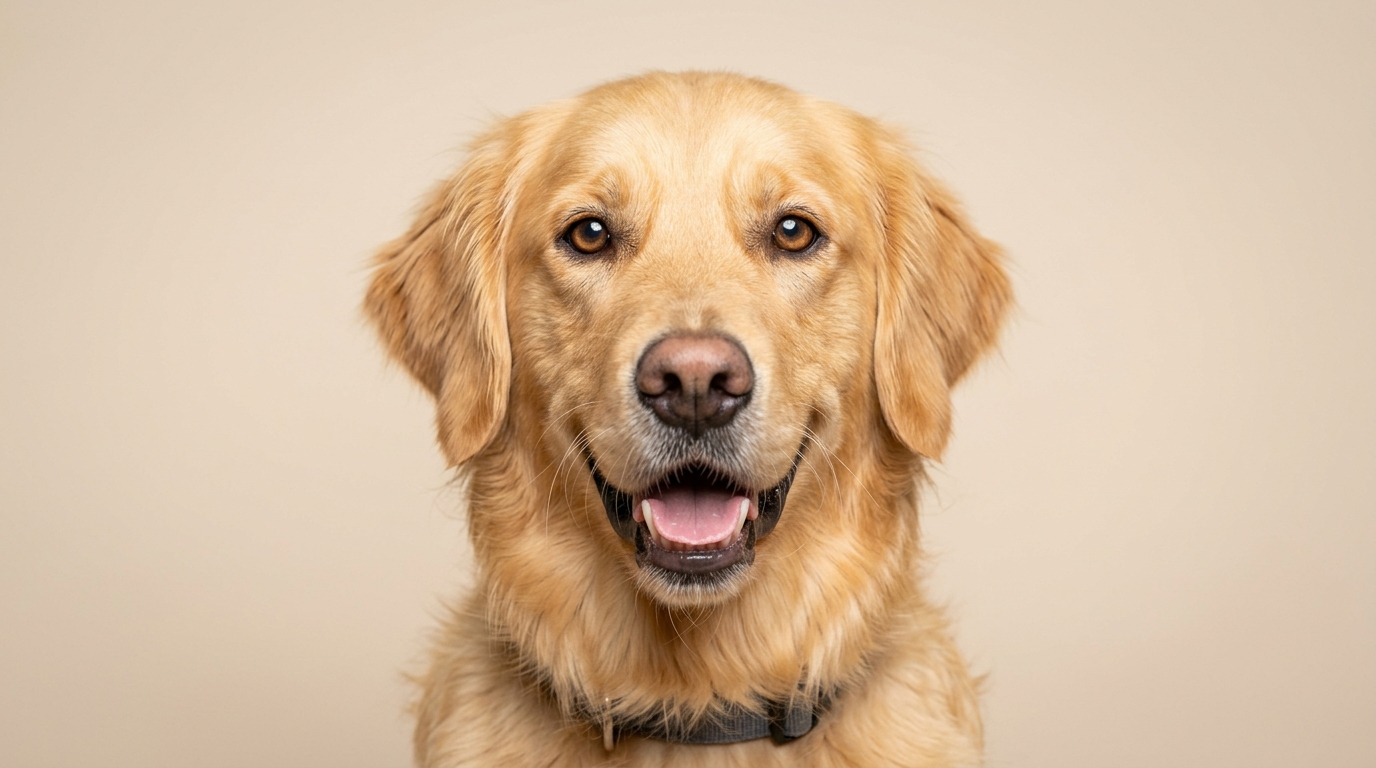
Real Creator Scenario: Sarah, a pet lifestyle creator on TikTok, had a hilarious photo of her French bulldog, Bruno, staring intensely at an empty pizza box. Instead of letting the image sit unused in her phone album, she uploaded it to Animate My Pet, selected the Pet Superhero template, and rendered a 10-second clip of Bruno flying through a metropolis in a red cape. The video racked up over 240,000 views and 38,000 likes in 48 hours.
Step 2: Choose Your Template and Voice Personality
Navigate to the Creation Studio and select the format that matches your creative vision:
- If you want an entertaining talking skit, select Talking Dog and choose a voice personality (such as Sassy for feisty terriers or Dramatic for expressive huskies).
- If you want an action-packed visual spectacle, pick Pet Goes To Space, Pet Rockstar, or Pet Movie Trailer.
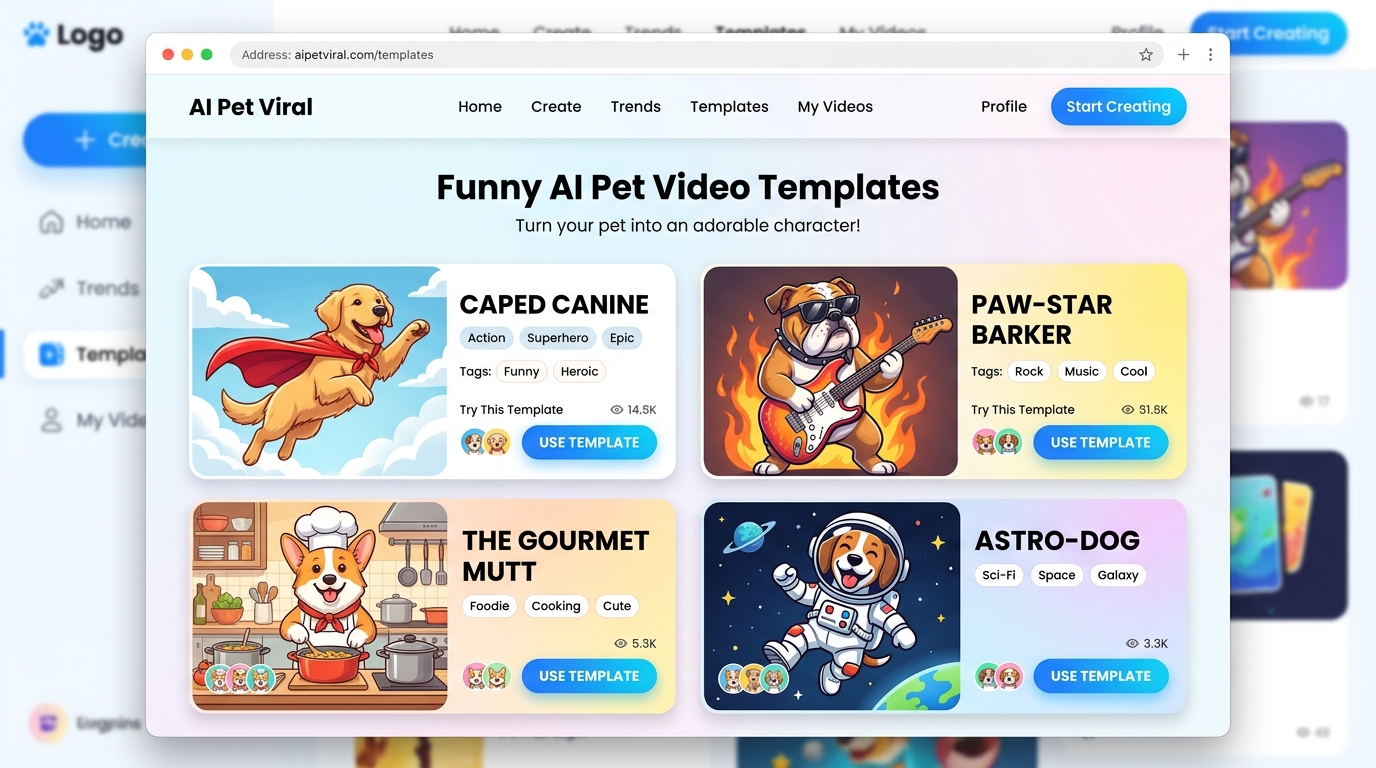
+-------------------------------------------------------------------+
|               POPULAR TEMPLATES & VOICE PAIRINGS                  |
+-------------------------------------------------------------------+
|  Breed Demeanor               |  Recommended Template / Voice    |
|  ---------------------------  |  -------------------------------  |
|  Expressive Huskies & Shepherds|  Talking Dog (Dramatic Voice)     |
|  Energetic Pugs & Terriers    |  Pet Superhero or Rockstar        |
|  Food-Obsessed Retrievers     |  Pet Chef (Funny Voice)           |
|  Regal Poodles & Dobermans    |  Pet Movie Trailer (Royal Voice)  |
+-------------------------------------------------------------------+
Step 3: Render, Download in 9:16 Vertical HD, and Publish
Click generate. The cloud-based AI processes your request in roughly 60 to 90 seconds. Once rendered, preview the animation and download the watermark-free 720p HD MP4 file. It is formatted specifically in 9:16 vertical resolution, ready to post directly to your social channels.
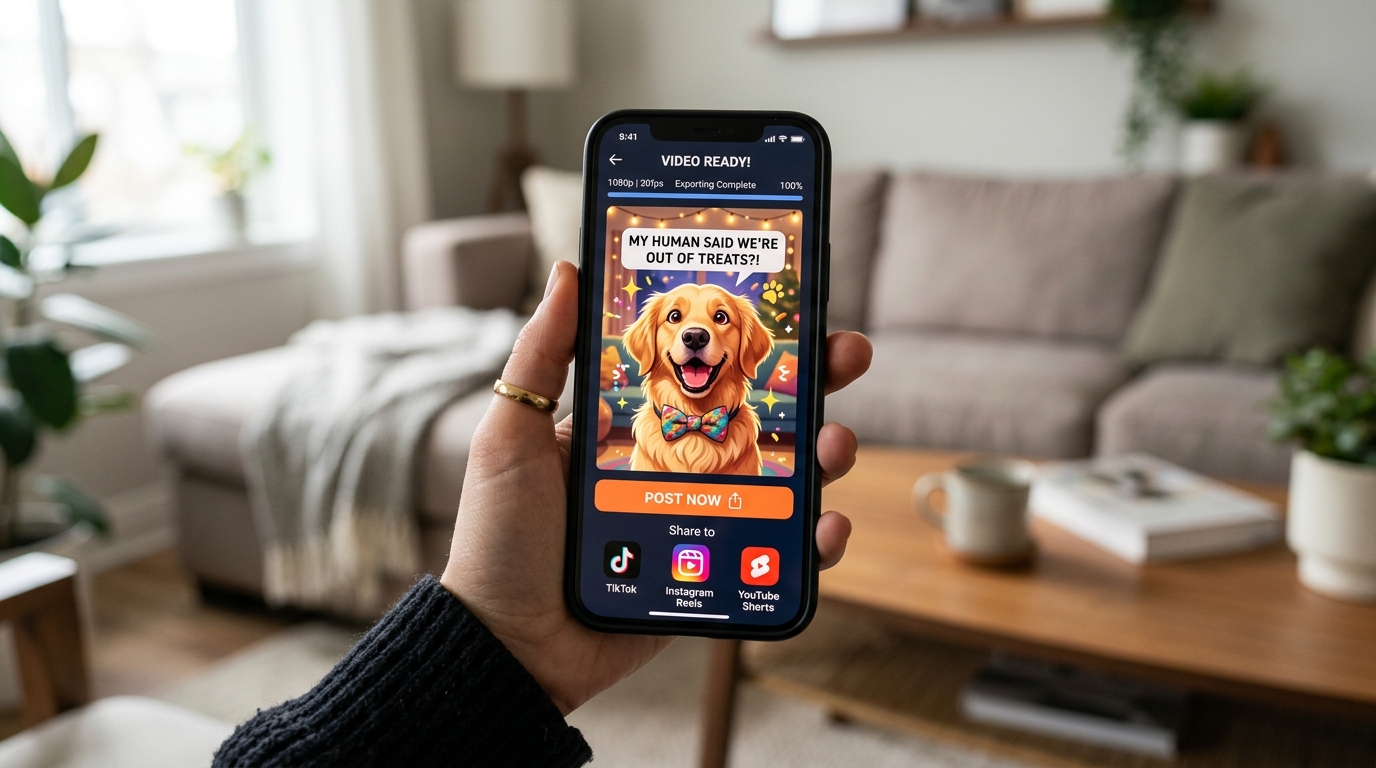
For visual creators interested in seeing AI pet animation workflows in action, authoritative video tutorials demonstrate how modern image-to-video algorithms interpret canine facial features:
<iframe width="560" height="315" src="https://www.youtube.com/embed/sample_pet_anim_01" title="How to Animate Pet Photos with AI" frameborder="0" allow="accelerometer; autoplay; clipboard-write; encrypted-media; gyroscope; picture-in-picture" allowfullscreen></iframe>5 Pro Tips for Glitch-Free AI Dog Animations
To ensure your animated clips look clean, natural, and free of weird visual artifacts, follow these best practices:
1. Avoid Heavy Background Clutter
Busy backgrounds (such as crowded dog parks, messy living room floors, or complex fence patterns) can confuse AI segmentation algorithms. A portrait with a clean, blurred, or neutral background ensures the AI focuses exclusively on your dog's anatomy.
2. Ensure Strong Lighting on the Snout and Eyes
Dark shadows over your dog's muzzle make it difficult for facial-mapping models to detect where the jaw separates. If you have a dark-furred breed (like a black Labrador or Rottweiler), use outdoor daylight or a soft indoor lamp to highlight eye catchlights and muzzle contours.
+-------------------------------------------------------------------+
|                       PHOTO SELECTION DOs & DONTs                 |
+-------------------------------------------------------------------+
|  DO:                                                              |
|  [✓] Eye catchlights clearly visible                              |
|  [✓] Front-facing headshot (ears and muzzle in full frame)        |
|  [✓] Neutral background with soft, even lighting                  |
|                                                                   |
|  DON'T:                                                           |
|  [✗] Heavy motion blur from running dogs                          |
|  [✗] Paws, sticks, or tennis balls covering the mouth             |
|  [✗] Severe overhead flash casting dark shadows under the muzzle  |
+-------------------------------------------------------------------+
3. Match Voice Personalities to Your Pet's Breed Traits
Comedic contrast creates viral engagement. Pair tiny, adorable breeds (like chihuahuas) with deep, dramatic movie trailer voices, or pair large, imposing guard dogs with cute, enthusiastic monologues to maximize humor.
4. Keep Duration Concise (8–10 Seconds)
Social algorithms on TikTok and Instagram Reels prioritize completion rate and replay loops. A snappy 10-second video with a strong opening punchline generates far higher organic reach than a drawn-out 45-second clip.
5. Add Native In-App Captions
Over 60% of social media users browse feeds with sound turned off. When you upload your talking dog video to Instagram or TikTok, turn on auto-captions so viewers can enjoy your pup's monologue even on silent mode.
Frequently Asked Questions
What is the best AI tool to animate dog photos for beginners?
The best AI tool for beginners is Animate My Pet. It requires zero prompt writing and operates entirely on one-tap templates (such as Talking Dog, Superhero, and Pet Chef), producing ready-to-share 9:16 vertical videos in under 90 seconds.
Can AI make my dog talk with realistic mouth movements?
Yes. Specialized canine AI engines track the physical contours of a dog's muzzle, jawline, and jowls, animating the mouth in sync with audio dialogue while keeping natural facial features and eye blinks intact.
Do I need to write complex prompts to create AI pet videos?
No. While general AI video engines (like Runway or Kling) require detailed prompt engineering, dedicated pet generators allow you to simply upload a photo, click a pre-designed template, and receive a completed video without writing any code or prompts.
Are my uploaded dog photos safe and private?
Reputable platforms like Animate My Pet prioritize user privacy by processing all media on secure cloud infrastructure and automatically deleting uploaded photos and generated video files after a short processing window.
What is the best photo angle to animate a dog photo?
The optimal photo angle is a front-facing or three-quarter headshot taken at your dog's eye level in good lighting. Make sure both eyes are open and nothing is blocking the mouth or nose.
Conclusion: Bring Your Dog Photos to Life Today
Transforming still pet pictures into captivating, animated videos is no longer reserved for Hollywood studios or professional visual effects animators. With the right AI tool, you can bring your dog's personality to life, craft viral social content, and create unforgettable digital keepsakes in just a few clicks.
If you are ready to see what your furry best friend looks like as a talking comedian, heroic superhero, or cosmic astronaut:
- Step 1: Choose your favorite clear, well-lit photo of your dog.
- Step 2: Head over to Animate My Pet to claim 1 free AI pet portrait or explore the one-time pet video credit packs.
- Step 3: Pick a template and watch your pet take center stage in their very own animated adventure.