
Animate My Pet Blog
AI Dog Video Generator: Create Amazing Videos From Pet Photos
Aug 17, 2026
“Turn your dog's photos into viral AI videos in seconds. Discover how modern AI dog video generators create talking pets, superhero clips, and 9:16 vertical shorts.”
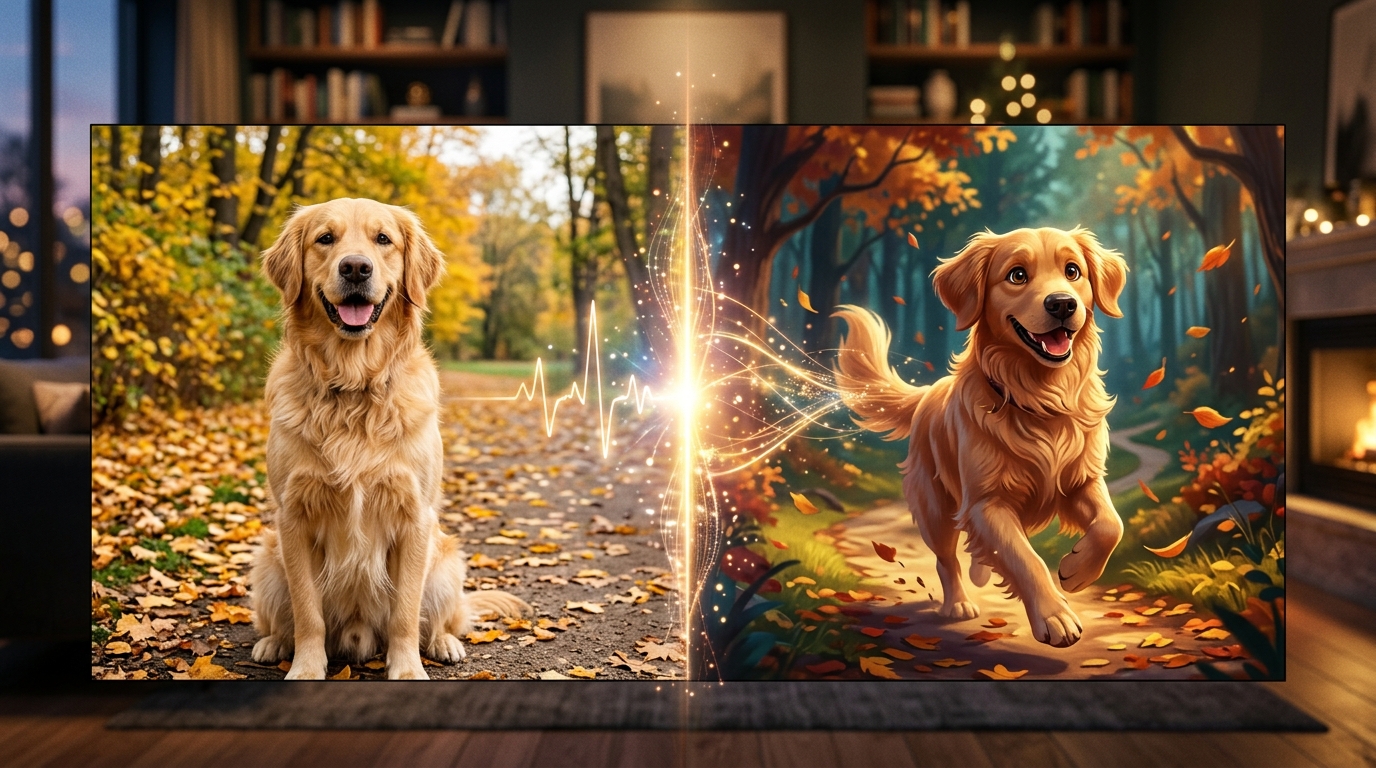
An AI dog video generator allows you to transform any static dog picture into an expressive, moving, 10-second high-definition video in under two minutes. By uploading a single clear photograph to a browser-based platform like Animate My Pet, species-trained neural animation models automatically map your dog’s unique snout, jowls, and facial features to create lifelike talking monologues, comedic movie trailers, and superhero transformations—completely eliminating the need for prompt engineering or video editing software.
Every dog owner has caught their pup staring with that unmistakably dramatic look—the one that says, "You opened a bag of cheese three rooms away and expected me not to notice." For Maya Lin, an illustrator from Seattle, that familiar expression sparked a viral sensation. Sitting on her living room floor, she took a photo of Barnaby, her famously stoic three-year-old Golden Retriever, gazing soulfully at the kitchen pantry. Instead of letting the snapshot sit forgotten in her camera roll, she uploaded it to a dog photo to video generator, selected a dramatic monologue template with a distinguished British voiceover, and clicked generate.
Ninety seconds later, Barnaby was speaking on screen. His muzzle articulated every syllable with uncanny natural flow, his ears twitched with refined indignation, and his eyes conveyed pure comedic tragedy. Maya shared the 10-second vertical video on TikTok before heading to bed. By the time her alarm rang the next morning, Barnaby’s monologue had racked up over 420,000 views, 78,000 likes, and hundreds of comments demanding a sequel.
Whether you want to build a dedicated social media following for your furry companion, create hilarious clips to share in family group chats, or preserve a heartwarming moving keepsake, modern AI video technology makes the process effortless. If you are ready to see your own pup come to life, you can create an AI pet video now or get started with zero commitment by choosing to claim 1 free AI pet portrait.
Key Takeaways
- Zero-Prompt Automation: Modern tools replace tedious 50-word prompt writing with curated one-tap templates (Talking Dog, Pet Superhero, Pet Chef, Cosmic Space Dog) that deliver ready-to-share videos in ~2 minutes.
- Canine-Specific Anatomical AI: Unlike generic human avatar tools that produce unnatural, rubbery human teeth on animal faces, dedicated pet animation AI tracks snout depth, whiskers, and ear physics for authentic expressions.
- Native 9:16 Social Video: Every generation is formatted in 720p HD vertical MP4, pre-optimized with synchronized audio styles for TikTok, Instagram Reels, and YouTube Shorts.
- Transparent Credit Packs: Skip $30/month recurring App Store subscription traps by using one-time, non-expiring credit packs starting at $9.99 for full creative freedom.
How Modern AI Dog Video Generators Work (The End of Prompt Fatigue)
If you have ever experimented with early generative video tools, you know the frustration of "prompt fatigue." You would write fifty words describing lighting, camera motion, fur textures, and jaw angles, only to wait ten minutes for a video where your dog sprouted an extra paw or opened its mouth to reveal human dental arches.
The reason early attempts looked so unnatural comes down to training architecture. First-generation animation tools were trained primarily on human faces using standardized facial action coding systems (FACS). When users fed a dog photo into those engines, the algorithm forced canine anatomy into human facial coordinates. The result was pure uncanny valley: stretched muzzles, flattened snouts, and bizarre, rubbery grins.
Modern dog video generation solves this through species-specific neural landmark tracking.
[Static Dog Photo]
        │
        ▼
[Canine Landmark Detection] (Maps Snout Depth, Jowls, Eye Glint & Ear Base)
        │
        ▼
[Zero-Prompt Template Engine] (Applies Selected Action: Talk, Superhero, Chef, Space)
        │
        ▼
[Audio & Motion Synthesis] (Syncs Natural Jaw Physics & Personality Voiceover)
        │
        ▼
[10-Second 9:16 HD MP4 Video] (Ready for TikTok, Reels, and Shorts)
Instead of treating your dog's face like a human face, specialized pet engines identify key canine reference points:
- Muzzle and Snout Depth: Preserves the three-dimensional volume of your dog's snout so mouth movements don't collapse when the dog turns or speaks.
- Jowl and Gum Articulation: Animates natural jaw separation while keeping canine teeth and gum lines realistic.
- Ear and Brow Micro-Movements: Adds subtle secondary animation—such as perked ears, gentle head tilts, and brow furrowing—that gives your dog genuine personality.
Because these models are pre-tuned on thousands of canine movement profiles, you do not need to write complex prompts or adjust frame rates. You simply upload a photo, select a pre-engineered template, and let the cloud neural network render your video in approximately 60 to 120 seconds.
Step-by-Step Blueprint: Turn Any Dog Photo into an AI Video in 3 Easy Steps
Creating an animated dog video requires no technical background, no software installation, and no video editing skills. Here is the exact three-step workflow to generate high-quality video content using a browser-based AI pet video generator:
Step 1: Choose and Upload the Right Dog Photo
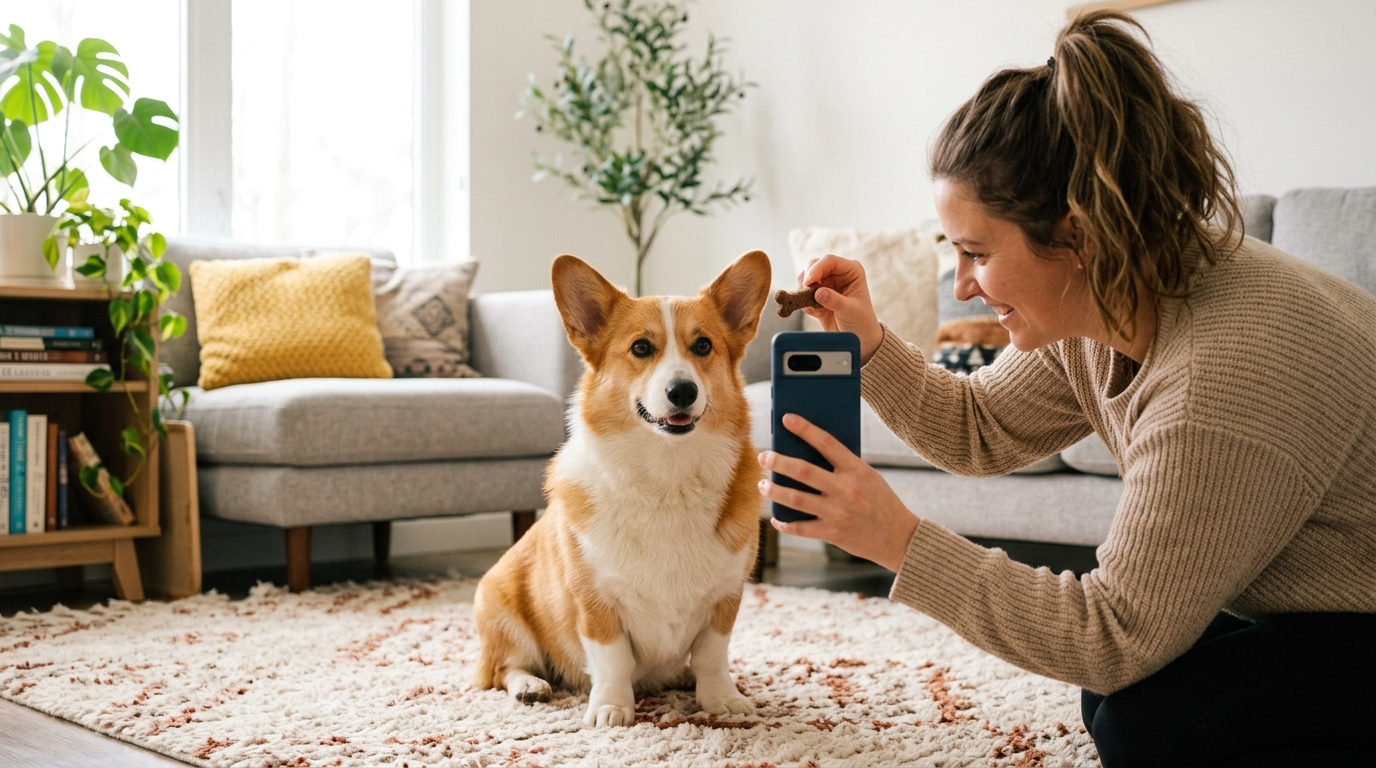
The quality of your output video directly reflects the clarity of your input photo. You do not need professional studio photography, but following a few quick guidelines ensures optimal edge detection and facial tracking:
- Eye-Level Framing: Take or select a photo shot at your dog’s eye level rather than looking down from above. This gives the AI the best angle to map facial contours.
- Clear Facial Visibility: Ensure both eyes, the nose, and the mouth are clearly visible and unobstructed by toys, heavy shadows, or hands.
- Natural, Even Lighting: Soft daylight or well-lit indoor rooms work best. Harsh flash or extreme backlighting can blur fine fur details.
- Supported Formats: Standard JPG, PNG, or WEBP images from your smartphone camera roll work immediately.
[!TIP] Breed-Specific Photo Tips:
- Long-Muzzle Breeds (Golden Retrievers, German Shepherds, Collies): A straight front-facing angle or a slight 3/4 turn produces the most natural mouth articulation.
- Brachycephalic / Flat-Faced Breeds (French Bulldogs, Pugs, Boston Terriers): Ensure good contrast around facial wrinkles and under-eye folds so the neural mesh accurately distinguishes the lower jaw from the chest.
- Dark & Black-Furred Dogs (Black Labs, Rottweilers, Dobermans): Position your dog near a window or soft light source so the camera captures texture in the dark fur around the mouth and eyes.
Step 2: Select a 1-Tap Template and Voice Personality
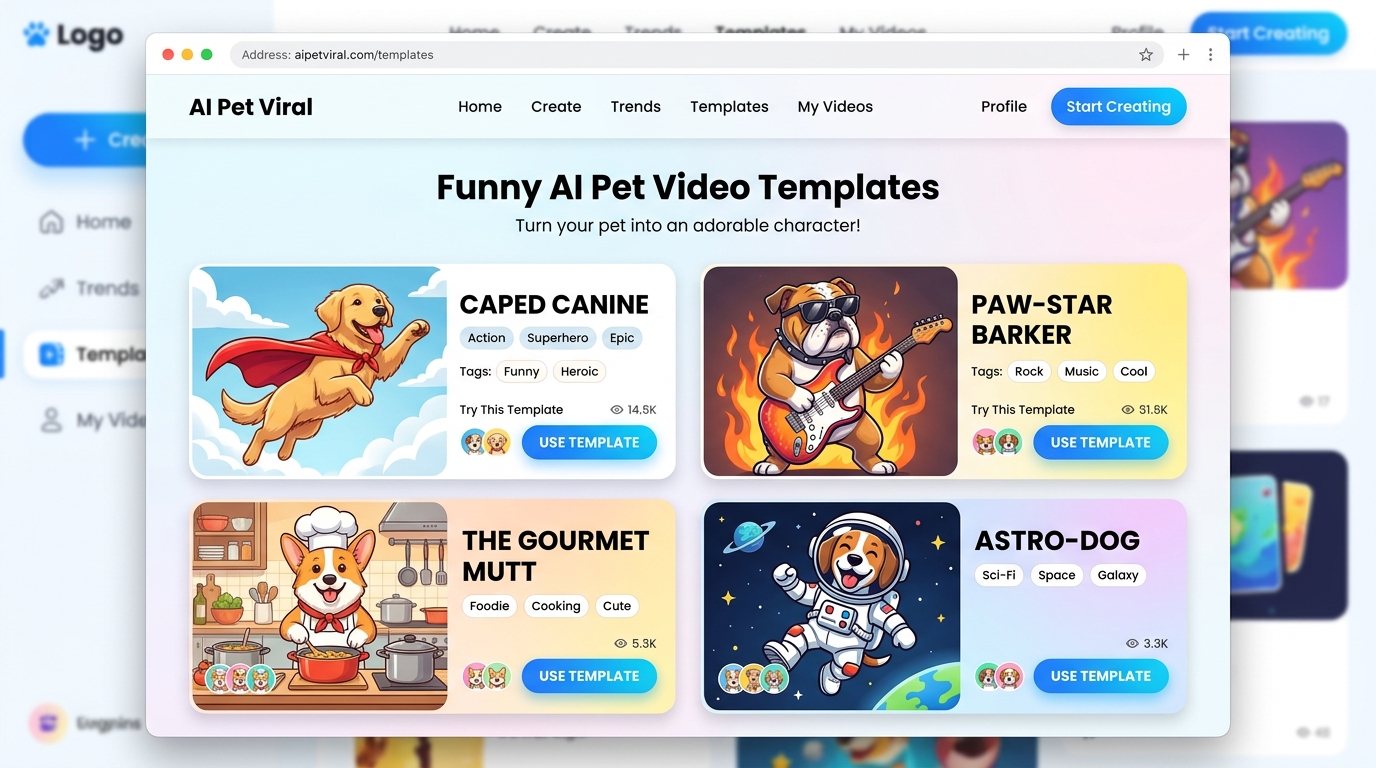
Once your photo is uploaded to the Creation Studio, you choose the style of video you want to create. Instead of asking you to type complicated instructions, the platform provides curated templates across viral social categories:
- Talking Dog: Syncs your dog’s mouth to funny scripts and tailored voice personalities (Cute, Funny, Dramatic, Sassy, Royal).
- Pet Superhero: Equips your dog with a custom heroic persona, flowing cape physics, and epic cinematic backgrounds.
- Pet Chef: Puts a miniature chef hat on your pup and places them in a gourmet kitchen setting preparing hilarious culinary masterpieces.
- Pet Goes To Space: Transforms your dog into an intrepid astronaut floating inside a spacecraft or exploring a distant planet.
- Pet Movie Trailer: Generates Hollywood-style cinematic voiceovers and dramatic pacing that turns your dog into the star of an action blockbuster.
Step 3: Generate and Export in 9:16 Vertical HD
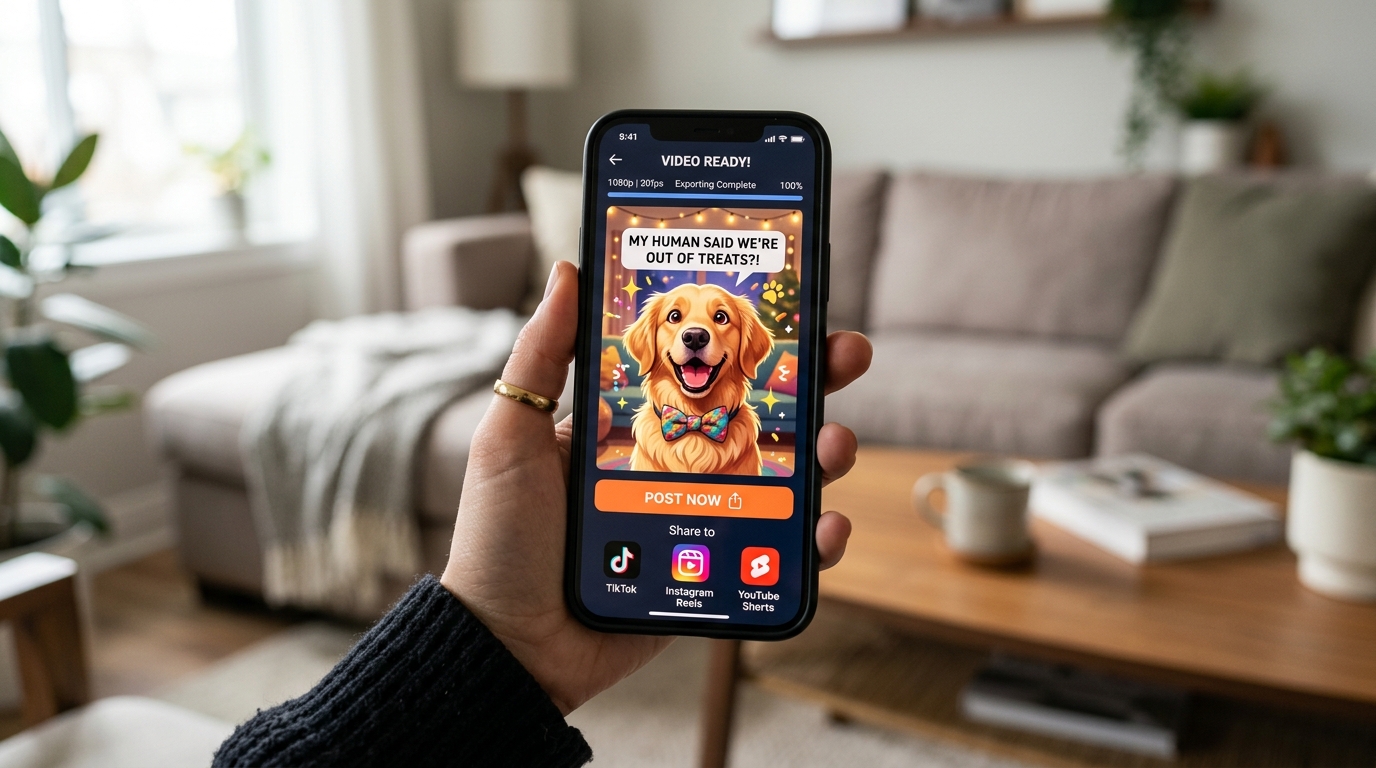
After selecting your template, click generate. The cloud-based AI processes your image and completes the video rendering in about 1 to 2 minutes.
The resulting video is exported as a crisp, 720p HD MP4 file in 9:16 vertical aspect ratio. This means it is already formatted natively for TikTok, Instagram Reels, YouTube Shorts, and Facebook Stories—no manual cropping, resizing, or black bars required. You can preview the video directly in your browser, download it instantly to your device, or generate additional clips to build a multi-part storyline.
Top 6 Viral Templates for AI Dog Videos (With Sample Scripts & Voice Presets)
Choosing the right combination of visual style, comedic premise, and voice archetype is the secret to creating videos that captivate viewers and generate shares. Below are the six most popular templates available in the Animate My Pet template gallery, along with sample scripts and voice recommendations you can use immediately:
1. Talking Dog (The Inner Monologue)
- Visual Style: Realistic front-facing mouth animation paired with subtle head tilts and expressive eye movements.
- Best Voice Preset: Dramatic or Sassy
- Comedic Premise: The dog breaking down the everyday injustices of domestic canine life.
- Sample Script:
"My human walked into the kitchen, opened the refrigerator door, looked directly at the bacon, and chose an apple. An apple! We are currently undergoing a severe breakdown in household management."
2. Pet Superhero (Captain Canine)
- Visual Style: Vibrant comic-book-inspired costume, flowing cape dynamics, and heroic lighting effects while maintaining your dog's distinct facial identity.
- Best Voice Preset: Royal or Dramatic
- Comedic Premise: An ordinary house dog taking his neighborhood watch duties far too seriously.
- Sample Script:
"By day, I am Buster: snoozer of rugs, chewer of slippers. But when the doorbell rings, I become the Defender of the Living Room. That delivery driver never stood a chance."
┌─────────────────────────────────────────────────────────────┐
│                    VIRAL CREATOR SPOTLIGHT                  │
│                                                             │
│ Dave Miller from Denver wanted a special surprise for his  │
│ daughter’s 8th birthday. Using a photo of Buster, their     │
│ French Bulldog, he selected the Pet Superhero template and  │
│ added a heroic movie voiceover.                             │
│                                                             │
│ Result: A 10-second blockbuster clip of "Captain Buster"    │
│ protecting the birthday cake that had every kid at the      │
│ party cheering—and later gained 180k views on Reels.       │
└─────────────────────────────────────────────────────────────┘
3. Pet Chef (The Michelin Bark)
- Visual Style: Crisp chef jacket, culinary staging, and fast-paced cooking action.
- Best Voice Preset: Funny
- Comedic Premise: A high-strung canine master chef reviewing human food preparation.
- Sample Script:
"Welcome back to Five-Star Canine Kitchen. Today's special: artisanal kibble served at room temperature, garnished with a single fallen potato chip. Exquisite."
4. Pet Goes To Space (Cosmic Hound)
- Visual Style: Bubble astronaut helmet, zero-gravity floating effects, and glittering planetary backdrops.
- Best Voice Preset: Royal
- Comedic Premise: A deep-space exploration mission motivated solely by the quest for celestial tennis balls.
- Sample Script:
"Mission Log Day 47. We have entered the Treat Nebula. Gravitational pull is weak, but my desire for a belly rub remains infinitely strong."
5. Pet Movie Trailer (Action Blockbuster)
- Visual Style: Dramatic cinematic lighting, high-contrast title framing, and thunderous sound design.
- Best Voice Preset: Dramatic (Hollywood Trailer style)
- Comedic Premise: Framing an ordinary backyard squirrel chase as an apocalyptic summer blockbuster.
- Sample Script:
"In a world where the squirrel mocked him from the fence... one brave golden retriever decided enough was enough. This summer: The Chase Begins."
6. Pet Reacts Dramatically (The Melodrama Queen)
- Visual Style: Fast comedic push-ins, wide-eyed reaction shots, and exaggerated soap-opera timing.
- Best Voice Preset: Dramatic
- Comedic Premise: Overreacting to minor everyday events, such as a bath or an empty water bowl.
- Sample Script:
"You said the word 'park.' I heard the word 'park.' Yet here we sit, pulling into the veterinarian's parking lot. The betrayal is absolute."
If you want to explore how these styles look in action, visit the talking dog and cat video generator showcase to test different voice presets and character themes.
Why One-Time Credit Packs Beat Monthly App Subscriptions
When searching for pet animation apps on mobile app stores, most users encounter a frustrating barrier: forced recurring subscriptions. Many apps lure users in with "free trials" that silently convert into $29.99/month charges, even if you only wanted to make one or two funny videos for a family birthday.
Animate My Pet was built on a transparent, creator-friendly model: one-time credit packs that never expire.
| Feature / Metric | Mobile Subscription Apps | Multi-Tool AI Stack (Midjourney + Kling + CapCut) | Animate My Pet Credit Packs |
|---|---|---|---|
| Pricing Model | $19.99–$39.99 / month recurring | $60.00–$120.00 / month across 4 tools | $9.99 one-time (Starter Pack) |
| Credit Expiration | Unused credits vanish each month | Monthly usage quotas expire | Credits never expire |
| Time per 10s Video | 5–10 minutes with manual adjustments | 20–30 minutes of multi-app editing | ~1–2 minutes web generation |
| Prompt Complexity | Moderate to high | Extremely high prompt engineering | Zero prompts (1-click templates) |
| Export Format | Often 1:1 or 16:9 (requires cropping) | Manual timeline resizing | Native 9:16 vertical HD MP4 |
| Watermark Policy | Paid tier required to remove | Paid tier required | 100% watermark-free on all paid packs |
| Installation | iOS / Android app download | Heavy desktop or Discord setup | 100% web-based (any browser) |
Transparent Credit Pack Breakdown
To match your creation volume, you can choose from three simple tiers on the Animate My Pet pricing page:
- Starter Pack ($9.99): Includes 3 Video Generations + 5 AI Pet Portraits. Perfect for creating your first viral skits or special family keepsakes.
- Creator Pack ($24.99 - Most Popular): Includes 10 Video Generations + 15 AI Pet Portraits. Designed for active social media creators posting weekly shorts and reels.
- Viral Pack ($49 / $59): Includes 25 Video Generations + 30 AI Pet Portraits. Best value for multi-pet households, content agencies, and dedicated pet meme pages.
- Free Experience ($0): Every registered user receives 1 Free AI Pet Portrait + a 3-second preview with zero credit card requirement.
5 Pro Tips to Make Your AI Dog Videos Go Viral on TikTok, Reels, and Shorts
Generating a high-quality video is the foundation, but packaging your content effectively is what turns a good video into a viral hit with hundreds of thousands of views. Here are five proven distribution strategies from top pet content creators:
1. Hook Viewers in the First 1.5 Seconds
Short-form algorithms prioritize retention and watch time above all else. Do not waste the first two seconds on title screens or slow transitions. Start the video mid-sentence with your dog already looking at the camera or delivering a punchy opening line. If viewers hear an unexpected, hilarious voice coming out of your dog within the first second, they will stop scrolling.
2. Match Voice Archetypes to Real Canine Micro-Expressions
The humor lands hardest when the voice style reflects the visual personality in the photo. If your dog has a wide, happy grin, use the Cute or Funny voice preset. If your dog has furrowed brows or droopy hound eyes, pair them with the Dramatic or Royal voice. This comedic contrast makes the character feel authentic.
3. Keep Videos Tight (The 10-Second Loop Advantage)
Platforms like TikTok and Instagram Reels reward videos that get rewatched. A tightly edited 10-second video has a far higher completion and rewatch rate than a 45-second monologue. When a viewer laughs at a punchline, the 10-second clip immediately loops back to the beginning, signaling high viewer satisfaction to the algorithm.
4. Add Dynamic Captions and Trending Audio
Over 65% of social media users browse feeds with the sound muted. While Animate My Pet generates full synchronized audio, adding large, high-contrast captions on screen ensures your joke lands even on silent autoplay. You can also layer low-volume trending background music underneath the character voiceover to capture trending audio algorithm boosts.
5. Create a Recurring Character Series
One-off viral videos are great, but recurring episodic formats turn viewers into loyal followers. Turn your dog into a recurring character—such as "The Daily Complaint with Sir Winston" or "Captain Buster: Neighborhood Watch." When viewers see a consistent format, they hit follow so they don't miss the next episode.
If your household includes feline companions as well, you can expand your social channel by creating funny rivalry skits with an AI cat video generator or a dedicated talking pet video maker.
Frequently Asked Questions
What kind of dog photo works best for AI video generation?
A clear, eye-level photo where your dog's face, eyes, nose, and mouth are fully visible produces the cleanest results. Soft natural lighting and uncluttered backgrounds help the AI accurately map facial landmarks. Both smartphone snapshots and high-res digital photos in JPG, PNG, or WEBP format work smoothly.
Can I choose what voice my dog speaks with?
Yes. Animate My Pet offers multiple curated voice personality styles, including Cute, Funny, Dramatic, Sassy, and Royal. These presets automatically match your selected template and script to deliver natural comedic timing and tone.
Do I need video editing experience or prompt writing skills?
No video editing or prompt engineering skills are required. Animate My Pet operates entirely on a zero-prompt template system. You simply upload a photo, select your desired template, and receive a completed 9:16 vertical HD video ready to post.
Are my uploaded dog photos kept private and secure?
Yes. All uploaded images and generated video files are processed through encrypted cloud infrastructure and automatically deleted from servers within 24 hours to 7 days. Your personal pet photos are never made public or sold to third parties.
Can I download my AI dog videos without watermarks?
Yes. All videos generated using paid credit packs (Starter, Creator Pack, or Viral Pack) export in full 720p HD MP4 format completely watermark-free, giving you 100% freedom to post across TikTok, Instagram, YouTube, and Facebook.
Conclusion
Transforming your dog’s favorite photos into moving, talking, viral-ready videos no longer requires complex editing timelines or endless prompt troubleshooting. With modern species-trained neural animation, all it takes is a single snapshot and two minutes of processing to give your beloved companion a voice, a cape, or a starring role in their very own cinematic adventure.
Whether you want to launch a viral pet account on TikTok, surprise family members with a hilarious animated greeting, or simply celebrate your pup's unique personality, getting started is completely risk-free:
- Pick your dog's funniest or sweetest photo from your camera roll.
- Head over to the Animate My Pet Creation Studio and select your favorite template.
- Download your watermark-free 10-second HD video and share the laughs with the world.
Ready to see what your dog has been wanting to say all along? Start creating with Animate My Pet today or claim your free AI pet portrait to take your first step into magical pet animation.