
Animate My Pet Blog
From Pet Photo to Video: How AI Is Changing Pet Content
Aug 17, 2026
“Turn any pet photo into a 9:16 vertical AI video in seconds. Discover how zero-prompt AI transforms dog and cat pictures into talking, viral social clips.”
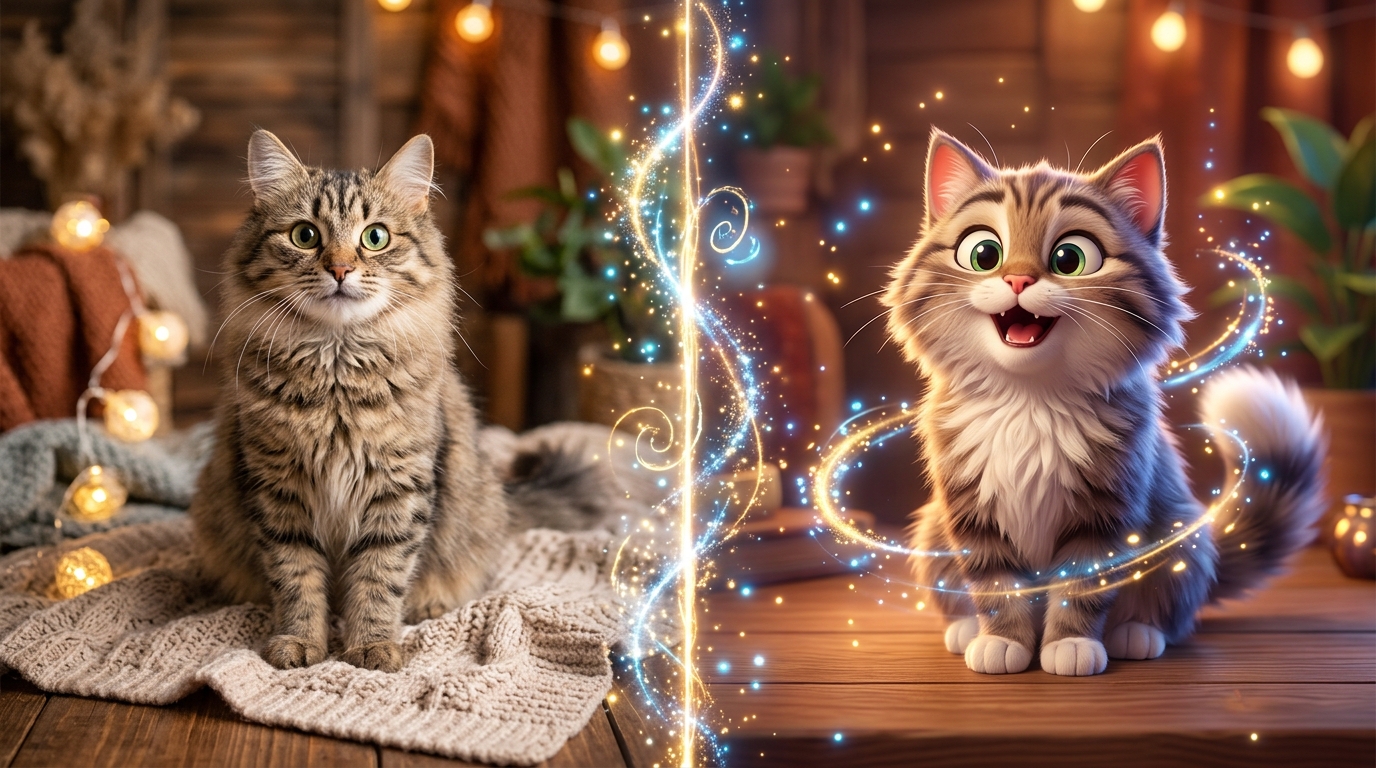
Converting a pet photo to video with generative AI lets you turn any static dog or cat image into an expressive, 10-second vertical video in under two minutes. Using modern tools like Animate My Pet, smart facial mapping brings your photos to life with moving mouths, funny voice styles, and natural expressions. Best of all, you don't need any editing skills or prompt engineering experience.
If your phone camera roll looks like most pet owners' phones, you probably have over 1,000 photos of your dog sleeping or your cat staring out the window. Snapping photos is easy. But getting those stills noticed on TikTok, Instagram Reels, and YouTube Shorts is tough. Social algorithms favor fast-moving video clips, so static photos often get lost in the feed.
That's changing fast. With modern pet animation AI, you can turn everyday pet snapshots into entertaining video clips without fancy cameras or expensive software.
Take Sarah, a pet parent from Austin who adopted a rescue tabby named Barnaby. For months, Sarah posted cute pictures of Barnaby on Instagram, but rarely got more than 40 likes. One evening, she uploaded Barnaby's photo into an AI video tool. She picked a "Sassy" cat voice preset and made a 10-second vertical clip where Barnaby complained about late dinner times. In less than two days, that single video hit 180,000 views on TikTok.
Whether you want to build a viral pet channel or share funny clips in family group chats, you can claim 1 free AI pet portrait to see how simple it is before making your first video.
Key Takeaways
- Social Feeds Favor Video: Short-form 9:16 vertical videos drive up to 4x higher watch time and shares on TikTok and Reels than still photos.
- Zero-Prompt Simplicity: Modern web tools use 1-tap curated templates, so you don't have to write complex text prompts.
- Domain-Specific AI Accuracy: Pet-trained AI models protect natural snout shapes and fur textures without weird glitches or extra limbs.
- Fair Credit Pricing: Transparent one-time credit packs ($9.99 Starter, $24.99 Creator Pack) mean you don't get trapped in expensive weekly app subscriptions.
Why static pet photos are losing ground to short-form video
For years, cute pet photos ruled social media. A clear square photo of a puppy wearing a bandana was all it took to get tons of likes. But things have changed.
Today, platforms like TikTok, Instagram Reels, and YouTube Shorts are built entirely around video. Their algorithms look at watch time, completion rates, and replays. Viewers spend barely a second looking at a still image before swiping away. That makes it hard for photo posts to gain traction.
+-------------------------------------------------------------------+
|               THE ATTENTION SPAN SHIFT ON SOCIAL MEDIA            |
+-------------------------------------------------------------------+
| Static Photo Post:                                                |
| [Glance: 1.2s] ---> [Swipe Away] (Low Algorithm Value)             |
|                                                                   |
| 10-Second Vertical AI Video (9:16):                               |
| [Hook: 0-2s] ---> [Voice Skit: 3-8s] ---> [Loop: 9-10s] (High Retention)|
+-------------------------------------------------------------------+
A 10-second vertical video with a strong hook grabs attention right away. When people hear a dog "speak" in a funny accent or see a cat wearing a chef hat, they stick around to watch the whole clip. Most viewers watch to the end, which tells the algorithm to push the video to more people.
Audiences also love personality. People want to hear what their pets are thinking. An animated video gives your pet a voice and turns simple snapshots into relatable comedy.
How pet photo to video AI works without complex prompts
Early AI video generators were hard to use. You had to type long, confusing prompts and fiddle with technical settings. Even worse, general AI models often messed up animal anatomy, turning paws into weird blobs or blurring ears into the wall.
Specialized pet photo to video AI solves these issues. It uses computer vision models built specifically for dog and cat facial anatomy.
+-------------------------------------------------------------------+
|               HOW PET PHOTO-TO-VIDEO AI PROCESSES IMAGES           |
+-------------------------------------------------------------------+
|  1. Image Ingestion    --> Maps facial geometry, eyes & snout      |
|  2. Mesh Tracking      --> Isolates mouth without distorting ears  |
|  3. Motion Synthesis   --> Adds natural blinks, head tilts & wags  |
|  4. Audio & Lip-Sync   --> Matches voice presets to mouth movement |
|  5. 9:16 HD Export     --> Renders crisp 720p vertical MP4 clip    |
+-------------------------------------------------------------------+
When you upload a photo to Animate My Pet, the AI goes through four quick steps:
- Facial Landmark Detection: It pinpoints key areas on your pet's face, including eyes, brows, nose, and mouth.
- Anatomical Boundary Tracking: It recognizes snout curves, whiskers, and ear positions so the movement stays realistic.
- Phoneme-to-Viseme Lip-Sync: When adding speech, it pairs spoken sounds with natural mouth shapes without stretching the surrounding fur.
- Vertical Format Rendering: It exports directly in 9:16 vertical 720p HD MP4 format, ready for social sharing.
Because the tool uses ready-made templates, you won't need to write code or test prompts. You can make great videos in two minutes right in your web browser.
The 3 viral video formats taking over pet content
Not all pet videos get the same results. Top creators rely on three proven formats to get more views, comments, and shares.
+-------------------------------------------------------------------+
|                  3 DOMINANT VIRAL PET VIDEO FORMATS               |
+-------------------------------------------------------------------+
| 1. Talking Pet Skits   --> Relatable pet monologues & funny audio  |
| 2. Character Cosplay   --> Superheroes, chefs, space explorers     |
| 3. Movie Trailers      --> Epic Hollywood pacing & dramatic VO    |
+-------------------------------------------------------------------+
1. Talking pet skits and comedic monologues
Talking pet videos are a huge hit on social feeds. Giving your pet a distinct voice creates instant laughs.
Using Talking Pet AI, you can pick from several curated voice styles:
- Sassy / Deadpan: Great for grumpy cats judging their owners or demanding food.
- Dramatic: Perfect for dogs who act like a short walk is an epic quest.
- Royal / Posh: Fun for pampered pets resting on fancy cushions.
- Cute & Bubbly: Awesome for playful puppies discovering new toys.
Sample 10-Second Skit Script (Cat Monologue):
"I see you bought the cheap salmon again. Bold move for someone whose slippers I can reach at 3:00 AM."
2. Pet character transformations
Turning pets into fun characters is an easy way to spark smiles. Instead of putting your pet in an uncomfortable costume, AI adds realistic outfits while keeping your pet's true face intact.
Check out popular styles in the Animate My Pet template gallery:
- Pet Superhero: Puts a flying cape and hero badge on your dog.
- Pet Chef: Puts your cat in a chef hat stirring a cooking pot.
- Pet Rockstar: Adds stage lights, guitars, and rocking energy.
- Pet Goes To Space: Floats your pet in zero gravity with an astronaut helmet.
Marcus, a dog owner from Chicago, used the Pet Chef template for his golden retriever Buster's birthday. He added fun cafe music and shared it with his family. Everyone loved it so much that friends shared it across Facebook, pulling in hundreds of views.
3. Cinematic movie trailers and dramatic reactions
Social media loves movie parodies. A 10-second trailer that treats a robotic vacuum like a movie villain makes great comedy.
The Pet Movie Trailer template mixes orchestral music with a movie-announcer voice to turn simple backyard fetch into a blockbuster story.
You can also use the ai cat video generator and animate dog photo tool to create clips built for your pet's personality.
Step-by-step guide: How to turn your pet photo into an AI video
Making your own pet video is fast and simple. Here are the three easy steps to turn any snapshot into a social-ready clip.
+-------------------------------------------------------------------+
|               3-STEP AI PET VIDEO CREATION WORKFLOW               |
+-------------------------------------------------------------------+
| [Step 1: Upload Photo] ---> [Step 2: Pick Template] ---> [Step 3: Export 9:16]
| Clear, front-facing pet     Talking Dog, Chef, Space,    Ready for TikTok,
| photo with visible eyes.    or Movie Trailer style.      Reels & Shorts.
+-------------------------------------------------------------------+
Step 1: Select and upload a clear pet photo
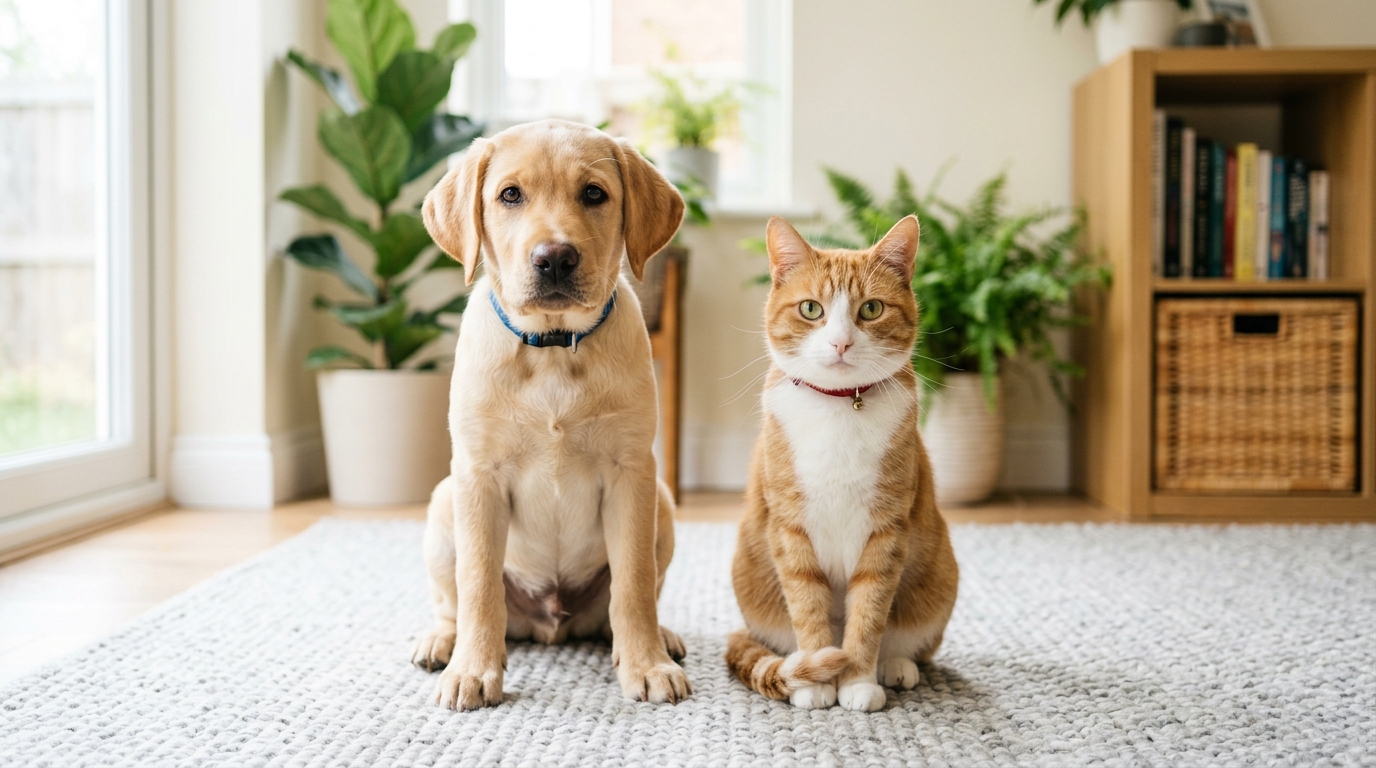
A good photo makes a huge difference in your final video. Keep these simple tips in mind when picking a picture:
| Photo Element | Best Practice (Do This) | Avoid (Don't Do This) |
|---|---|---|
| Angle | Front-facing at your pet's eye level | Looking down at the back of their head |
| Lighting | Bright natural light showing both eyes | Dark shadows or harsh backlight |
| Focus | Clear focus on snout, eyes, and mouth | Blurry movement or heavy zoom |
| Obstructions | Face clear of toys or blankets | Big items covering their mouth or chin |
| Subject | One pet centered in the shot | Multiple pets crowded together |
Step 2: Choose your viral template and voice personality
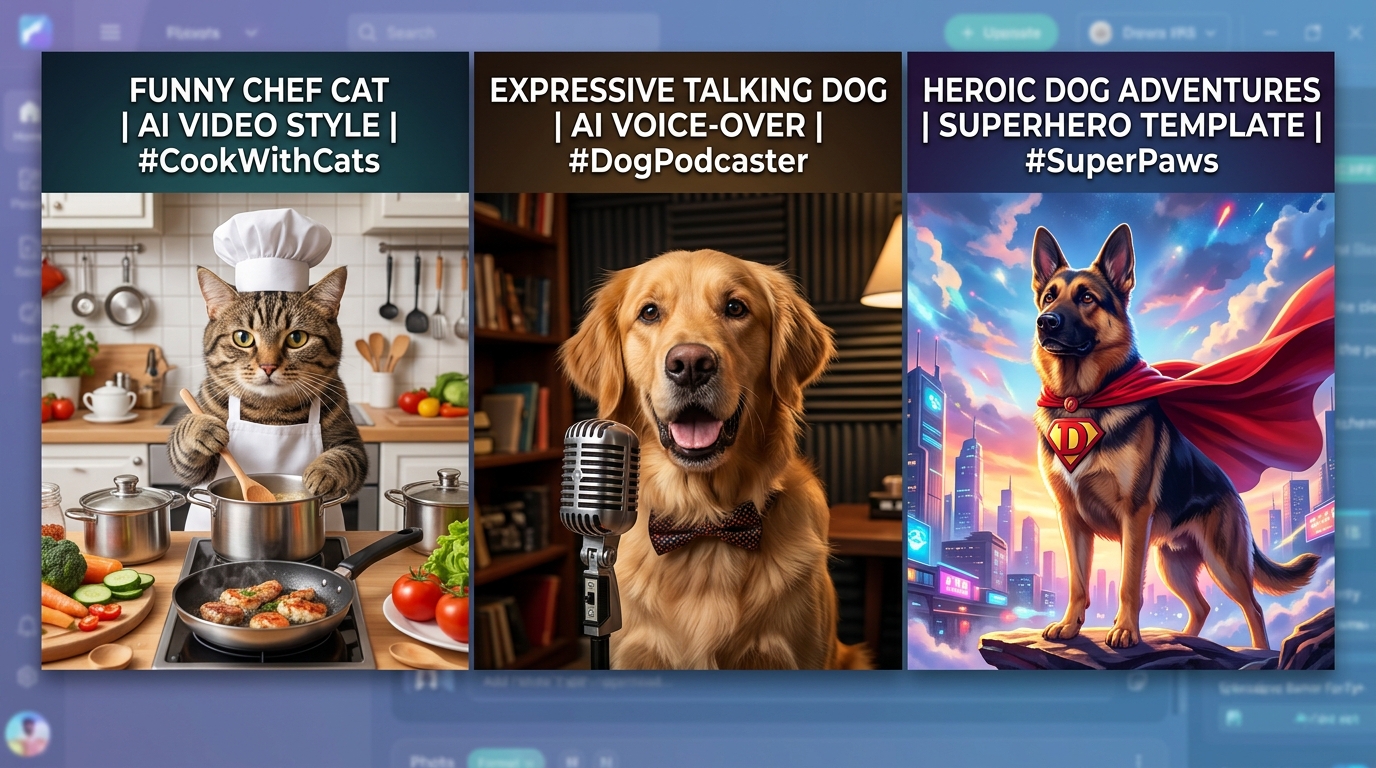
Go to the Animate My Pet creation studio and pick a template.
If you want a talking clip, choose Talking Dog or Talking Cat and pick a voice style (Cute, Funny, Dramatic, Sassy, Royal). If you want an adventurous clip, try Pet Superhero or Pet Rockstar. Since everything uses zero-prompt templates, you don't need to write any text prompts.
Step 3: Generate, review, and export in 9:16 vertical HD
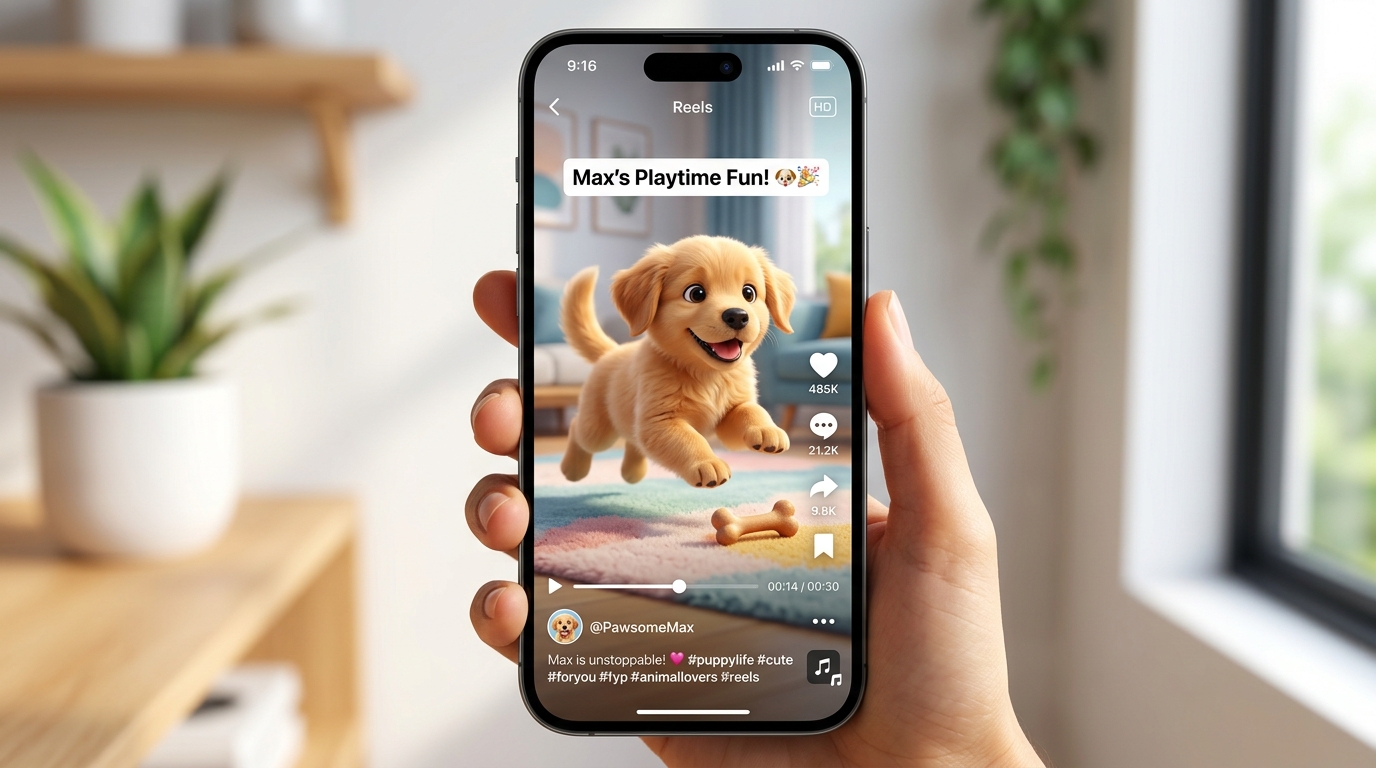
Hit generate and let the cloud tool render your clip. Most videos finish in under two minutes.
Preview your 10-second video. When you like what you see, download the HD MP4 file. It exports in vertical 9:16 format, so you can upload it straight to TikTok, Reels, Shorts, or WhatsApp without trimming.
Ready to test it? Go ahead and create an AI pet video now to see your pet in action.
Understanding pricing: Credit packs versus mobile subscription traps
As you look at AI pet tools, you'll notice many mobile apps use tricky pricing. Knowing how these models work helps you save money.
+-------------------------------------------------------------------+
|                 PRICING MODEL COMPARISON BREAKDOWN                |
+-------------------------------------------------------------------+
| App Store Mobile Apps:                                            |
| [3-Day Free Trial] ---> [$7.99/Week Auto-Renew] ---> [$380+/Year] |
|                                                                   |
| Animate My Pet Credit Packs:                                      |
| [Pay Once] ---> [$9.99 Starter / $24.99 Creator] ---> [Never Expires]|
+-------------------------------------------------------------------+
Many phone apps offer a "free trial" but sign you up for weekly subscriptions costing $4.99 to $7.99 per week. That adds up to over $350 each year, even if you only make a few clips.
By comparison, Animate My Pet pricing uses simple one-time credit packs:
| Package Tier | Price | Video Credits | Portrait Credits | Best For | Watermark Policy |
|---|---|---|---|---|---|
| Free Preview | $0 | 3-sec Preview | 1 Free Portrait | Testing photo quality & previewing output | Free watermark |
| Starter | $9.99 | 3 Full Videos | 5 AI Portraits | Fun personal keepsakes and quick clips | 100% Watermark-free |
| Creator Pack | $24.99 | 10 Full Videos | 15 AI Portraits | Active social creators & weekly posters | 100% Watermark-free |
| Viral Pack | $49.00 | 25 Full Videos | 30 AI Portraits | Pet influencers & multi-pet creators | 100% Watermark-free |
Paid credit packs never expire, and there are no monthly fees. You only buy credits when you want to create.
Frequently asked questions about pet photo to video AI
How do I turn a pet photo into a moving video?
Upload a clear, front-facing picture of your dog or cat to Animate My Pet. Choose a template like Talking Pet, Pet Superhero, or Movie Trailer, and click generate. The AI maps your pet's facial features and creates a 10-second vertical HD video in under two minutes.
Do I need prompt engineering skills to make AI pet videos?
No, you don't need prompt engineering skills or video editing background. The platform uses 1-tap visual templates and preset voice styles. You upload your photo, select a template, and download the finished MP4 video.
What types of pets can be animated with AI?
AI video tools work great with dogs, cats, and most family pets. Because the models are trained on canine and feline facial features, dogs and cats give the cleanest mouth movement, facial expressions, and motion tracking.
Are my uploaded pet photos safe and private?
Yes. Your privacy is protected by default. Uploaded pet photos and generated videos are handled securely and deleted from cloud servers automatically within 24 hours to 7 days. Your pictures are never sold or used for public training datasets.
Can I post AI-generated pet videos directly to TikTok and Instagram?
Yes. Videos download in 720p HD MP4 format with a vertical 9:16 aspect ratio. This fits TikTok, Instagram Reels, YouTube Shorts, and Facebook Stories without needing crops or edits.
Conclusion: Transform your pet's photos into moving stories
The shift from static pet photo to video makes pet storytelling fun and easy. Instead of letting cute photos sit forgotten on your phone, AI gives you the tools to bring those moments to life in seconds.
Whether you want to grow a social following with talking cat skits, make a superhero video of your dog, or share a laugh with friends, modern zero-prompt tools take the work out of video creation.
Your Action Plan This Week:
- Pick a clear, well-lit photo of your pet from your camera roll.
- Claim your 1 free AI pet portrait to see how our models capture your pet's features.
- Head over to the Animate My Pet creation studio, pick a template, and make your first 10-second viral pet video today.