
Animate My Pet Blog
AI Pet Animation: Bring Your Favorite Animal Photos to Life
Aug 17, 2026
“Discover how AI pet animation turns dog and cat photos into moving, talking videos. Upload one photo and pick a viral 9:16 template with voice styles in seconds.”
To bring your favorite animal photos to life with AI pet animation, upload a single clear photo of your dog or cat to a dedicated web tool like Animate My Pet. In under two minutes, neural animation models map your pet’s unique facial landmarks. They sync natural mouth movements, blinking, and head tilts to expressive voiceovers, cinematic character templates, and viral 9:16 vertical social formats—no prompt engineering, code, or video editing needed.
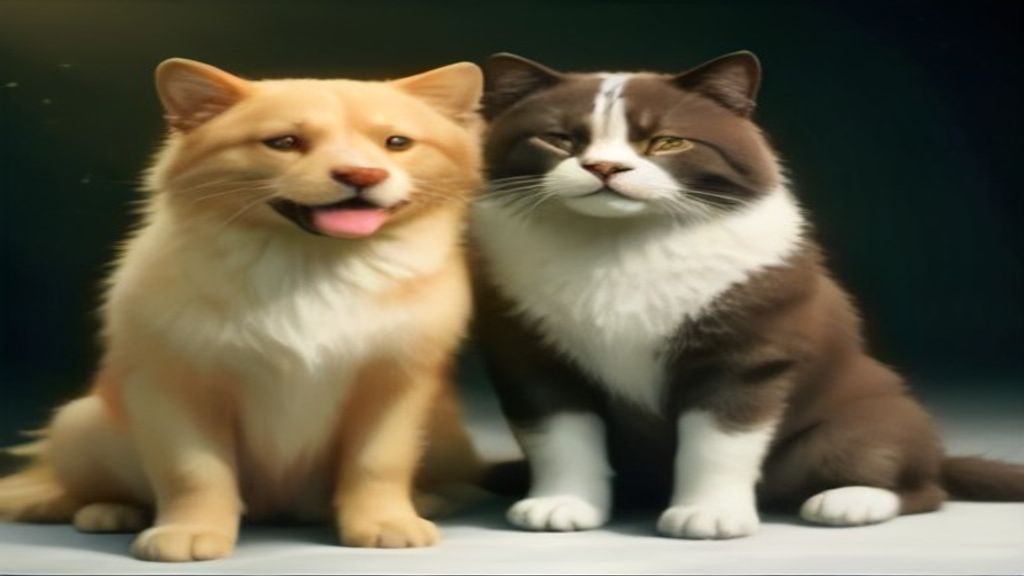
Every pet parent has camera rolls packed with hundreds of still photos. You've got your dog sleeping in impossible yoga poses. You've got your cat staring down the hall at invisible ghosts. While a still snapshot freezes a sweet memory, it rarely captures the boundless, quirky personality you experience every day.
For Sarah Lin, a graphic designer from Seattle, that desire to showcase her cat's attitude turned into an overnight sensation. Looking at a photo of Oliver, her tuxedo cat glaring unimpressed at his bowl, Sarah decided to animate your pet photo using a talking dog and cat video generator. She selected the "Sassy Royal" voice preset, typed a quick one-liner about the quality of standard canned tuna, and hit generate.
Ninety seconds later, Oliver was alive on screen. His mouth matched every syllable with royal flair. His whiskers twitched with indignation, and his ears flattened on the punchline. Sarah uploaded the 10-second vertical clip to TikTok that evening. By morning, Oliver’s monologue had gained 420,000 views, 75,000 likes, and hundreds of comments demanding a full series.
Whether you want to create viral comedy skits for TikTok and Reels, celebrate a pet birthday, or transform your companion into a superhero, modern AI video tools make the process effortless. You can create an AI pet video now or start by exploring your options to claim 1 free AI pet portrait with zero commitment.
Key Takeaways
- Zero-Prompt Simplicity: Modern pet animation AI tools operate on curated one-tap templates. You don't need complex prompt writing, parameter adjustments, or timeline editing.
- Animal-Specific Neural Alignment: Dedicated pet models accurately track canine and feline facial landmarks. This prevents the uncanny valley warping and human dental distortions common in generic avatar generators.
- 3 Core Animation Styles: You can choose from realistic micro-movements, lip-synced talking pet skits with custom voice archetypes, and full character transformations (Pet Superhero, Pet Chef, Pet Goes to Space).
- Creator-Ready 9:16 Vertical Video: Finished animations export in crisp 720p HD MP4 optimized natively for TikTok, Instagram Reels, and YouTube Shorts.
- Transparent Credit Packs: Skip predatory $30/month App Store subscription traps by choosing flexible, one-time credit packs starting at $9.99 that never expire.
What Is AI Pet Animation and How Does It Work?
AI pet animation uses computer vision and deep learning to turn a static 2D animal photograph into a dynamic, moving, and vocal video.
Earlier digital animation techniques relied on 2D puppet rigging or manual mesh warping. Animators had to place digital anchor points around an animal's eyes and jaws. They manually stretched and keyframed pixels across a timeline. The resulting videos were notoriously stiff, rubbery, and slow to produce.
When modern AI video models first arrived, many creators tried feeding pet photos into human avatar platforms like HeyGen or D-ID. However, those engines were trained only on human facial geometry. They tried mapping human lip positions and teeth onto animal snouts. The outcome was often weird: dogs with human smiles and cats with melted muzzles.
Dedicated pet animation AI solves this challenge. It trains neural networks specifically on animal facial anatomy and natural quadruped movement physics.
[Static Pet Photo (JPG/PNG)]
             │
             ▼
[Species-Specific Landmark Detection]
(Maps snout depth, jaw hinge, nostrils, whisker pads, ear base)
             │
             ▼
[Audio-to-Phoneme Motion Mapping]
(Syncs vocal frequencies to organic animal mouth opening dynamics)
             │
             ▼
[Micro-Expression & Temporal Coherence Engine]
(Generates natural blinking, ear twitches, breathing, head tilts)
             │
             ▼
[9:16 Vertical HD Render]
(Delivers completed 10s MP4 ready for social platforms in ~90s)
The neural pipeline operates in four simple stages:
- Landmark Detection: The vision model scans your photo and builds a 3D structural mesh of your pet’s face. It maps critical points including the muzzle ridge, jawline, nostrils, eye corners, and ear bases.
- Phoneme-to-Muzzle Sync: When you pick a voice personality or upload audio, the system breaks the sound down into phonemes. The AI then calculates the natural movement required for an animal jaw to speak those sounds.
- Secondary Micro-Movement: To keep your pet looking alive, the motion engine inserts lifelike secondary animations. You'll see subtle head bobs, gentle eye blinks, ear twitches, and tiny whisker movements.
- Identity & Fur Consistency: Advanced diffusion layers preserve your pet's exact markings, fur textures, eye color, and unique facial spots across every frame of the 10-second clip.
For more on the computer vision principles behind animal motion models, research from academic institutions like the Stanford Artificial Intelligence Laboratory provides great insight into neural motion synthesis.
The 3 Styles of AI Pet Animation You Can Create Today
Not all pet animations serve the same creative goal. Modern creator tools provide distinct animation modes built for everything from quick comedy to cinematic stories.
┌────────────────────────────────────────────────────────────────────────┐
│                        3 CORE PET ANIMATION STYLES                     │
├────────────────────┬────────────────────┬──────────────────────────────┤
│  1. TALKING PET    │ 2. CHARACTER MORPH │  3. VIRAL SOCIAL FORMATS     │
│                    │                    │                              │
│ • Sassy Feline VO  │ • Pet Superhero    │ • Hollywood Movie Trailer    │
│ • Goofy Dog Comedy │ • Pet Chef         │ • Dramatic Slow-Mo Zoom      │
│ • Custom Monologue │ • Pet Rockstar     │ • 3D Cartoon Adventure      │
│ • Natural Lip-Sync │ • Pet in Space     │ • 9:16 Vertical Storytelling │
└────────────────────┴────────────────────┴──────────────────────────────┘
1. Talking Pet AI (Mouth Sync & Voice Styles)
The most popular format across social media turns your dog or cat into an articulate comedy star. Using specialized Talking Pet AI, the engine aligns your pet’s mouth to custom dialogue or pre-curated vocal styles.
Available voice archetypes include:
- Cute: High-pitched, enthusiastic baby voice perfect for puppies, kittens, and small breeds.
- Funny: Playful, goofy tone suited for energetic dogs and clumsy moments.
- Dramatic: Over-the-top theatrical narrator tone for dramatic pet reactions.
- Sassy: Witty, dry, sarcastic voiceover that fits feline attitude and independent dogs.
- Royal: Aristocratic British delivery tailored for dignified breeds.
If you've got a canine companion, you can try our specialized dog photo to video generator to hear them speak in seconds.
2. Pet Character Transformations
Why settle for a normal video when your pet can star as a galactic explorer or a master chef? Character transformations use stylized diffusion prompts to dress your pet in custom costumes while maintaining their exact facial identity.
- Pet Superhero: Equips your dog or cat with a flowing heroic cape, chest emblem, and dramatic windblown lighting.
- Pet Chef: Puts a miniature chef hat on your pet, complete with a bustling kitchen and bubbling pots.
- Pet Rockstar: Adds stage lighting, electric guitars, and high-energy arena vibes.
- Pet Goes To Space: Places your pet inside a sleek astronaut helmet floating gently across a star-filled cosmos.
You can explore pet video templates to see real preview clips of these transformations in action.
3. Viral Social & Cinematic Formats
Built specifically for short-form video feeds on TikTok, Instagram Reels, and YouTube Shorts, these formats follow proven viral hooks:
- Pet Movie Trailer: Blockbuster orchestral music, deep movie trailer voiceover ("In a world full of squirrels... one dog stands alone"), and cinematic title cards.
- Pet Reacts Dramatically: Rapid zoom-ins, meme sound effects, and exaggerated facial expressions capturing pure shock.
- Cartoon Adventure: Renders your pet into a vibrant, 3D animated character resembling high-budget animated films.
Template & Style Feature Breakdown
| Template Style | Animation Focus | Best Audio Pairing | Ideal Platform |
|---|---|---|---|
| Talking Dog | Natural mouth articulation, head tilts | Goofy / Excited monologue | TikTok, Reels, Shorts |
| Talking Cat | Subtle sneers, lip flaps, ear twitches | Sassy / Aristocratic Royal | TikTok, Instagram, X |
| Pet Superhero | Capes fluttering, heroic wind motion | Epic orchestral themes | Family chats, Reels |
| Pet Chef | Whisking actions, culinary setting | Upbeat comedic Italian music | TikTok, YouTube Shorts |
| Pet Rockstar | Headbanging motion, stage strobes | Heavy rock guitar riffs | Viral memes, Shorts |
| Pet Goes To Space | Zero-gravity floating, helmet gleam | Ambient synth sci-fi audio | Keepsakes, Reels |
| Movie Trailer | Cinematic pacing, dynamic cuts | Deep dramatic movie voice | TikTok, YouTube |
| Cartoon 3D | Pixar-style soft lighting, big eyes | Playful acoustic melodies | Milestone gifts, IG |
Step-by-Step Guide: How to Bring Animal Photos to Life in 3 Easy Steps
Creating a high-definition AI pet video requires zero technical knowledge or timeline editing software. Here is the exact three-step workflow to produce your first clip in under two minutes:
┌───────────────────────────┐      ┌───────────────────────────┐      ┌───────────────────────────┐
│          STEP 1           │      │          STEP 2           │      │          STEP 3           │
│    Upload Pet Photo       │ ───► │   Select Style & Voice    │ ───► │     Generate & Share      │
│  (Clear, front-facing)    │      │  (Talking, Hero, Space)   │      │   (9:16 HD MP4 in ~90s)   │
└───────────────────────────┘      └───────────────────────────┘      └───────────────────────────┘
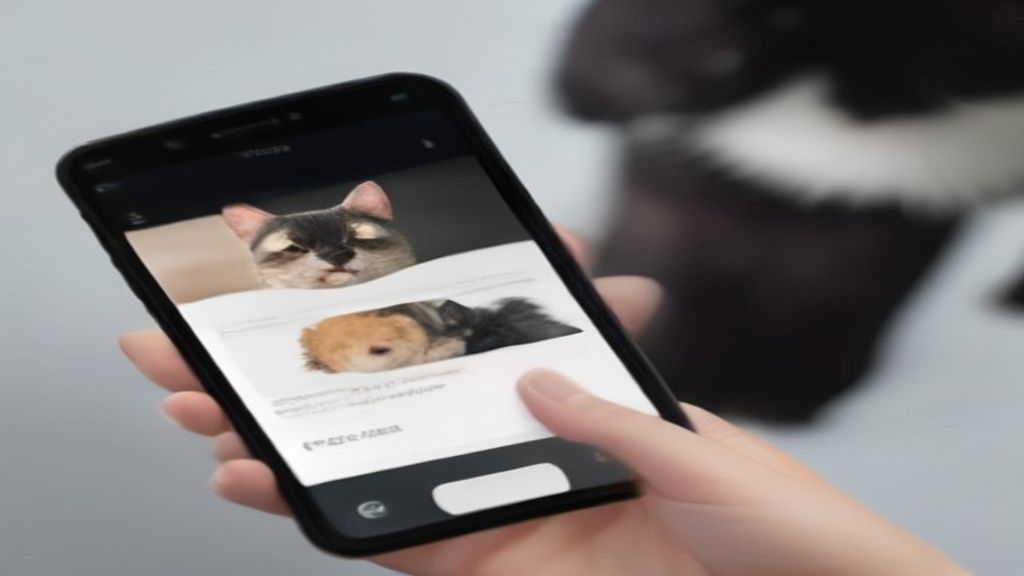
Step 1: Upload a High-Quality Front-Facing Photo
Head over to the web studio at Animate My Pet on your phone or computer browser. Select a clear, well-lit photograph of your dog, cat, or other favorite pet. Make sure your pet is looking toward the camera and that their face, eyes, and snout are fully visible.
Step 2: Choose Your Template and Voice Style
Select from the curated zero-prompt template gallery:
- Choose Talking Pet if you want your pet to deliver a custom monologue or greeting. Pick a voice personality (Cute, Funny, Sassy, Dramatic, Royal) or type the exact words you want them to speak.
- Choose a Character Transformation like Pet Superhero, Pet Chef, or Pet Goes To Space for dynamic visual action.
- Choose a Viral Format like Pet Movie Trailer or Cartoon Adventure for instant entertainment.
Step 3: Generate and Export in 9:16 Vertical HD
Click the generate button. The cloud AI engine processes the landmarks, synthesizes the audio track, and renders a 10-second 720p HD MP4 video in about 60 to 90 seconds. Once generated, you can preview the video, download it watermark-free with any credit pack, and post directly to your social feeds.
Real Creator Story: Marcus and Bruno the Frenchie Chef
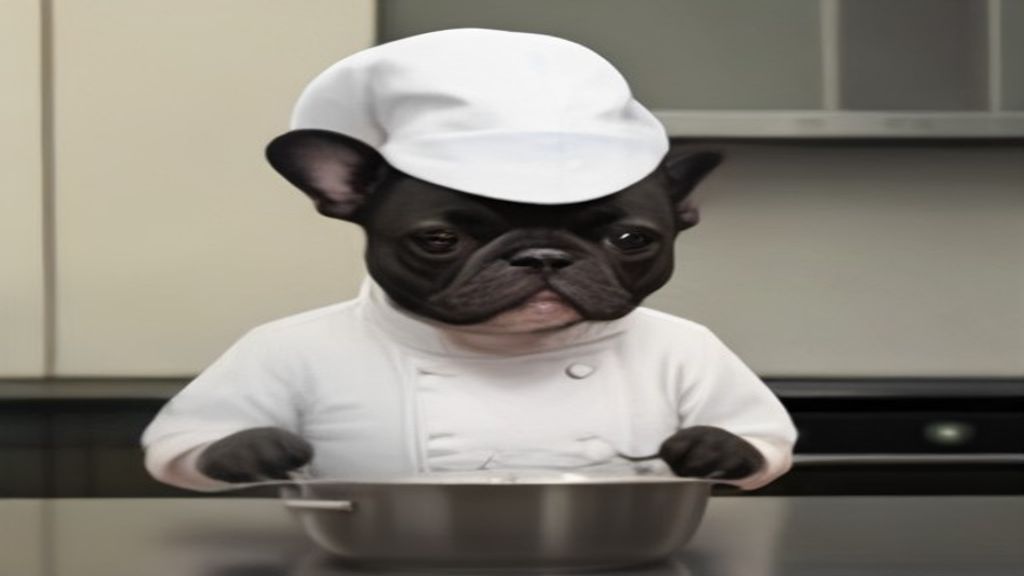
Marcus Vance, a pet creator from Chicago, wanted to make a fun Thanksgiving video featuring Bruno, his 4-year-old French Bulldog. Instead of wrestling an uncomfortable chef hat onto Bruno in real life, Marcus uploaded a single photo of Bruno sitting by the kitchen island into the Animate My Pet creation studio.
He selected the "Pet Chef" template. He paired it with a comical French-accented voiceover critiquing the turkey seasoning, and clicked generate.
The resulting 10-second video featured Bruno wearing a crisp chef coat, stirring a pan with total focus, and barking out kitchen orders. Marcus shared the clip in his family group chat and on Instagram Reels. Within 48 hours, the clip reached 185,000 views and earned Bruno dozens of new followers.
If you're ready to make your pet a star, you can animate your pet photo in seconds.
Pet Photography Masterclass: 5 Rules for Flawless AI Animation
The realism of your AI pet video depends heavily on the quality of your source photograph. While modern AI models can handle minor flaws, following these five photography principles will deliver the crispest animations, sharpest fur details, and most natural mouth movements.
┌─────────────────────────────────────────────────────────────────────────┐
│                 5 RULES FOR FLAWLESS PET SOURCE PHOTOS                  │
├─────────────────────────────────────────────────────────────────────────┤
│  [✔] 1. Direct Eye-Level Angle (No extreme overhead bird's-eye shots)    │
│  [✔] 2. Even, Natural Lighting (Avoid split shadows or dark backlighting)│
│  [✔] 3. Clear Muzzle Visibility (No chew toys covering the mouth line)   │
│  [✔] 4. Single-Pet Focus (One animal per frame for accurate tracking)   │
│  [✔] 5. High Resolution & Sharp Focus (Crisp eye reflections & whiskers)│
└─────────────────────────────────────────────────────────────────────────┘
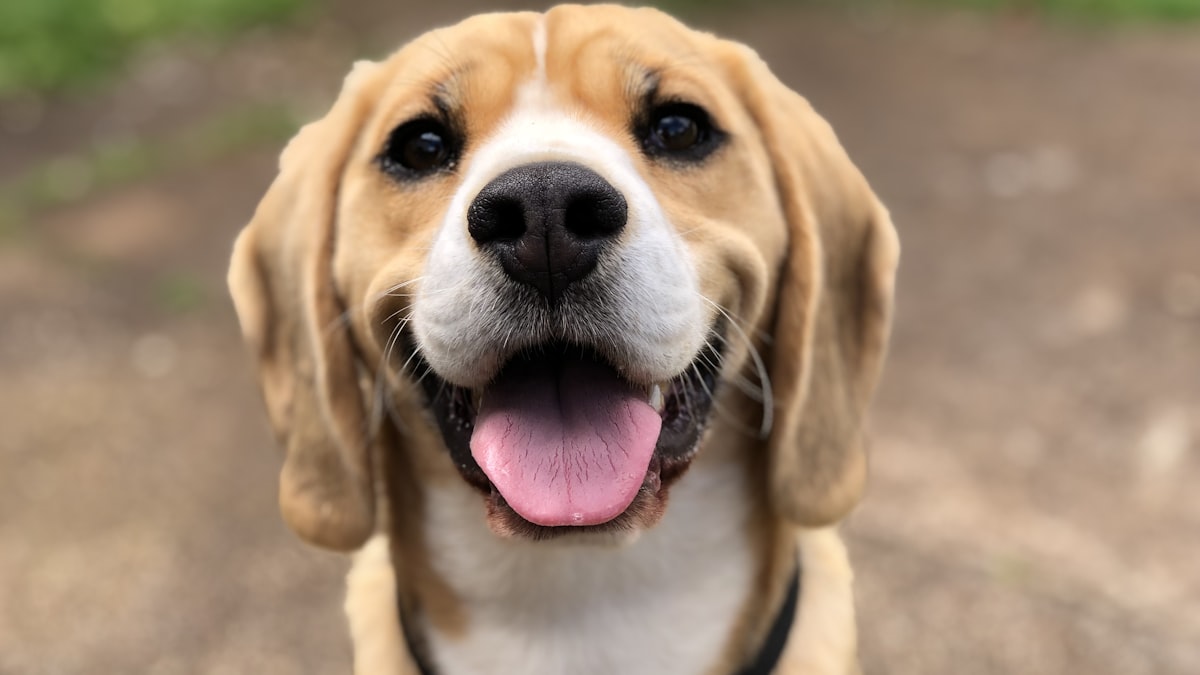
1. Shoot at Eye Level
Don't shoot from high above while standing over your pet. Steep overhead angles distort the perspective of the snout. This makes it harder for the vision algorithm to map the lower jaw hinge. Get down on the floor so your camera lens is level with your pet’s eyes.
2. Use Even, Natural Lighting
Soft, diffuse daylight provides the cleanest results. Try shooting near a large window or outdoors on a slightly overcast afternoon. Harsh directional sunlight creates dark shadows across one side of the face. Dim indoor lighting introduces unwanted grain and blur.
3. Keep the Muzzle and Mouth Clear
For talking pet videos, the AI must detect the upper lip line, nostrils, and chin. Make sure your pet isn't holding a tennis ball, chew toy, or bone in their mouth. If your dog has heavy facial fur, gently brush it away from the mouth line before taking the photo.
4. Focus on a Single Pet
AI landmark models track one face at a time with maximum accuracy. If you've got two dogs cuddling on a couch, crop the image around one pet’s face before uploading. Or take individual photos to generate a hilarious two-character skit.
5. Prioritize High Resolution and Sharp Focus
Make sure your camera focus is locked onto your pet’s eyes. The sharper the original image, the better the AI can maintain individual whisker details, pupil reflections, and fine fur textures during animated movement.
Common Photography Issues & How to Fix Them
| Problem | Cause | Quick Solution |
|---|---|---|
| Mouth Warping | Pet's mouth blocked by toy or paw | Use a photo where the mouth and chin are fully clear. |
| Flickering Eyes | Dark shadows or camera grain | Re-shoot in natural daylight near a bright window. |
| Stiff Neck Motion | Pet looking sharply sideways (>45°) | Use a front-facing photo where both eyes are visible. |
| Fur Artifacting | Extreme close-up with cropped ears | Leave a comfortable margin of space around the head and ears. |
Creative Script Ideas & Voice Archetypes for Viral Pet Videos
A great visual animation captures the viewer’s eye, but a clever script and well-matched voiceover capture their heart and drive shares. If you're looking for inspiration to create your next viral hit, test these proven comedic frameworks on your social channels:
1. The Aristocratic Food Critic (Best for Cats & Dignified Dogs)
- Voice Preset: Royal (Refined British accent)
- Visual Style: AI cat video generator or Talking Cat template
- Sample Script:
"I have inspected the bowl. Once again, you have served the salmon pate at room temperature instead of slightly chilled. It's an insult to my lineage. I shall now sit on your laptop keyboard until reparations are made."
2. The Over-Enthusiastic Golden Retriever (Best for Energetic Dogs)
- Voice Preset: Funny or Cute (Fast, breathless excitement)
- Visual Style: Animate dog photo
- Sample Script:
"Human! You touched the leash! Does that mean the park?! Are we going to see the ducks?! I love ducks! Even though they hiss at me, I still believe we can be best friends! Let's go right now!"
3. The Existential Dramatic Crisis (Best for Pugs, Frenchies & Bulldogs)
- Voice Preset: Dramatic (Theatrical, serious tone)
- Visual Style: Talking Pet or Pet Reacts Dramatically
- Sample Script:
"It has been twelve minutes since my last treat. My ribs are showing. The void is calling my name. If this is the end... please tell the mail carrier I forgive them."
4. The Superhero Origin Story (Best for Rescue Pets)
- Voice Preset: Dramatic / Movie Trailer Voice
- Visual Style: Pet Superhero Template
- Sample Script:
"By day, I am a humble couch potato. But when the vacuum cleaner threatens Sector Living Room... Captain Fluff emerges to protect humanity."
You can test all of these script ideas directly with our talking animal video generator to create memorable skits in minutes.
Comparing Creation Methods: 1-Tap Web AI vs Manual Editing vs App Store Subscriptions
When deciding how to animate your pet photos, you'll generally weigh three distinct options: specialized zero-prompt web tools, general AI video generators, and mobile App Store apps.
┌────────────────────────────────────────────────────────────────────────┐
│                      HOW ANIMATION WORKFLOWS COMPARE                   │
├────────────────────┬────────────────────┬──────────────────────────────┤
│ ANIMATE MY PET     │ GENERAL AI TOOLS   │ MOBILE APPS                  │
│                    │ (Runway, Kling)    │ (iOS / Android Apps)         │
├────────────────────┼────────────────────┼──────────────────────────────┤
│ • Zero prompts     │ • Steep learning   │ • Sneaky weekly charges      │
│ • 1-tap templates  │ • Complex prompts  │ • Limited export settings    │
│ • 9:16 vertical    │ • 16:9 landscape   │ • Watermarked free tiers     │
│ • One-time credits │ • $30–$95/month    │ • $25–$35/month lock-in      │
│ • No app install   │ • Desktop only     │ • Hogs phone storage         │
└────────────────────┴────────────────────┴──────────────────────────────┘
1. Animate My Pet: Purpose-Built Zero-Prompt Web Tool
- Workflow: 100% browser-based. Upload a photo, select a template, and get a finished 10-second vertical HD video in ~90 seconds.
- Pricing: Transparent one-time credit packs starting at $9.99 (Starter: 3 videos + 5 portraits) and $24.99 (Creator: 10 videos + 15 portraits). There are no recurring charges, and your credits never expire.
- Anatomy Handling: Specialized models trained on canine and feline facial structures avoid human mouth distortion.
2. General AI Video Generators (Runway, Kling, Sora, Pika)
- Workflow: Requires detailed prompt engineering, parameter tuning (motion buckets, camera pans), and manual timeline assembly in external editors like CapCut or Adobe Premiere.
- Pricing: Monthly software subscriptions typically ranging from $25 to $95 per month.
- Limitations: Default outputs are horizontal 16:9, lack integrated pet voice styles, and often hallucinate extra limbs or distorted ears on animals.
3. Mobile App Store Apps with Subscription Traps
- Workflow: Native mobile apps downloaded from iOS App Store or Google Play.
- Pricing: Frequently use aggressive trial traps, offering a "free trial" that converts into an automatic $6.99/week or $29.99/month recurring charge.
- Limitations: Requires heavy storage space on your phone, locks advanced styles behind paywalls, and offers limited customer support.
Platform Comparison Matrix
| Feature / Capability | Animate My Pet | General AI Generators | Mobile App Store Apps |
|---|---|---|---|
| Prompt Writing Required | None (Zero-prompt templates) | Heavy (Complex prompt syntax) | Minimal |
| Pet Anatomy Accuracy | High (Species-specific AI) | Variable (Prone to human warping) | Moderate to Low |
| Aspect Ratio | Native 9:16 Vertical HD | Standard 16:9 Landscape | 9:16 or 1:1 square |
| Voice Styles & Audio Sync | Included (5 curated presets) | External audio editor needed | Basic sound effects |
| Billing Model | One-time credit packs ($9.99+) | $25–$95/month subscription | $6.99/wk–$29.99/mo recurring |
| Device Compatibility | Any browser (Phone, Mac, PC) | Desktop browser focused | Mobile only |
| Software Download Required | None (100% cloud web app) | None | Yes (App Store download) |
To review our credit packs and choose the right option for your creative needs, check out our one-time pet video credit packs.
5 Practical Use Cases for AI Pet Animation
Beyond creating viral comedy clips, AI pet animation has quickly become a versatile tool for personal keepsakes, creative gifts, and commercial pet branding:
┌────────────────────────────────────────────────────────────────────────┐
│                        5 POPULAR USE CASES                             │
├────────────────────┬────────────────────┬──────────────────────────────┤
│ 1. SOCIAL GROWTH   │ 2. DIGITAL GIFTS   │ 3. MEMORIALS & KEEPSAKES     │
│ Viral TikTok/Reels │ Birthdays & E-cards│ Cherished active memories    │
├────────────────────┼────────────────────┼──────────────────────────────┤
│ 4. RESCUE ADOPTIONS│ 5. PET BRANDING    │                              │
│ Shelter spotlights │ Mascot promotions  │                              │
└────────────────────┴────────────────────┴──────────────────────────────┘
- Short-Form Social Media Growth: Content creators use talking pet skits and character transformations to build dedicated followings on TikTok, Instagram Reels, and YouTube Shorts without filming uncooperative animals for hours.
- Personalized Birthday & Holiday Greetings: Send friends and family a digital greeting card where their own dog or cat delivers a cheerful birthday message or holiday wish.
- Cherished Living Keepsakes: Bring puppyhood or kittenhood photos back to life, seeing your companion move, blink, and react in vibrant motion.
- Animal Rescue & Shelter Spotlights: Foster parents and rescue shelters create talking pet introduction videos. Giving shelter animals a voice dramatically increases adoption inquiries.
- Pet Brand Marketing & Merchandise: Pet bakeries, grooming salons, and boutique pet brands use animated mascot videos to announce seasonal sales and engage their local communities.
Frequently Asked Questions
What is the easiest way to animate a pet photo into a video?
The easiest way is to use a zero-prompt web tool like Animate My Pet. Simply upload one clear photo of your dog or cat, pick a curated template (such as Talking Pet, Pet Superhero, or Pet Chef), and generate a 10-second 9:16 vertical HD video in under two minutes without video editing software.
Can AI make my dog or cat talk with a realistic voice?
Yes. Dedicated Talking Pet AI uses animal-specific landmark tracking to synchronize your pet’s mouth movements with custom voiceover presets like Cute, Funny, Sassy, Dramatic, or Royal. The engine creates realistic jaw drops and lip motions without human facial distortion.
Do I need video editing experience or prompt writing skills?
No. Unlike complex generative platforms that require technical prompts and timeline keyframing, Animate My Pet uses a one-tap template workflow. The AI automatically handles lighting, motion physics, audio synchronization, and vertical video framing behind the scenes.
What photo format and quality work best for AI pet animation?
Standard high-resolution JPG, PNG, or WEBP images work best. For maximum realism, choose a well-lit photo where your pet is looking directly at the camera at eye level, with an unobstructed view of their muzzle, eyes, and whiskers.
How much does it cost to create an AI pet video?
New users can test the AI quality with 1 free AI pet portrait. For video creation, Animate My Pet offers transparent one-time credit packs starting at $9.99 for the Starter Pack (3 videos + 5 portraits) and $24.99 for the Creator Pack (10 videos + 15 portraits), with no monthly subscription lock-ins.
Conclusion
Transforming still pet photographs into lively, talking, and cinematic videos is no longer reserved for Hollywood visual effects studios. With modern AI pet animation, any pet parent or social creator can turn a single snapshot of their dog or cat into an unforgettable 10-second vertical video in under two minutes.
Whether you want to build a thriving social following with hilarious talking cat monologues, surprise a loved one with a talking birthday greeting, or see your companion suit up as a caped superhero, the possibilities are limited only by your imagination.
To get started today:
- Select a clear, front-facing photo of your favorite companion.
- Head over to the Animate My Pet creation studio to pick your favorite template and voice style.
- Or, if you want to test the technology first, claim 1 free AI pet portrait to see your pet in stunning high-definition AI art.