
Animate My Pet Blog
Turn Dog Photos Into Funny AI Videos | Animate My Pet
Aug 16, 2026
“Turn your dog photo into a funny animated video in seconds with AI. Upload one picture, pick a voice preset or fun template, and export 9:16 reels easily.”
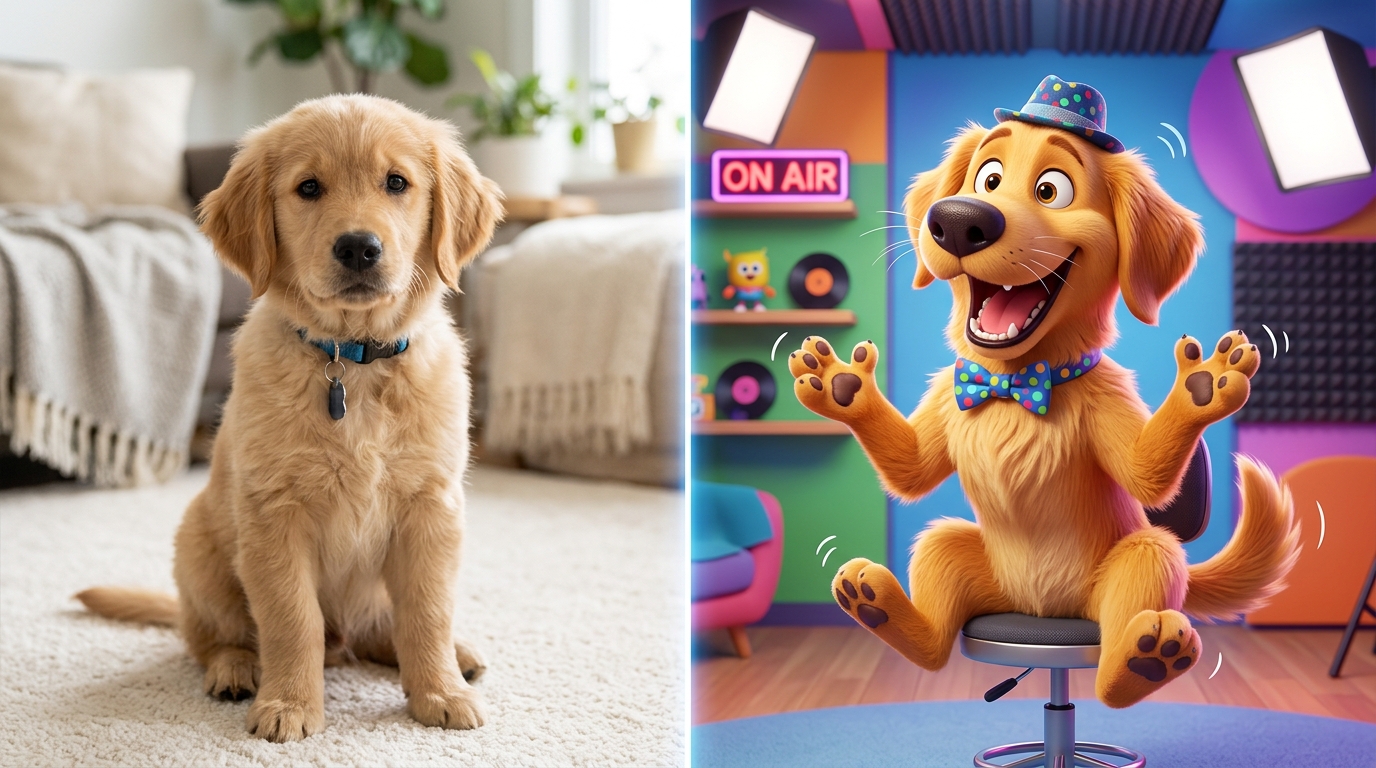
To turn your dog photo into a funny animated video with AI, upload a clear, front-facing picture to Animate My Pet, select a pre-built comedic template or voice preset (like Talking Dog, Superhero, or Pet Chef), and let the AI generate a high-definition 10-second vertical video in under two minutes. You don't need video editing experience, prompt engineering skills, or expensive software.
Every dog parent knows the feeling. Your pup gives you an intense side-eye from across the living room, lets out an exaggerated sigh, or stares longingly at a slice of pizza. You know exactly what they'd say if they had a human voice. Until recently, bringing those comedic moments to life meant spending hours in complex desktop animation suites or wrestling with multi-layered AI prompt tools that turn dog muzzles into distorted rubber.
Today, pet-trained artificial intelligence makes it effortless to transform any single picture into a lively, talking, character-driven video. Whether you want to make your family laugh in the group chat or build a viral pet channel on TikTok and Instagram Reels, here's the complete, practical guide to creating funny animated dog videos in minutes.
Key Takeaways
- Zero Prompting Required: Modern pet animation engines use 1-click curated templates (Talking Dog, Movie Trailer, Chef, Superhero) that eliminate manual prompt engineering.
- Pet-Trained Anatomical AI: Unlike general AI video models that warp canine snouts, specialized pet platforms accurately track ears, muzzles, and facial expressions without distortion.
- Social-Ready Format: Generated clips export in native 9:16 vertical 720p HD MP4, perfectly sized for TikTok, Instagram Reels, and YouTube Shorts.
- Transparent Pricing: You can test the platform with a free AI pet portrait or use simple one-time credit packs starting at $9.99 with no recurring subscription traps.
Why Animated Dog Videos Are Dominating TikTok, Reels, and Shorts
Pet content has always been a cornerstone of internet culture, but short-form algorithms in 2026 heavily favor narrative humor and dynamic motion over static photos. A carousel of still dog pictures rarely stops the scroll. A 10-second video of a French Bulldog complaining about bath time in a sassy accent commands immediate watch time, comments, and shares.
┌────────────────────────────────────────────────────────┐
│               VIRAL ENGAGEMENT COMPARISON              │
├──────────────────────────┬─────────────────────────────┤
│ Static Pet Photo Post    │ 1.2% Avg Engagement Rate    │
│ Standard Pet Video Clip  │ 3.8% Avg Engagement Rate    │
│ AI Talking / Skit Video  │ 8.6% Avg Engagement Rate    │
└──────────────────────────┴─────────────────────────────┘
Three core elements make AI-animated pet videos perform exceptionally well:
- Relatable Anthropomorphism: Giving dogs human voices taps into universal pet owner experiences—demanding dinner two hours early, plotting against the neighborhood squirrel, or negotiating extra couch privileges.
- High Completion Rates: Short, punchy 10-second videos keep viewers hooked from the first frame to the punchline, signaling to algorithm feeds that the content deserves broader distribution.
- Instant Shareability: Viewers immediately tag friends and family who own similar breeds, driving organic viral loops across messaging apps and social feeds.
If you're ready to give your pup the spotlight, you can start creating with Animate My Pet in just a few taps.
The 3 Biggest Problems with Generic AI Video Tools (And Why Pet AI Wins)
If you've tried using general-purpose AI video generators like Runway, Pika, or Kling to animate your dog, you've likely encountered frustrating roadblocks. These general models are primarily trained on human bodies, cinematic landscapes, and broad objects, which creates several distinct issues when applied to pets.
1. The "Melted Snout" Distortion
Human faces are relatively flat with forward-facing lips. Canine anatomy, by contrast, features protruding muzzles, distinct whiskers, varied jawlines, and expressive jowls.
When generic AI tools attempt to animate a dog's mouth, they often treat the snout like a human mouth, stretching the fur and skin into an uncanny, melted texture. A dedicated talking dog and cat video generator uses neural networks trained on animal facial landmarks, preserving natural jaw articulation and muzzle structure.
2. Complex Prompt Engineering and Sliders
General AI tools require crafting lengthy, hyper-specific text prompts, tuning motion strength sliders, and adjusting camera pans just to get a basic movement.
One slight typo or conflicting prompt keyword can produce distorted paws, extra tails, or unwanted background morphing. Dedicated pet tools replace all prompt writing with curated one-tap visual presets.
3. Predatory App Store Subscriptions
Many apps in mobile app stores lure pet parents in with a "free download," only to lock them into steep $7.99 weekly or $39.99 annual recurring subscriptions that are difficult to cancel.
By contrast, modern web platforms offer transparent one-time pet video credit packs starting at $9.99 for 3 videos or $24.99 for 10 videos, with credits that never expire.
Step-by-Step: How to Turn Your Dog Photo Into a Funny Animated Video
Creating an animated dog video doesn't require downloading heavy mobile apps or configuring complex desktop software. You can complete the entire process directly in your mobile or desktop web browser.
┌────────────────────────────────────────────────────────┐
│               3-STEP CREATION WORKFLOW                 │
├────────────────────────────────────────────────────────┤
│  [ Step 1: Upload Photo ]  ──▶ Front-Facing & Clear    │
│  [ Step 2: Pick Template ] ──▶ Voice & Character Theme │
│  [ Step 3: Export 9:16 ]   ──▶ Ready for TikTok/Reels  │
└────────────────────────────────────────────────────────┘
Step 1: Upload a Clear Pet Photo
Head to the Animate Dog Photo tool and upload your favorite dog photo (JPG, PNG, or WEBP).
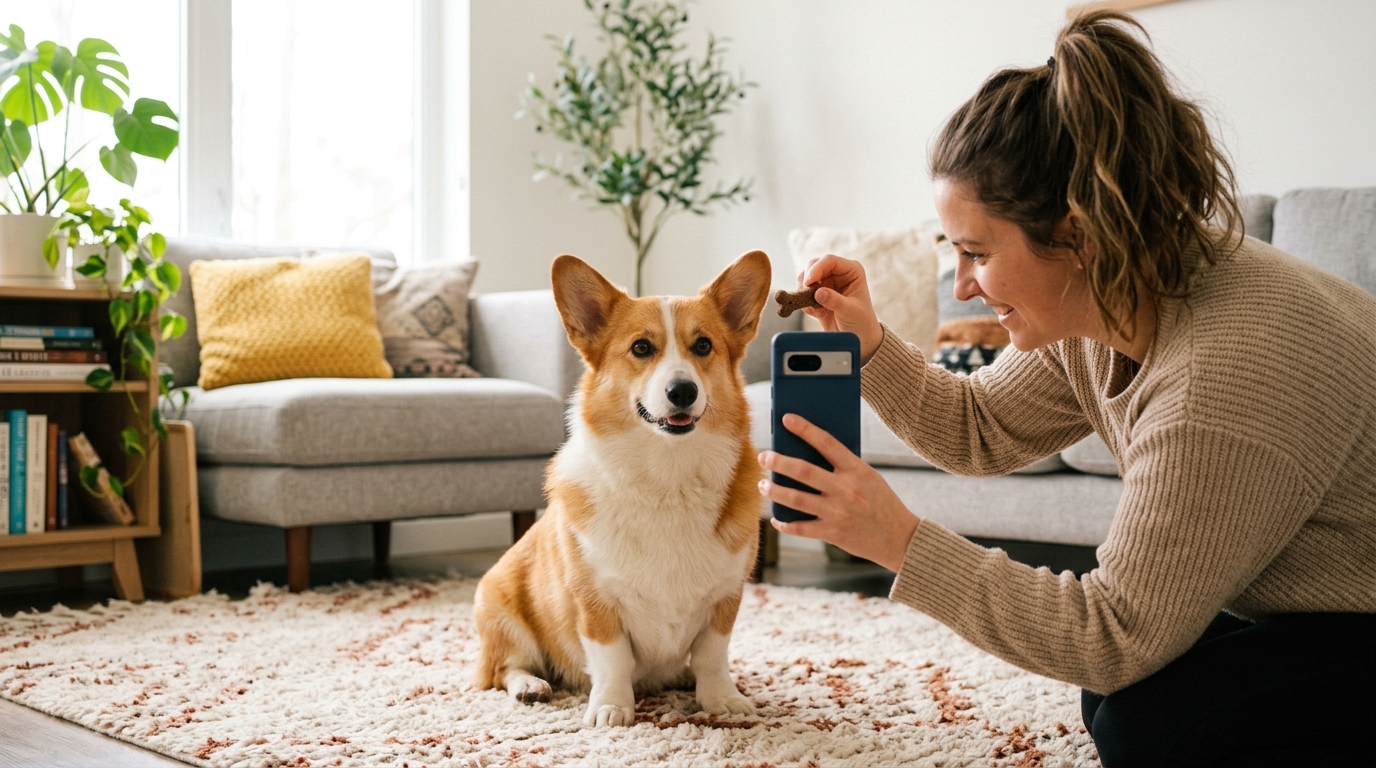
The Treat Trick for Best Results: To capture the perfect photo, hold a high-value treat (like a piece of cheese or chicken) directly above your smartphone camera lens at your dog's eye level. This naturally encourages your pup to look straight into the camera with perked ears, focused eyes, and a relaxed, closed-mouth expression.
Step 2: Choose a Viral Template and Voice Personality
Browse the pre-built template library and select the style that matches your dog's vibe:
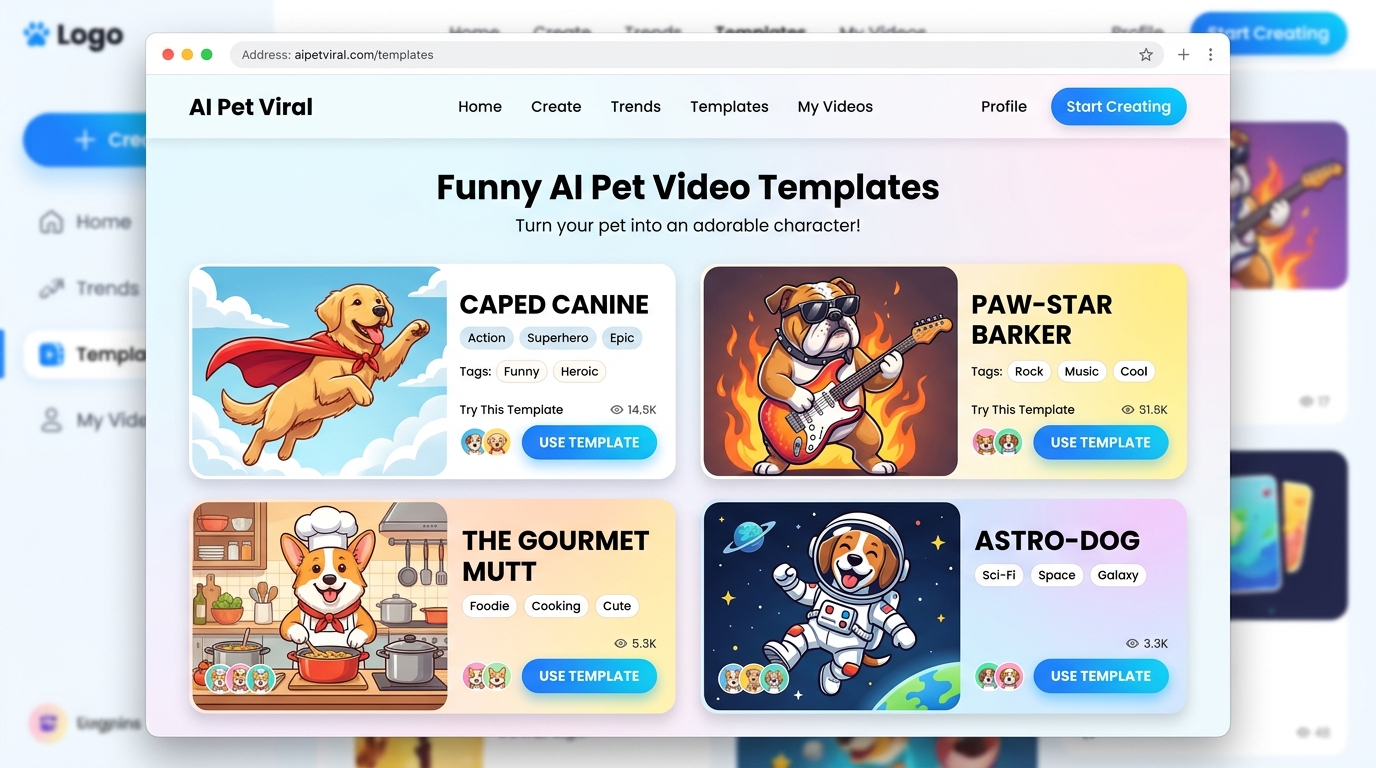
- Talking Pet: Makes your dog speak with realistic lip synchronization. Choose from curated voice personalities:
- Cute: High-pitched, enthusiastic, and playful.
- Funny: Dry, sarcastic, and witty.
- Dramatic: Over-the-top, theatrical, and emotional.
- Sassy: Unapologetic, bossy, and hilarious.
- Royal: Posh, sophisticated, and dignified.
- Character Transformations: Instantly dress your dog as a superhero, master chef, electric rockstar, or cosmic astronaut.
- Viral Formats: Choose the Hollywood Movie Trailer or Dramatic Reaction style for cinematic storytelling.
Step 3: Generate and Download in Vertical 9:16 HD
Click generate. The cloud-based AI processes the animation in approximately 60 to 120 seconds.
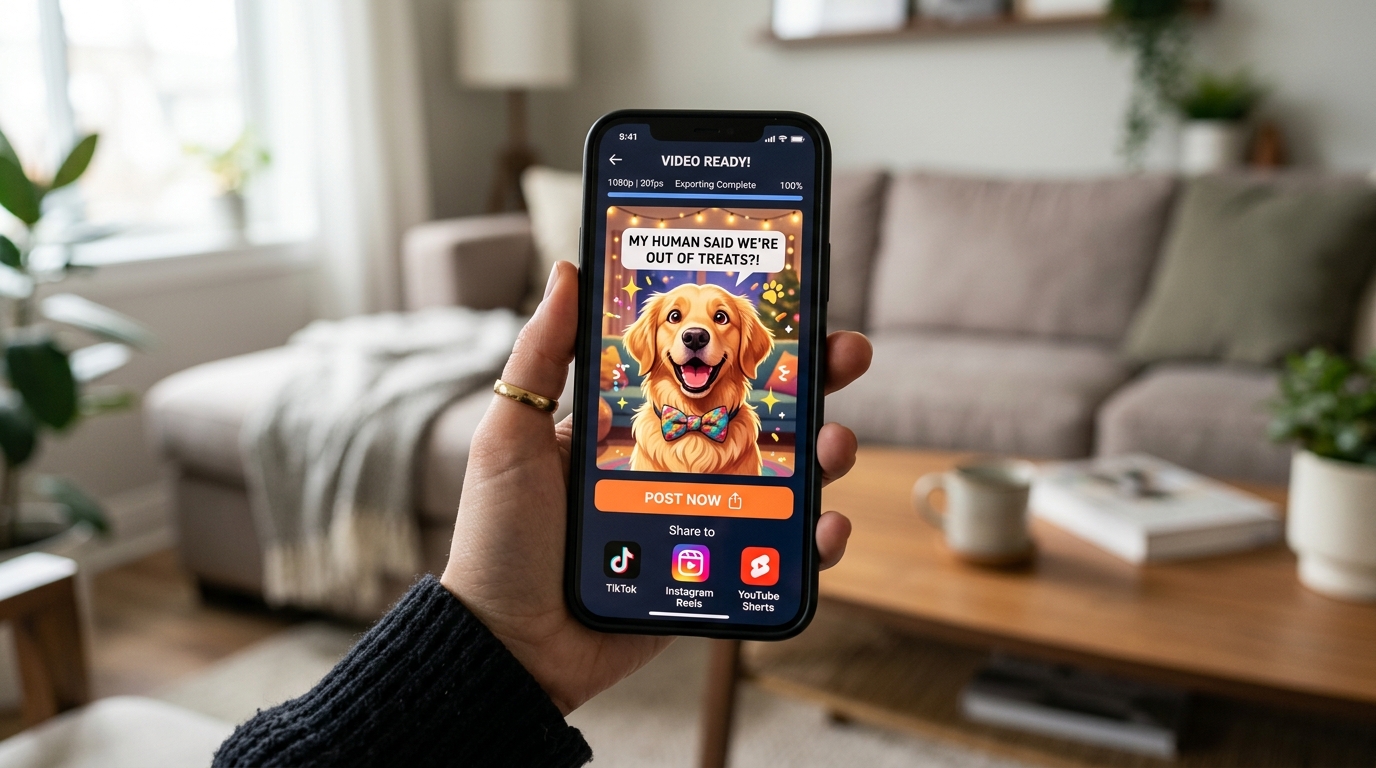
Once finished, preview your clip and download the watermark-free 720p HD MP4 directly to your camera roll or computer. The 9:16 aspect ratio means you can upload it directly to TikTok, Instagram Reels, or YouTube Shorts without cropping or resizing.
Real Creator Spotlight: Sarah & Buster's 1.2M-View Breakthrough
Sarah, an everyday dog parent from Austin, Texas, wanted to create a funny clip for her Basset Hound Buster's fifth birthday. Using a simple photo of Buster's trademark droopy face, she applied the Pet Movie Trailer template with a Dramatic voiceover declaring him "The world's slowest detective on his most urgent mission yet: finding the missing sock."
She posted the 10-second clip on TikTok before going to bed. By morning, the video had surpassed 1.2 million views and 180,000 likes. "I had zero video editing experience," Sarah shared. "The entire video took two minutes to generate on my phone while sitting on the couch."
Top 5 Funny Dog Video Templates & Ready-to-Use Skit Scripts
Not sure what story to tell? Here are five proven template concepts paired with copy-and-paste comedic scripts you can use on Animate My Pet:
1. The Bath Time Betrayal (Template: Talking Dog)
- Voice Preset: Dramatic or Sassy
- Visual Style: Classic expressive mouth movement with focused eye contact.
- Script Idea:
"You said we were going to the park. The park does not have warm water and lavender shampoo, Susan. This is a betrayal of the highest canine order. Expect zero tail wags for the next forty-eight hours."
2. The Kitchen Floor Inspector (Template: Pet Chef)
- Voice Preset: Funny
- Visual Style: Dog wearing a crisp white chef hat in a bustling kitchen setting.
- Script Idea:
"As head executive chef of this household, I have thoroughly inspected the bacon that fell on the floor. Quality control has passed. You may drop another slice immediately."
3. The Neighborhood Watch Superhero (Template: Pet Superhero)
- Voice Preset: Dramatic / Heroic
- Visual Style: Flowing heroic cape, cinematic lighting, and epic posture.
- Script Idea:
"By day, a mild-mannered couch sleeper. By night, Captain Zoomies! Protector of the living room, vanquisher of the vacuum cleaner, and defender of unattended sandwiches."
4. The Midnight Howl World Tour (Template: Pet Rockstar)
- Voice Preset: Funny / Energetic
- Visual Style: Neon concert lighting, sunglasses, and electric rock energy.
- Script Idea:
"Hello Madison Square Garden! This next song is dedicated to the mailman who dared to walk past our front window at two in the afternoon. It's called: 'Bork, Bork, Awoooo!'"
5. The Hollywood Blockbuster Trailer (Template: Pet Movie Trailer)
- Voice Preset: Royal / Deep Cinematic
- Visual Style: Hollywood blockbuster letterboxing, dramatic pacing, and epic title cards.
- Script Idea:
"In a world where walks are cut short... one brave good boy will stand up, refuse to move, and demand the full three miles. Coming this weekend to a backyard near you."
You can explore all pet video templates to see dynamic live previews of each style.
Pro Tips for Choosing and Preparing Your Dog Photo
The quality of your generated AI video depends heavily on the input photo you provide. Follow this practical checklist to ensure crisp facial tracking and natural animations:
┌────────────────────────────────────────────────────────┐
│              PHOTO SELECTION DO'S & DON'TS             │
├──────────────────────────┬─────────────────────────────┤
│ DO                       │ DON'T                       │
├──────────────────────────┼─────────────────────────────┤
│ Front-facing, eye-level  │ Steep overhead or side shot │
│ Bright, natural lighting │ Harsh shadows or backlight  │
│ Closed mouth or grin     │ Heavy panting / tongue out  │
│ Clear eyes and muzzle    │ Fur covering entire face    │
│ Single dog in frame      │ Multiple pets in one shot   │
└──────────────────────────┴─────────────────────────────┘
1. Shoot at Direct Eye Level
Avoid taking photos from high above while standing over your dog. Crouch down so your phone lens is directly level with your dog's eyes and nose. This provides a balanced perspective for the AI's facial geometry mesh.
2. Prioritize Diffused Natural Light
Take photos near a bright window or outdoors on an overcast day. Direct sunlight creates harsh shadows beneath the snout and ears, while dimly lit indoor rooms introduce digital noise that can blur fine fur details.
3. Opt for a Closed Mouth or Slight Smile
While open-mouth panting looks joyful, photos with huge dangling tongues can confuse lip-syncing algorithms. A relaxed, closed mouth or slight grin allows the AI to synthesize natural opening, closing, and phonetic mouth shapes smoothly.
4. Keep It to One Pet Per Photo
If you have multiple dogs, don't upload a group photo expecting both to speak in unison. AI models perform best when focused on a single pet's face. If you want to create a dialogue between two pets, simply animate each dog's photo separately and combine the clips back-to-back.
To verify how well your pet's photo translates into AI, you can claim 1 free AI pet portrait before generating full animated videos.
Method Comparison: How Does Animate My Pet Compare?
Here is how dedicated pet AI tools compare against general AI video generators, mobile subscription apps, and traditional freelance animation:
| Feature / Metric | Animate My Pet | General AI (Runway/Sora) | Mobile App Store Apps | Freelance Animator |
|---|---|---|---|---|
| Workflow | 1-Tap Browser Template | Manual Prompt Writing | Mobile App Download | Manual 3D/2D Rigging |
| Pet Facial Accuracy | Pet-Tuned Neural Engine | Generic Human Mesh | Basic Mesh Warp | High Custom Quality |
| Voice Styles Included | 5 Preset Personalities | None (Video Only) | Limited / Extra Fee | Custom Voice Talent |
| Pricing Model | $9.99 One-Time Packs | $15–$30/mo Subscription | $7.99/wk Subscription | $50–$150 per clip |
| Turnaround Time | ~1 to 2 Minutes | 3 to 10 Minutes | 1 to 3 Minutes | 3 to 7 Business Days |
| Platform Access | Web (Mobile & PC) | Web / API | iOS / Android Only | Email / Project Boards |
| Watermark-Free Option | Yes (All paid packs) | Paid tiers only | Paid tiers only | Yes |
By focusing exclusively on pet anatomy, curated humor templates, and transparent one-time pricing, Animate My Pet offers the most accessible path for pet owners and creators.
Frequently Asked Questions
Can I turn my dog photo into an animated video for free?
Yes. You can register on Animate My Pet to claim 1 free high-definition AI pet portrait and preview short video animations without entering a credit card. To export full 10-second watermark-free HD videos with voice audio, you can purchase affordable one-time credit packs starting at $9.99.
What happens to the photos I upload?
Your privacy and data security are strictly protected. Uploaded pet photos and generated videos are stored securely in temporary cloud storage and automatically deleted within 24 hours to 7 days. Your pet photos are never sold to third parties or used for public model training.
Do I need to write complex prompts to get good animations?
No. Animate My Pet is designed with zero-prompt technology. You simply select a pre-built template (such as Talking Dog, Pet Superhero, or Pet Chef) and pick a voice style. The platform automatically handles all underlying motion, facial mapping, and audio synchronization.
What format and resolution are the exported dog videos?
All completed animations are delivered as 720p HD MP4 video files in vertical 9:16 format (1080x1920 equivalent social rendering). This format is natively optimized for instant posting on TikTok, Instagram Reels, YouTube Shorts, and Facebook Stories.
Can I make two dogs talk to each other in the same video?
For the highest visual quality, generate a separate video for each dog using their respective photos and distinct voice styles (for example, pairing a Dramatic voice for a Husky with a Sassy voice for a Chihuahua). You can then stitch the two 10-second clips together using any free mobile video app to create a back-and-forth conversation.
Conclusion
Turning your dog photo into a funny animated video is one of the fastest, most entertaining ways to celebrate your pet's quirky personality and create shareable social content. With specialized pet AI tools, you no longer need expensive video software, multi-app editing setups, or prompt engineering expertise to achieve studio-quality animations.
Your 3-Minute Action Plan:
- Snap the Photo: Use the treat trick to capture a well-lit, eye-level, front-facing shot of your pup.
- Select Your Style: Choose a hilarious template—whether you want a sarcastic talking monologue, a superhero adventure, or a movie trailer.
- Download and Share: Export your 9:16 HD clip and share the laughs with your friends, family, or social media followers.
Ready to see what your dog has to say? Visit Animate My Pet to animate your pet photo or claim your free AI pet portrait today.