
Animate My Pet Blog
How to Animate Your Pet Photo Into a Realistic AI Video (Step-by-Step)
Aug 16, 2026
“Learn how to animate your pet photo into a realistic AI video in seconds. Upload one photo, choose a voice style or template, and export 9:16 viral clips.”
To animate your pet photo into a realistic AI video, upload a clear, forward-facing photograph of your dog or cat to a specialized AI pet video generator, select an animation template or voice preset, and generate a 9:16 vertical video in under sixty seconds. Modern animal-specific neural networks handle facial mapping, realistic eye blinks, ear twitches, and synchronized mouth movements automatically without prompt engineering or manual keyframing.
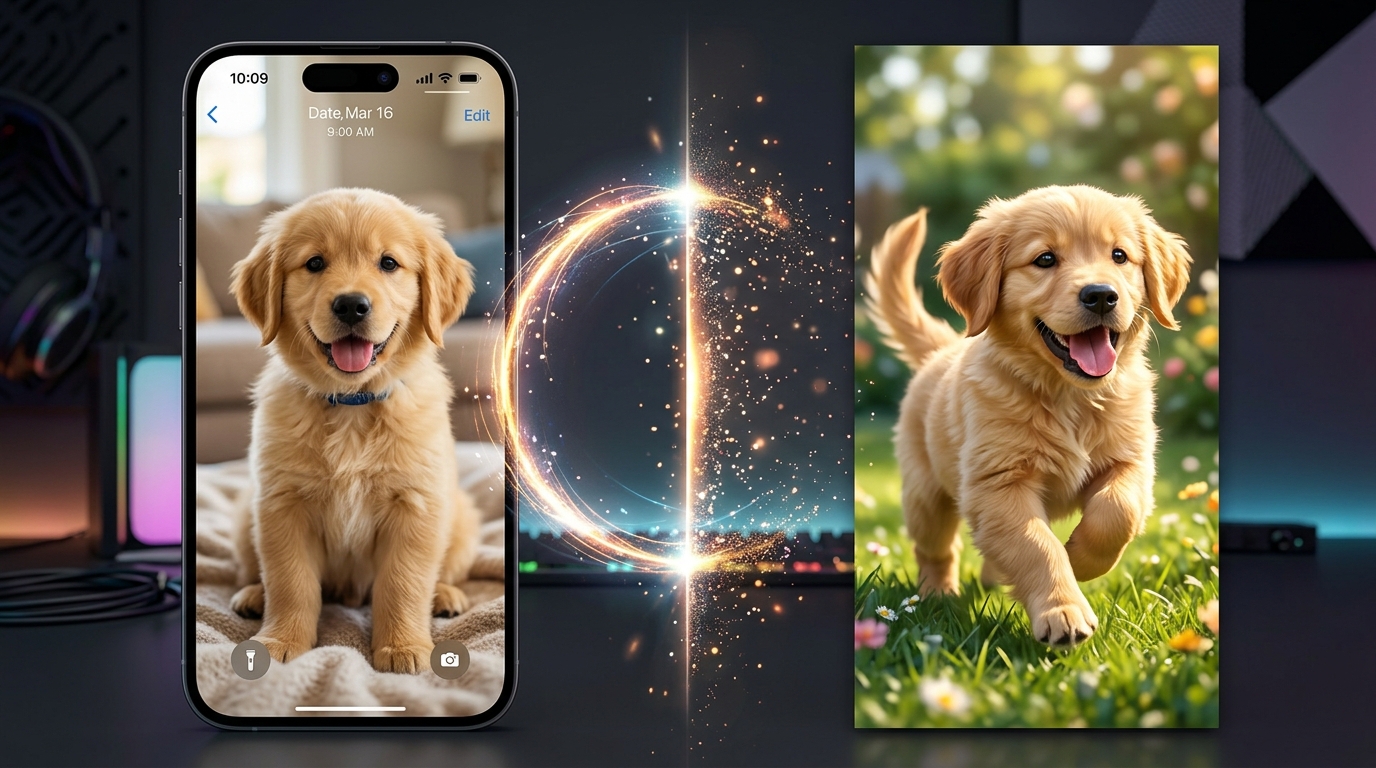
Every pet parent knows the feeling: your dog tilts their head with hilarious curiosity, or your cat gives you a judge-filled glare that practically demands a voiceover. You snap a great photo, but a static picture only captures a fraction of their outsized personality.
Until recently, transforming a still pet picture into motion meant wrestling with complex video editing software, training heavy machine learning models, or dealing with human-focused AI tools that melt pet snouts into surreal distortions.
With dedicated pet animation tools, bringing your fur baby's portrait to life is as effortless as uploading a single snapshot. Whether you want to produce a viral TikTok skit, craft a heartwarming birthday greeting, or make your cat deliver a sassy monologue, here is the complete step-by-step guide to doing it cleanly and realistically.
Key Takeaways
- Zero-Prompt Simplicity: Specialized pet AI tools eliminate the need for complicated text prompts, LoRA training, or manual video keyframing.
- Specialized Animal Mapping: Purpose-built pet engines prevent uncanny "melting fur" and distorted snouts by recognizing animal facial topology.
- Social-Ready Output: Generated clips export natively in 9:16 vertical HD, complete with voice styles (Cute, Sassy, Royal, Dramatic, Funny) ready for Instagram Reels, TikTok, and YouTube Shorts.
- Photo Quality Dictates Realism: Even lighting, clear eye contact, and unobstructed muzzles produce the most lifelike animations.
Why Most AI Tools Fail at Pet Animation (The Animal Anatomy Problem)
If you have ever tried running a dog or cat photo through a generic AI video generator designed for human faces, you have likely encountered the uncanny valley. Whiskers turn into bizarre tendrils, muzzles stretch unnaturally across the screen, and extra paws mysteriously appear from nowhere.
Human facial recognition models rely on standardized landmarks: two eyes, a bridge nose, and flat lips. Animal anatomy behaves completely differently:
- Snout Depth and Protrusion: Dogs and cats have elongated muzzles that require three-dimensional volumetric depth. When generic models try to animate a mouth opening, they often pull the texture flat against the face, creating a distorted "rubber mask" look.
- Whiskers and Fine Fur Textures: High-frequency details like fine whiskers and layered fur coats easily smear when standard diffusion models interpolate frames.
- Ear and Head Articulation: Natural pet expression relies heavily on subtle ear positioning, head tilting, and micro-movements around the brow.
Specialized platforms like Animate My Pet overcome this by utilizing neural networks trained specifically on canine and feline facial structures. The engine isolates anatomical points—jawlines, eyelids, ear tips, and muzzle contours—ensuring that every head turn, blink, and vocal articulation moves naturally while preserving your pet's exact likeness.
How to Animate Your Pet Photo in 3 Simple Steps
Creating a high-definition AI pet video does not require video editing skills or technical prompt writing. Follow this streamlined 3-step workflow to animate your pet photo in minutes.
┌─────────────────────────┐     ┌─────────────────────────┐     ┌─────────────────────────┐
│   1. Upload Photo       │ ──> │   2. Pick Template      │ ──> │   3. Generate & Share   │
│ Clear lighting & eyes   │     │ Voice & Animation Style │     │ 9:16 Vertical HD Video │
└─────────────────────────┘     └─────────────────────────┘     └─────────────────────────┘
Step 1: Upload a Clear Pet Snapshot
The foundation of a realistic animation begins with your source image.
- Select a crisp, high-resolution photo (JPG, PNG, or WEBP) where your pet is facing the camera.
- Ensure their eyes and muzzle are clearly visible, free from heavy shadows, motion blur, or hands blocking their face.
- Headshots or chest-up portraits produce the cleanest facial tracking.
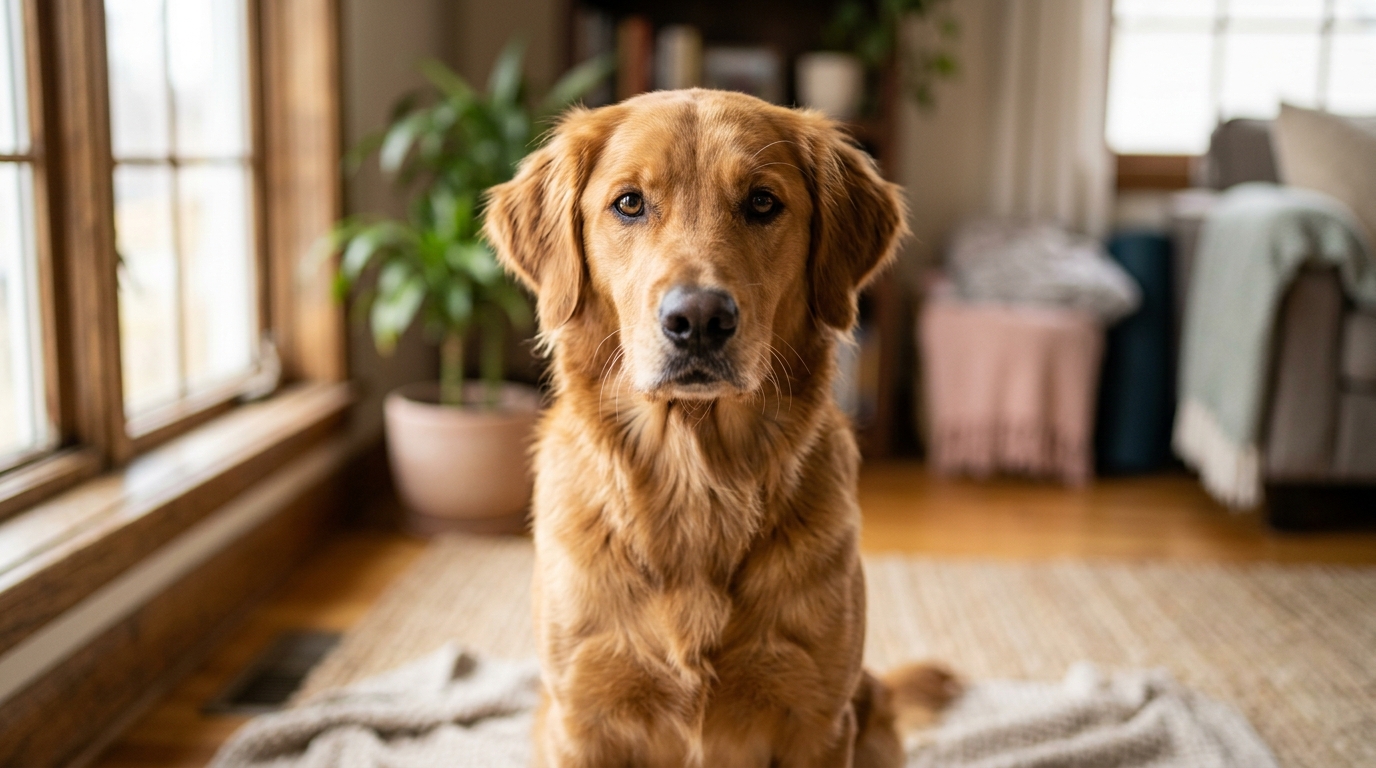
Photo Selection Quick Check:
✔ Natural, even lighting
✔ Clear eye contact with camera
✔ Mouth in a relaxed, natural position
✖ Blurry action shots
✖ Muzzles covered by toys or blankets
✖ Extreme side profiles
Step 2: Choose Your Animation Style and Voice Preset
Once your photo is uploaded into the Creation Studio, select how you want your pet to move and sound:
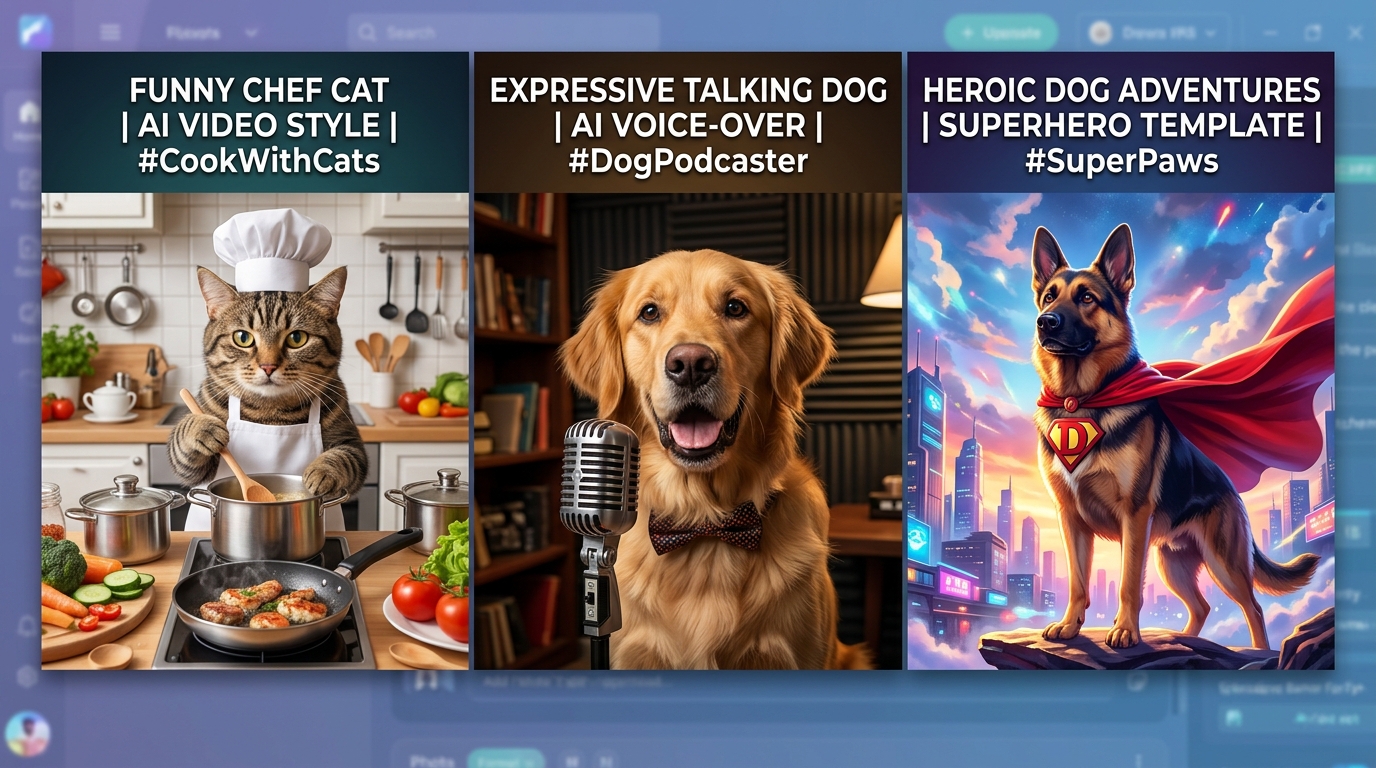
- Talking Pet AI: Synchronizes realistic mouth movement to entertaining voice styles. Choose between curated voice presets including Cute, Funny, Dramatic, Sassy, or Royal.
- Themed Character Templates: Put your pet into full cinematic scenarios, such as Pet Superhero, Pet Chef, Pet Rockstar, Pet Goes To Space, or a dramatic Pet Movie Trailer.
- Custom Scripts or Audio: Provide your own funny monologue or dialogue clip for tailor-made lip-syncing.
Step 3: Generate and Export in 9:16 Vertical HD
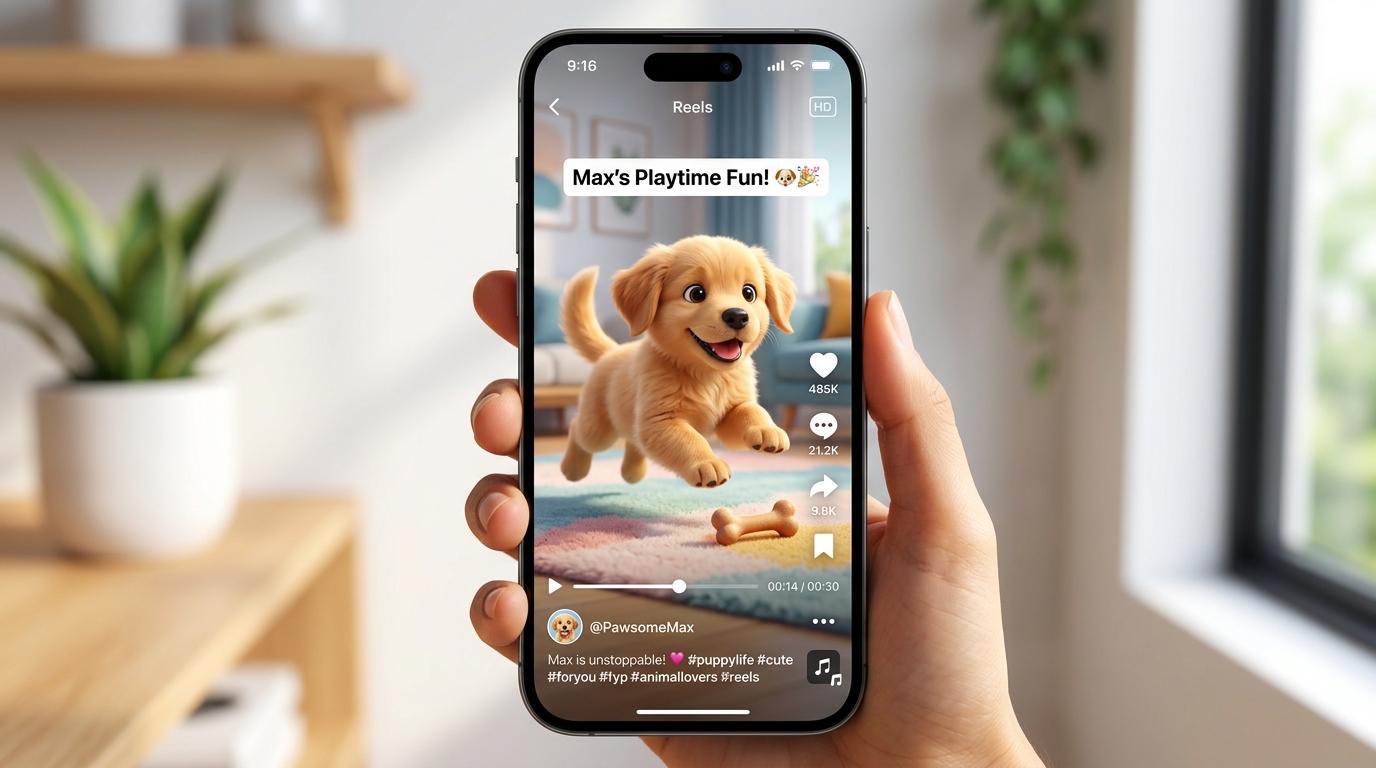
Click generate. Within seconds, the AI transforms the still photo into an expressive, fully rendered 10-second video.
- Preview your creation instantly.
- Download the high-definition MP4 file formatted in 9:16 vertical aspect ratio.
- Share directly to TikTok, Instagram Reels, YouTube Shorts, or your family group chat without needing to crop or re-encode.
Real Creator Story: Oliver’s Adoption Day Announcement
When Sarah wanted to celebrate her rescue tuxedo cat Oliver’s second adoption anniversary, she uploaded a simple couch photo to Animate My Pet. Using the Sassy voice preset and Talking Pet template, she created a 10-second clip of Oliver formally declaring that human bed privileges were now under feline review. The clip gained over 85,000 views on Instagram Reels in forty-eight hours, with dozens of commenters asking how his mouth synced so naturally with the audio without blurring his whiskers.
Top Animation Styles: From Subtle Realism to Viral Skits
Different occasions call for different animation approaches. Depending on your creative vision, here are the most effective animation formats you can produce:
| Animation Format | Best For | Key Visual Features | Recommended Template / Tool |
|---|---|---|---|
| Realistic Talking Pet | Dialogue skits, meme reels, POV videos | Synchronized mouth mapping, expressive eyes, voice presets | Talking Pet AI Hub |
| Lifelike Motion & Expressions | Sentimental keepsakes, portraits, memorial tributes | Subtle breathing, gentle head tilts, realistic blinking | Animate Dog Photo / Cat Tool |
| Superhero & Action Stars | High-energy social content, milestone celebrations | Epic cape animations, heroic backdrops, cinematic lighting | Pet Superhero Template |
| Cinematic Movie Trailers | Viral storytelling, multi-part series | Dramatic camera zooms, orchestral swells, movie voiceover | Pet Movie Trailer |
| Meme & Character Roles | Holiday fun, cooking parodies, rockstar cameos | Themed outfits, dynamic stage lights, comical antics | Pet Chef / Rockstar |
1. Realistic Talking Animals
The most popular format across social media turns your dog or cat into an articulate narrator. Whether expressing their true thoughts about the mail carrier or reviewing their kibble rating, Talking Pet AI pairs realistic canine and feline facial articulation with distinctive voice styles.
2. Lifelike Subtle Expressions
If you prefer pure realism over comedic dialogue, subtle animation captures your pet's tranquil moments. The AI adds gentle chest breathing, realistic eye blinks, soft ear adjustments, and natural head tilts. This style is especially popular for creating timeless digital keepsakes of senior pets or memorial tributes for companions who have passed on.
3. Full Character Transformations
Want to place your pet into a larger-than-life narrative? One-tap template engines can transform your pet into a culinary chef evaluating dinner, a rockstar shredding on stage, or an astronaut venturing into orbit—all while retaining the authentic facial features of your pet.
Pro Tips for Photo Selection: Maximizing Realism
The realism of your generated AI video depends heavily on the quality of the starting photo. Follow these practical tips before uploading:
- Shoot at Eye Level: Get down on the floor to your pet's eye height rather than taking photos looking down from above. Eye-level perspectives give the AI a direct, balanced view of the facial structure.
- Prioritize Bright, Diffused Natural Light: Take photos near a window or outdoors on an overcast day. Harsh direct sunlight creates sharp shadows under the nose, while dim indoor lighting causes digital noise that weakens edge detection.
- Keep the Mouth Neutral or Slightly Open: For talking pet videos, a relaxed mouth or slight smile provides the neural network with clean baseline contours for lip-sync expansion.
- Avoid Face Obstructions: Make sure hair clips, heavy collars, blankets, or human hands aren't resting against your pet’s chin or cheeks.
- Use High-Resolution Originals: Upload the original photo directly from your smartphone camera roll rather than compressed screenshots sent over messaging apps.
Ideal Photo Setup Guide:
[Camera] ── Eye-Level Alignment ──> [Pet Face (Frontal 0°–15°)]
               ▲                              ▲
               │                              │
     Soft Window Lighting             Unobstructed Muzzle & Ears
Creative Ways Creators and Pet Parents Use AI Pet Videos
Pet video generation has expanded far beyond simple novelty clips into powerful creative and personal mediums:
1. Growing Pet Social Media Accounts
Building a dedicated TikTok, Instagram, or YouTube Shorts audience around your pet usually requires catching rare, spontaneous behavior on camera. With AI video tools, creators script daily episodic skits, reaction videos, and trending audio memes on demand, maintaining consistent posting schedules without stressing their animals.
2. Interactive Birthday & Holiday Greetings
Instead of sending a standard greeting card, pet parents send personalized 10-second videos where the family dog or cat "sings" happy birthday or delivers holiday wishes directly to loved ones.
3. Animal Rescue & Adoption Spotlights
Shelters and foster parents use talking pet videos to give rescue animals distinct voices, sharing their backstory and personality in first-person video appeals that dramatically increase adoption inquiry rates.
4. Meaningful Keepsakes and Memorials
Bringing an old photograph of a beloved pet to life with gentle breathing and soft eye contact offers comfort and keeps cherished memories vibrant for years to come.
Frequently Asked Questions
How do I make my pet talk in an AI video?
To make your pet talk, upload a clear photo to Animate My Pet's Creation Studio, select the Talking Pet template, choose your desired voice style (such as Cute, Sassy, or Dramatic), or enter your custom script. The AI automatically animates your pet's mouth and facial expressions in sync with the speech.
What type of pet photo works best for realistic animation?
The best results come from high-resolution, forward-facing photos taken in natural lighting at your pet's eye level. Ensure both eyes, the nose, and the muzzle are clearly in focus without hands, toys, or harsh shadows obscuring their face.
Do I need prompt writing skills or video editing experience?
No. Unlike traditional diffusion models that require complex text prompts and parameter adjustments, one-tap template platforms automate the entire rendering pipeline. You only need to upload one photo and choose a style preset.
Can I animate exotic pets or just dogs and cats?
While optimized primarily for dogs and cats, modern pet animation algorithms support a wide range of furry companions, including rabbits, hamsters, and other domestic pets with distinct facial landmarks.
Is it free to try animating my pet photo?
Yes. You can get started by claiming 1 Free AI Pet Portrait on Animate My Pet to preview your pet's digital styling before generating full 10-second video clips.
Conclusion
Bringing your pet's photos to life no longer requires expensive video gear, complicated prompting, or hours of manual editing. With purpose-built animal animation engines, you can turn any static snapshot into an expressive, lifelike video that captures the charm and humor of your furry best friend.
Ready to see what your pet has to say?
Next Steps to Get Started:
- Pick your favorite well-lit photo of your dog or cat.
- Visit the Animate My Pet Creation Studio or claim your Free AI Pet Portrait.
- Select your favorite voice preset or character template, and download your 9:16 vertical video in seconds.