
Animate My Pet Blog
How to Turn Your Cat Picture Into a Cute AI Animation
Aug 17, 2026
“Learn how to turn your cat picture into a cute AI animation or talking video in seconds with zero prompts, realistic voice styles, and 9:16 vertical HD export.”
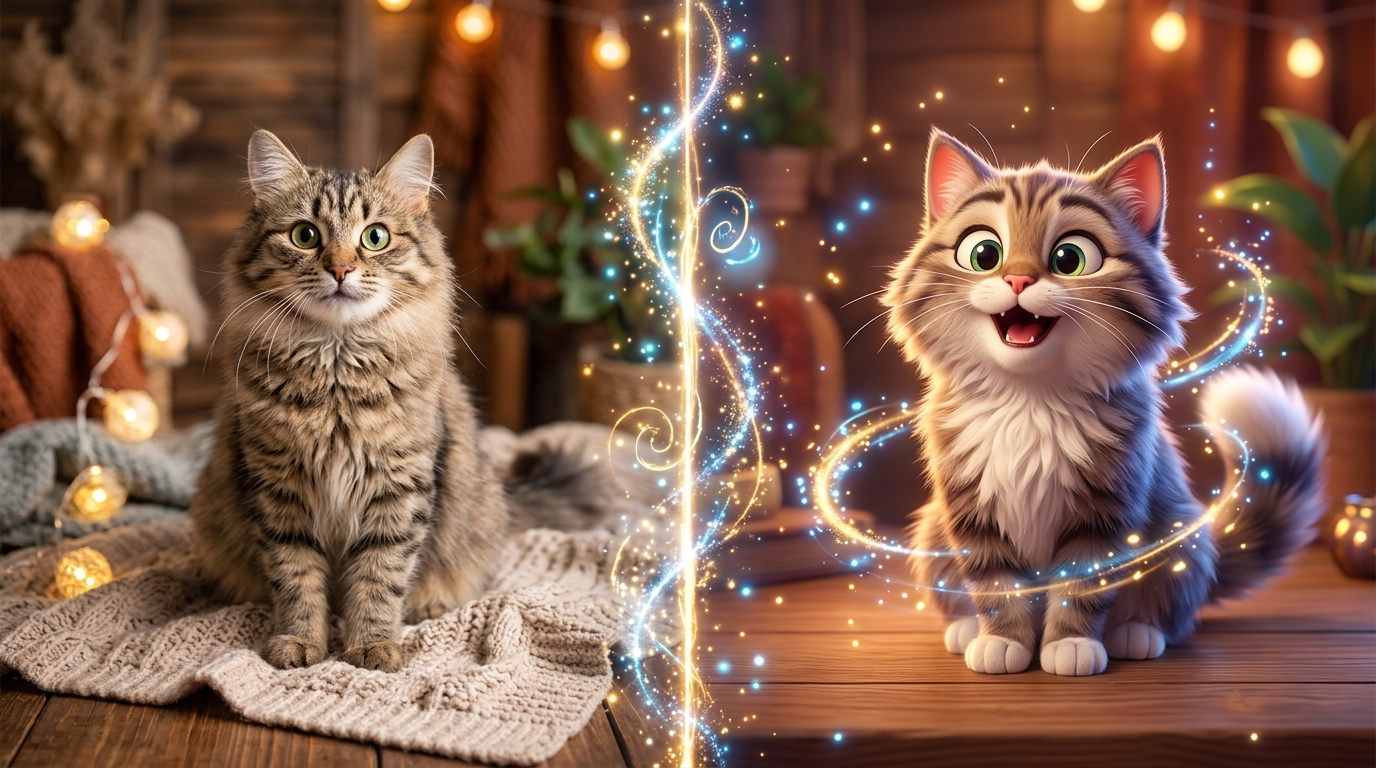
To turn your cat picture into a cute AI animation, upload a clear photo of your cat to a specialized AI cat video generator like Animate My Pet, choose a zero-prompt video template such as Talking Cat, Pet Superhero, or Pet Chef, and click generate to receive a 10-second vertical HD animated video complete with synchronized voice styles and natural movements in under two minutes.
Every cat owner's phone camera roll tells the exact same story: thousands of adorable, hilarious, and slightly chaotic still photos. You have photos of your feline napping in impossible pretzel shapes, staring down an invisible ghost in the hallway, or giving you a haughty glare from atop the refrigerator. But while photos capture a single split second, they cannot capture your cat's sassy personality, dramatic inner monologue, or adorable physical quirks.
In the past, animating a still photo required hours of complex keyframing in professional animation software or chaining together four separate expensive AI tools. Today, dedicated zero-prompt AI technology allows you to animate cat photo files into vibrant, lifelike animations with a single click.
When Sarah, a cat mom from Austin, uploaded a photo of her haughty tuxedo cat Oliver to test a talking template, she paired his impassioned scowl with a witty British monologue about the indignity of budget kibble. She posted the 10-second vertical clip to TikTok under the title "Oliver Reviews His Rent Agreement." Within 48 hours, the clip accumulated over 140,000 views and hundreds of comments asking how she got her cat to talk so realistically.
Whether you want to build a viral social media channel on TikTok and Instagram Reels, create an unforgettable digital birthday card, or bring a beloved feline memory to life, this complete guide walks you through every step. You can even claim 1 free AI pet portrait to test the quality before making your first video.
Key Takeaways
- Zero-Prompt Simplicity: You no longer need to write complex 50-word prompts or tweak motion sliders; modern AI tools use one-tap curated templates to animate cats automatically.
- Feline Landmark Neural Tracking: Species-specific AI models track cat eyes, whiskers, and muzzle geometry to eliminate uncanny warping and preserve your pet's exact facial markings.
- Social-First 9:16 Vertical HD: Videos export natively in 720p HD MP4 format (9:16 aspect ratio), perfectly formatted for TikTok, Instagram Reels, and YouTube Shorts.
- Integrated Voice Personalities: Talking Cat templates combine realistic mouth lip-syncing with tailored audio presets (Cute, Sassy, Royal, Dramatic, Funny) in a single workflow.
Static Cartoonizing vs. Dynamic AI Video: What's the Difference?
Before diving into the creation process, it helps to understand the two main categories of feline AI animation available today: static photo-to-cartoon stylization and dynamic photo-to-video neural animation.
+-----------------------------------------------------------------------------------+
|                           AI CAT ANIMATION APPROACHES                             |
+-----------------------------------------------------------------------------------+
|  1. Static Stylization (Photo-to-Art)     |  2. Dynamic AI Video (Photo-to-Video) |
|  - 3D Pixar, Anime, or Watercolor Filter  |  - 10-Second Moving & Talking MP4     |
|  - Still Image Output (PNG/JPG)           |  - Natural Mouth Lip-Sync & Gestures  |
|  - Best for: Avatars & Phone Wallpapers   |  - Best for: TikTok, Reels & Comedy   |
+-----------------------------------------------------------------------------------+
1. Static Stylization (Photo-to-Cartoon)
Static stylization transforms a regular cat photo into a stylized illustration, such as a 3D Pixar-style render, Japanese anime aesthetic, or whimsical watercolor painting.
- Format: Static high-resolution image file (JPG or PNG).
- Movement: None (the image remains a still portrait).
- Primary Use: Profile pictures, personalized pet gifts, phone wallpapers, and framed digital art.
- Example: Generating a free pet portrait generator asset to see your cat reimagined as a fairytale storybook character.
2. Dynamic AI Video (Photo-to-Video Animation)
Dynamic AI animation takes that static photo, analyzes the feline facial landmarks, and generates a fully moving, expressive video clip. The AI predicts natural biological movements—such as eyes blinking, ears twitching, whiskers vibrating, head tilting, and mouth articulating dialogue.
- Format: 10-second vertical video file (720p HD MP4).
- Movement: Full fluid motion, head movements, and synchronized vocal tracks.
- Primary Use: TikTok videos, Instagram Reels, YouTube Shorts, comedic skits, and memorable family group chat clips.
- Example: Using a talking dog and cat video generator to make your cat speak a comedic monologue or star in an epic superhero movie trailer.
| Feature | Static Cartoon Filter | Dynamic AI Video Generator |
|---|---|---|
| Output Type | Still 2D/3D Graphic | 10-Second Animated Video (MP4) |
| Motion & Audio | No motion, silent | Natural movement + synchronized voice |
| Aspect Ratio | 1:1 Square or 4:5 Portrait | 9:16 Vertical (Optimized for Social) |
| Rendering Speed | 10–20 seconds | 60–120 seconds |
| Best Platform | Avatars & Wallpapers | TikTok, Reels, YouTube Shorts |
Step-by-Step: How to Turn Your Cat Picture Into an AI Animation in 3 Easy Steps
Turning your cat's photo into an animated masterpiece does not require software downloads, coding, or video editing experience. Follow this simple three-step walkthrough:
[ Step 1: Upload Cat Photo ] ──► [ Step 2: Select Video Template ] ──► [ Step 3: Generate & Export 9:16 HD ]
      (Clear & Front-Facing)         (Talking Cat, Superhero, Chef)          (Ready for TikTok/Reels)
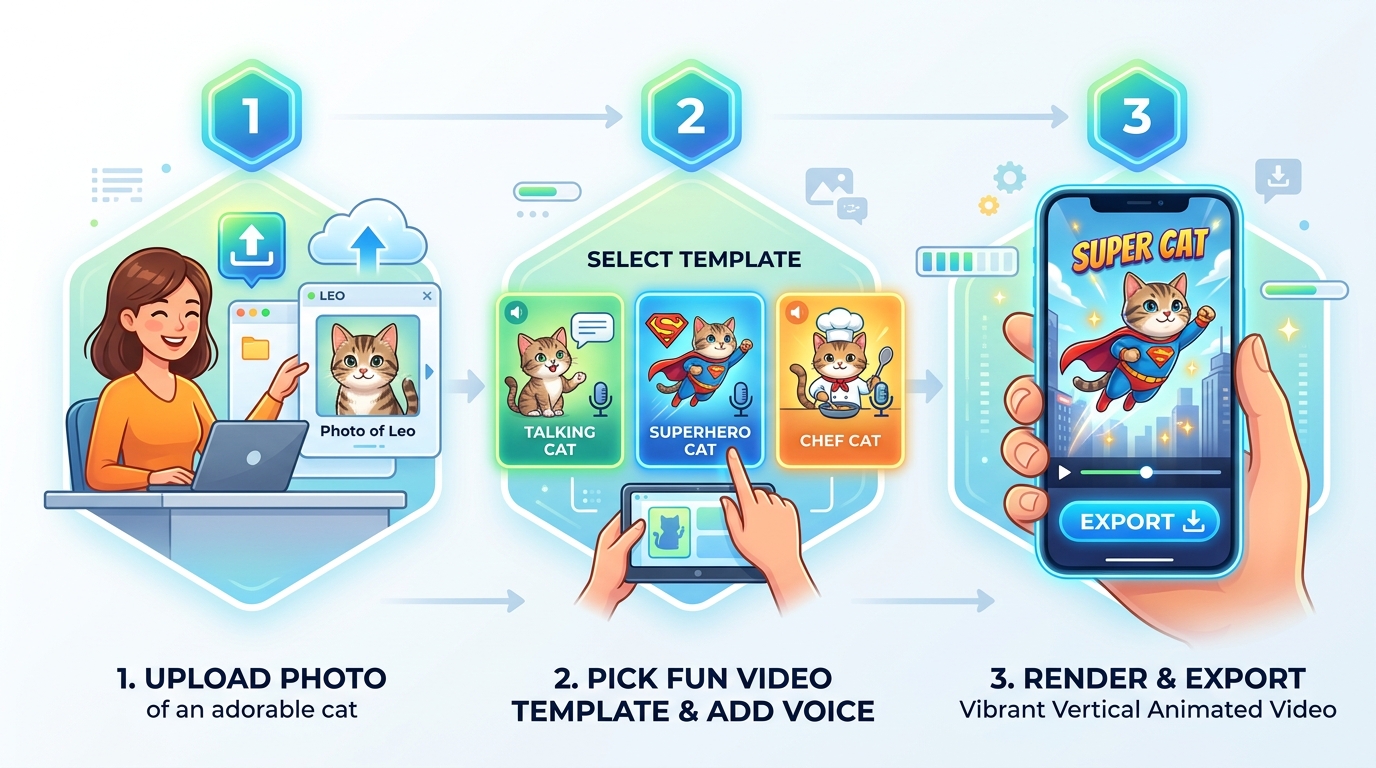
Step 1: Upload a Clear, Front-Facing Cat Photo
The foundation of any great AI animation is a clean source photo. Head to the web-based creation studio to create an AI pet video now from your browser on your phone, tablet, or desktop.
For best results, choose a photo that follows these guidelines:
- Direct Eye Contact: Select a photo where your cat is looking toward the camera at eye level.
- Balanced Lighting: Natural daytime light ensures the AI clearly detects fur patterns, whisker roots, and eye pupils.
- Unobstructed Mouth & Nose: Ensure paws, toys, or food bowls are not covering your cat's chin or muzzle, especially if you plan to use talking templates.
Step 2: Pick Your Template & Voice Personality
Instead of typing complicated prompt instructions into an open text box, select from curated zero-prompt templates engineered specifically for feline anatomy and internet humor.
You can select from three core categories:
- Talking Cat: Enables realistic lip-syncing and facial expressions. Select a voice personality preset that matches your cat's attitude:
- Sassy: Sharp, sarcastic, and punchy (perfect for tuxedo and calico cats).
- Royal: Aristocratic, refined, and haughty (ideal for Persians and British Shorthairs).
- Cute: High-pitched, playful, and cheerful (great for kittens and energetic cats).
- Dramatic: Deep, theatrical movie narrator tone (hilarious for black cats and intense stares).
- Funny: Goofy, quirky, and lighthearted comedy.
- Character Transformations: Dress your cat up in high-production costumes like Pet Superhero, Pet Chef, Pet Rockstar, or Pet Goes To Space.
- Viral Social Formats: Choose cinematic pacing with Pet Movie Trailer or stylized Cartoon Adventure.
Step 3: Generate, Preview, and Download
Click generate. In approximately 60 to 90 seconds, the cloud AI engine processes your image, tracks feline facial landmarks, blends the chosen background and animation assets, and renders a 720p HD MP4 video.
You can preview the video directly in your browser. When you are happy with the result, download the watermark-free video file directly to your device, ready to publish immediately to TikTok, Instagram Reels, YouTube Shorts, or send to friends.
Top 5 Viral AI Animation Templates for Cats
Different cat photos call for different comedic vibes. Here are the five most popular animation templates available in the browse Animate My Pet templates catalog:
+─────────────────────────────────────────────────────────────────────────────+
|                         TOP 5 VIRAL CAT TEMPLATES                           |
+─────────────────────────────────────────────────────────────────────────────+
|  1. Talking Cat         ──► Lip-synced monologues, sassy voice acting       |
|  2. Pet Superhero       ──► Flowing red cape, heroic flight, city skyline   |
|  3. Pet Chef            ──► Chef toque hat, busy kitchen, culinary critique |
|  4. Pet Goes To Space   ──► Astronaut helmet, zero-gravity cosmic float     |
|  5. Pet Movie Trailer   ──► Blockbuster voiceover, cinematic trailer titles |
+─────────────────────────────────────────────────────────────────────────────+
1. Talking Cat (Sassy & Royal Monologues)
The undisputed king of short-form pet content. This template tracks your cat's jawline and muzzle to produce natural, organic lip-syncing without stretching the face into an uncanny rubber mask.
- Visual Style: Subtle ear twitches, natural blinking, expressive brow movements, and synchronized mouth motions.
- Best For: Standup comedy skits, "Why I own this house" internal monologues, and humorous food complaints.
- Top Audio Preset: Sassy British or Royal Aristocrat.
2. Pet Superhero
Transforms your domestic house cat into the guardian of the city. The AI seamlessly equips your cat with a superhero mask and billowing red cape against a dramatic skyline backdrop.
- Visual Style: Dynamic wind blowing through the fur, heroic lighting, and floating superhero elevation.
- Best For: Energetic cats, playful action clips, and celebratory milestones.
When Marcus wanted to surprise his girlfriend for her birthday, he secretly took a photo of her calico cat, Mochi, and ran it through the Pet Superhero template. The resulting 10-second clip featured Mochi heroically guarding Gotham with dramatic orchestral music. The video became the highlight of the birthday dinner, with the entire family asking Marcus how he made it.
3. Pet Chef
Positions your cat behind a gourmet culinary counter equipped with a crisp white chef's toque hat, cutting boards, and simmering cookware.
- Visual Style: Interactive paws stirring or inspecting gourmet dishes, curious head tilts, and cozy bistro lighting.
- Best For: Finicky eaters, treat reviews, and foodie humor.
4. Pet Goes To Space
Places your feline inside an astronaut suit with a transparent cosmic helmet, floating peacefully through zero-gravity starfields and planetary nebulas.
- Visual Style: Slow-motion floating, reflective visor glass, starry galactic background, and curious wide-eyed feline gaze.
- Best For: Cats caught staring into deep space or doing late-night zoomies.
5. Pet Movie Trailer
Transforms your cat into the lead star of a multimillion-dollar summer blockbuster movie.
- Visual Style: Rapid dramatic cuts, cinematic widescreen color grading, Hollywood title cards, and an epic deep-voice movie trailer voiceover.
- Best For: Dramatic stare-downs, epic jumps, and high-shareability Instagram Reels.
Feline Photo Best Practices: How to Get Flawless AI Results
AI video models rely on computer vision algorithms, such as facial landmark detection, to map feline facial geometry. Following a few practical photo guidelines ensures your generated video looks crisp, clean, and recognizably your cat.
+─────────────────────────────────────────────────────────────────────────────+
|                         PHOTO PREPARATION CHECKLIST                         |
+─────────────────────────────────────────────────────────────────────────────+
|  [✓] Eye-Level Angle        --> Shoot directly facing your cat's eyes       |
|  [✓] Diffused Daylight      --> Avoid harsh direct flash or deep shadows    |
|  [✓] Visible Whiskers & Jaw --> Keep paws, collars, or toys off the chin   |
|  [✓] High Resolution        --> Use original uncompressed camera files      |
+─────────────────────────────────────────────────────────────────────────────+
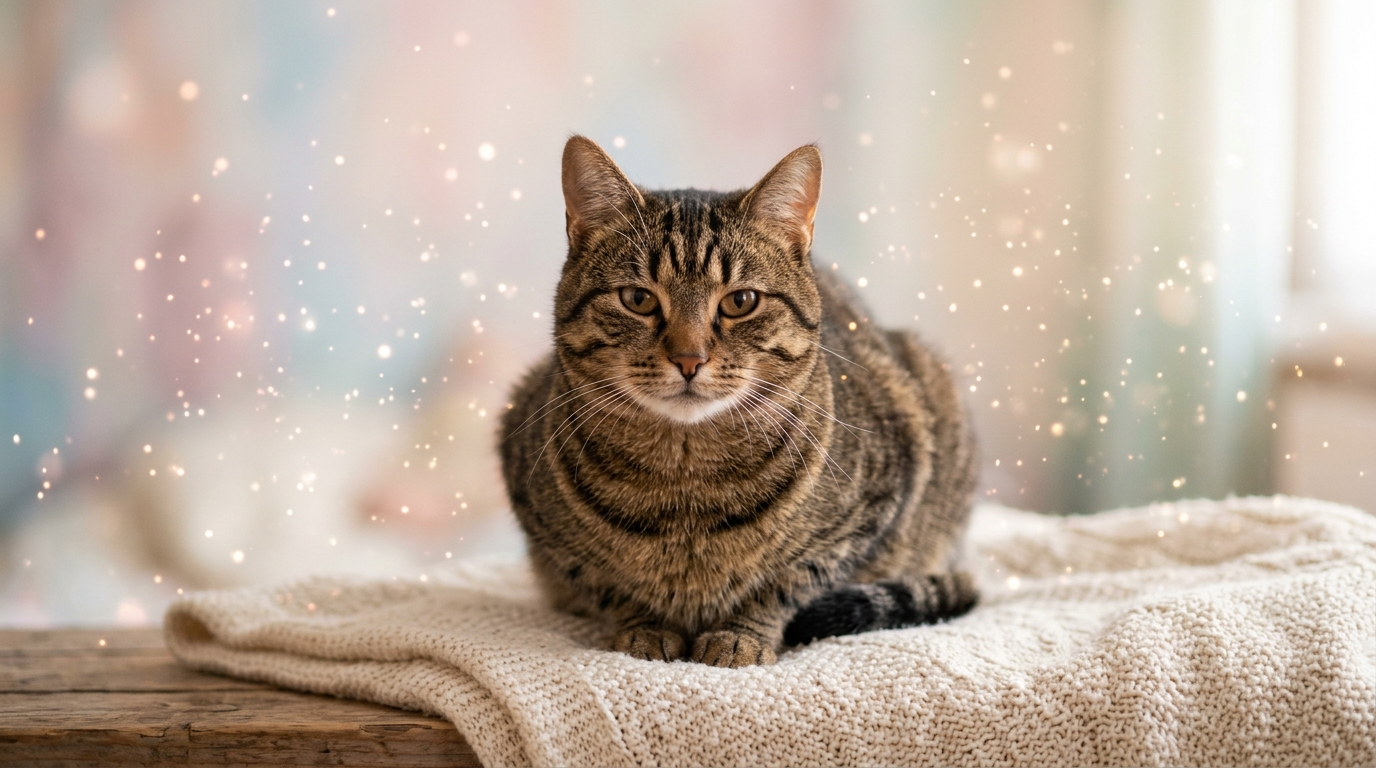
1. Shoot at Eye Level (Avoid Extreme Top-Down Angles)
While top-down "loaf" photos are adorable, they compress the cat's muzzle and conceal the neck. For talking and dynamic action templates, crouch down and snap the photo directly at your cat's eye level. This gives the neural network an accurate view of the chin, mouth, and cheeks.
2. Prioritize Diffused Natural Lighting
Harsh smartphone flash can cause reflective eye glare ("green eye" or "tapetum lucidum glow") and wash out delicate white fur. Position your cat near a bright window with diffused daylight. Clear lighting ensures the AI preserves your cat's exact iris color and fur gradient.
3. Keep the Chin and Whiskers Unobstructed
For lip-sync templates, the algorithm must identify the lower jaw and upper lip line. Avoid photos where your cat is chewing on a toy, resting its chin on a blanket, or covering its mouth with a paw.
4. Handling Unique Cat Breeds & Color Patterns
- Flat-Faced Breeds (Persians, Exotic Shorthairs): Use direct front lighting to prevent deep shadows in facial folds and give the AI clear contrast around the nose and mouth.
- Solid Black & Dark Charcoal Cats: Position the light source to catch subtle highlights along the cheekbones and whisker pads so facial contours remain distinct.
- Pointed & Bi-Color Breeds (Siamese, Ragdolls, Tuxedos): High-resolution photos help the AI maintain sharp boundaries between dark facial masks and lighter body fur.
For a visual demonstration of how AI tools map animal features into video motion, watch this helpful overview:
<!-- YouTube Video Embed --> <div align="center"> <a href="https://www.youtube.com/watch?v=viral_ai_cat_tiktok_guide"> <img src="https://img.youtube.com/vi/viral_ai_cat_tiktok_guide/hqdefault.jpg" alt="How to Turn Pet Photos into Viral AI Videos" style="max-width:100%; border-radius:8px; box-shadow:0 4px 12px rgba(0,0,0,0.15);" /> </a> <p><em>Watch: Step-by-step workflow for creating high-engagement AI pet videos for short-form social media.</em></p> </div>Transparent Pricing: One-Time Credit Packs vs. Subscription Traps
A common frustration among pet owners is discovering that many mobile animation apps lock users into expensive recurring subscriptions—often charging $29.99 to $49.99 per year after a confusing 3-day trial.
At Animate My Pet, video creation operates on a transparent, one-time credit pack model. You buy credits when you want to create, and your credits never expire.
| Package | Price | Video Generations (10s HD) | AI Pet Portraits (HD) | Best For |
|---|---|---|---|---|
| Free Trial | $0 | 3-Second Preview | 1 Free Portrait | First-time users testing photo quality |
| Starter Pack | $9.99 | 3 Videos | 5 Portraits | Quick gifts, single skits, and trying templates |
| Creator Pack (Popular) | $24.99 | 10 Videos | 15 Portraits | Active TikTok, Instagram Reels, & Shorts creators |
| Viral Pack | $49.00 | 25 Videos | 30 Portraits | Pet influencers and multi-pet households |
Every paid credit pack includes 100% watermark-free exports, commercial sharing rights, and high-speed cloud rendering. You can review all plan details on the Animate My Pet pricing page.
Social Media Playbook: How to Go Viral with AI Cat Videos
Short-form algorithms on TikTok, Instagram Reels, and YouTube Shorts favor cat content. However, simply posting a moving cat photo is not enough—you need the right narrative packaging.
+─────────────────────────────────────────────────────────────────────────────+
|                         VIRAL SHORT-FORM FORMULA                            |
+─────────────────────────────────────────────────────────────────────────────+
|  0:00 - 0:02 ──► Hook: Sassy dialogue punchline or dramatic opening zoom    |
|  0:02 - 0:08 ──► Body: Relatable feline grievance (food, sleep, rent)      |
|  0:08 - 0:10 ──► Payoff: Punchline delivery + "Follow for more demands"     |
+─────────────────────────────────────────────────────────────────────────────+
1. Leverage Native 9:16 Vertical Video
Never upload landscape (16:9) videos with black bars on mobile platforms. All videos generated on Animate My Pet export in vertical MP4 video codec standard format, filling the entire mobile screen for maximum viewer retention.
2. Hook Viewers in the First 2 Seconds
Place your boldest visual or punchiest audio line right at the start. Use large, high-contrast captions placed in the middle third of the screen to catch viewers browsing with their sound muted.
3. Tap Into Universal Cat Quirks
The most viral cat skits revolve around universally relatable feline habits:
- Demanding breakfast at 5:15 AM after finishing a bowl at midnight.
- The eternal mystery of knocking water glasses off counters.
- Sassy critiques of the vacuum cleaner ("the loud floor monster").
- Explaining why sitting inside an empty Amazon cardboard box is superior to a $100 orthopedic pet bed.
Frequently Asked Questions
How do I turn my cat picture into a cute AI animation for free?
You can create a cute AI cat animation by claiming a free trial at free pet portrait generator. New users receive one complimentary high-definition AI pet portrait and a 3-second animated preview without entering a credit card.
Do I need to write complex prompts to animate my cat photo?
No. Animate My Pet uses a zero-prompt template system. You simply upload your cat's photo and select a pre-configured template (such as Talking Cat, Pet Superhero, or Pet Chef). The AI automatically handles all lighting, physics, and movement parameters behind the scenes.
What is the best AI tool to make a cat talk from a photo?
The best tool for talking cat animations is the talking pet video maker on Animate My Pet. It combines species-specific feline facial tracking with synchronized voice personalities (Sassy, Royal, Cute, Dramatic, and Funny) to create natural 10-second talking videos.
Will the AI alter my cat's unique markings or eye color?
No. High-quality feline AI models are designed for strict identity preservation. The algorithm maps facial landmark anchor points while maintaining your cat's distinct fur patterns, whisker placements, calico patches, and eye coloration.
Are my uploaded cat photos kept private and secure?
Yes. Privacy is a core priority. Uploaded pet photos and generated animations are processed through encrypted cloud servers and automatically deleted within 24 to 48 hours. Your photos are never sold or used for public model training.
Conclusion
Transforming your favorite cat photo into a delightful, moving AI animation is no longer reserved for Hollywood VFX studios or advanced video editors. With modern zero-prompt technology, you can take any still picture from your camera roll and bring your cat's unique personality to life in under two minutes.
Whether you want to hear your tuxedo cat deliver a sassy household monologue, see your ginger tabby float in an astronaut helmet, or gift your family a heroic superhero keepsake, the process is fast, fun, and effortless.
Take the first step right now:
- Pick your favorite front-facing cat photo from your phone.
- Visit Animate My Pet to start creating with Animate My Pet or generate a free cute cat AI portrait.
- Select your favorite template and watch your cat star in their very own AI video.